12–14 Altera Corporation
Stratix Device Handbook, Volume 2 September 2004
Quartus II Software Support
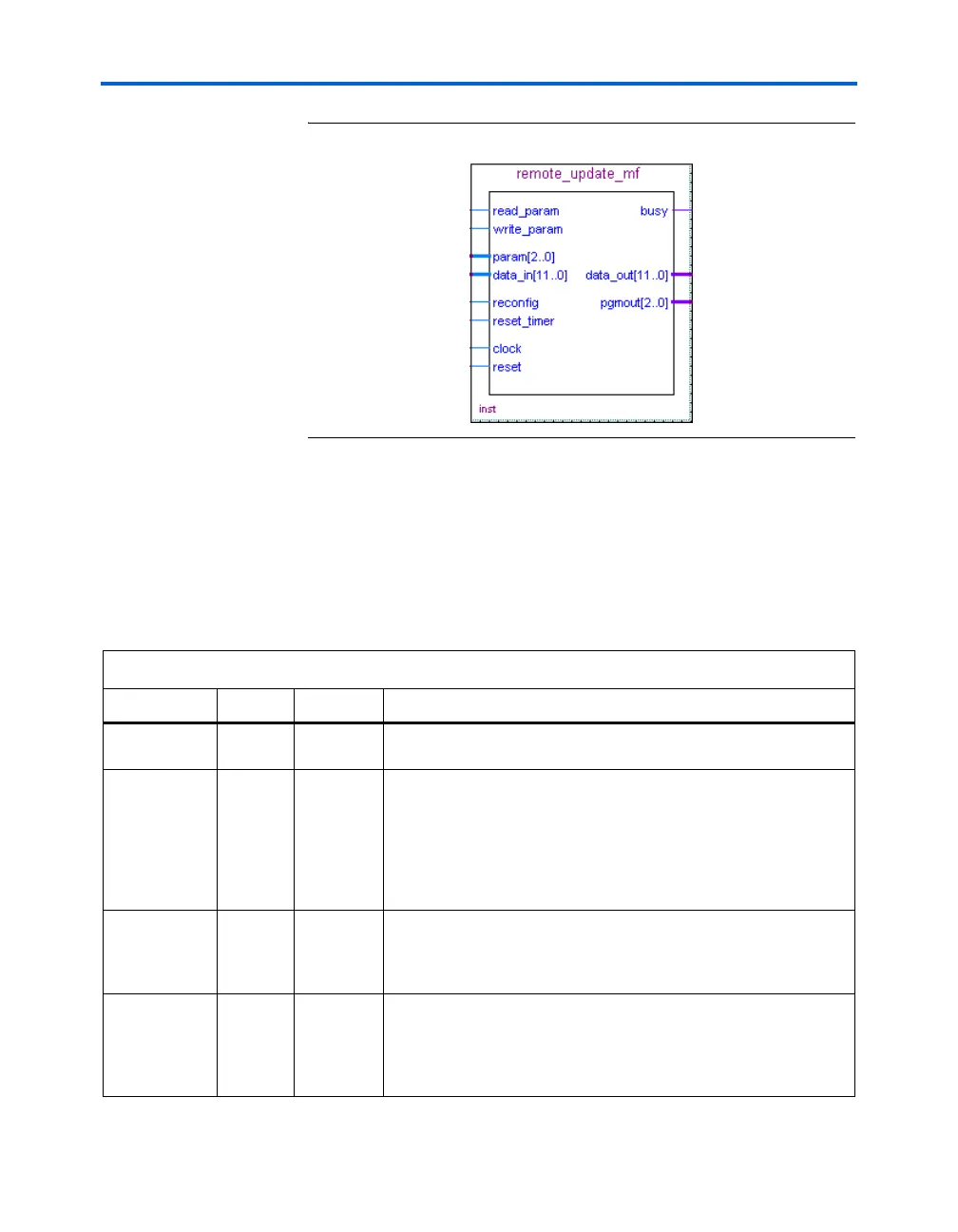
Figure 12–10. altremote_update Megafunction Symbol
altremote_update Megafunction
A remote update megafunction, altremote_update, is provided in the
Quartus II software to provide a memory-like interface to allow for easy
control of the remote update parameters. Tables 12–6 and 12–7 describe
the input and output ports available on the altremote_update
megafunction. Table 12–8 shows the param[2..0] bit settings.
Table 12–6. Input Ports of the altremote_update Megafunction (Part 1 of 2)
Port Name Required Source Description
clock Y Logic Array
Clock input to the
altremote_update block. All operations are
performed with respects to the rising edge of this clock.
reset Y Logic Array Asynchronous reset, which is used to initialize the remote update
block. To ensure proper operation, the remote update block must be
reset before first accessing the remote update block. This signal is not
affected by the busy signal and will reset the remote update block
even if busy is logic high. This means that if the reset signal is driven
logic high during writing of a parameter, the parameter will not be
properly written to the remote update block.
reconfig Y Logic Array When driven logic high, reconfiguration of the device is initiated using
the current parameter settings in the remote update block. If busy is
asserted, this signal is ignored. This is to ensure all parameters are
completely written before reconfiguration begins.
reset_timer N Logic Array This signal is required if you are using the watchdog timer feature. A
logic high resets the internal watchdog timer. This signal is not
affected by the busy signal and can reset the timer even when the
remote update block is busy. If this port is left connected, the default
value is 0.



 To Next Page