Create audit reason settings
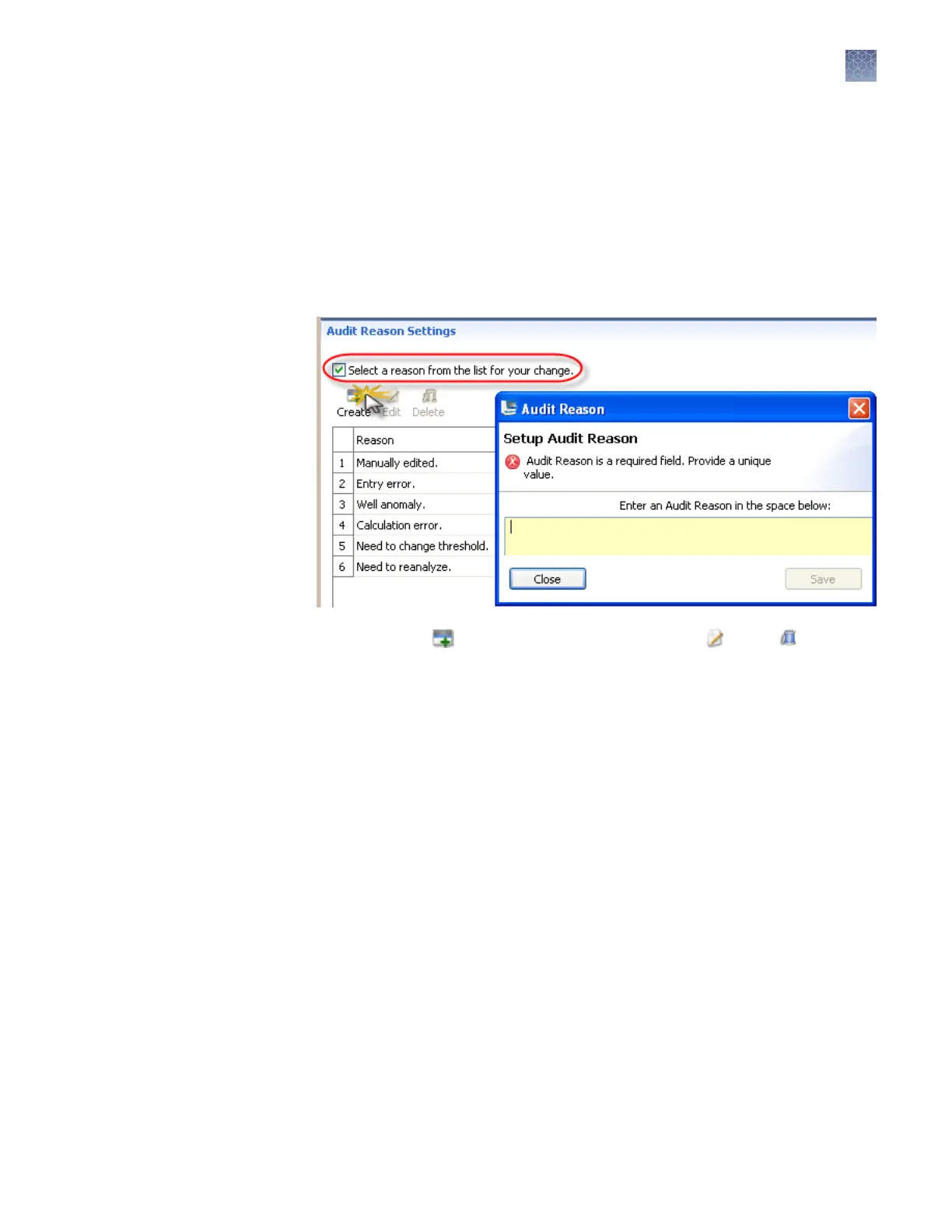
You can create, modify and delete the reasons that are available for selection in the
Audit Reason dialog box (displayed when a user performs an audited action).
1.
To require users to select a pre-dened reason in the Audit Reason dialog box
(displayed when a user performs an audited action), select the Select a reason
from the list for your change checkbox. Users are not permied to enter a
reason.
2.
As needed, click Create, or select a reason, then click Edit or Delete.
Chapter 8 Use Security, Audit, and E-Sig functions (SAE Module)
Administrators
8
3500/3500xL Genetic Analyzer User Guide—Data Collection Software v3.1
203


 To Next Page