6. GUI orientation
Output adjustment panel > Connector Menu
• SDI type (available with S DI conne ctor type) : allows to
choose between S ingle link or Dual link connection ( Dual
link: single image stream split between the two cables ).
• DVI Sync (available with HDMI connector type) : A djusts
the sync polarity of the H and V sync s ignals.
• Color/Sample/Bit: A djust s the color space (RGB or
SMPTE), s ampling rate (4:4:4 or 4:2:2) and bit depth of the
output signal.
• HDCP Mode (available with HDMI connector type):
Provides S tatus of the HDCP compliance.
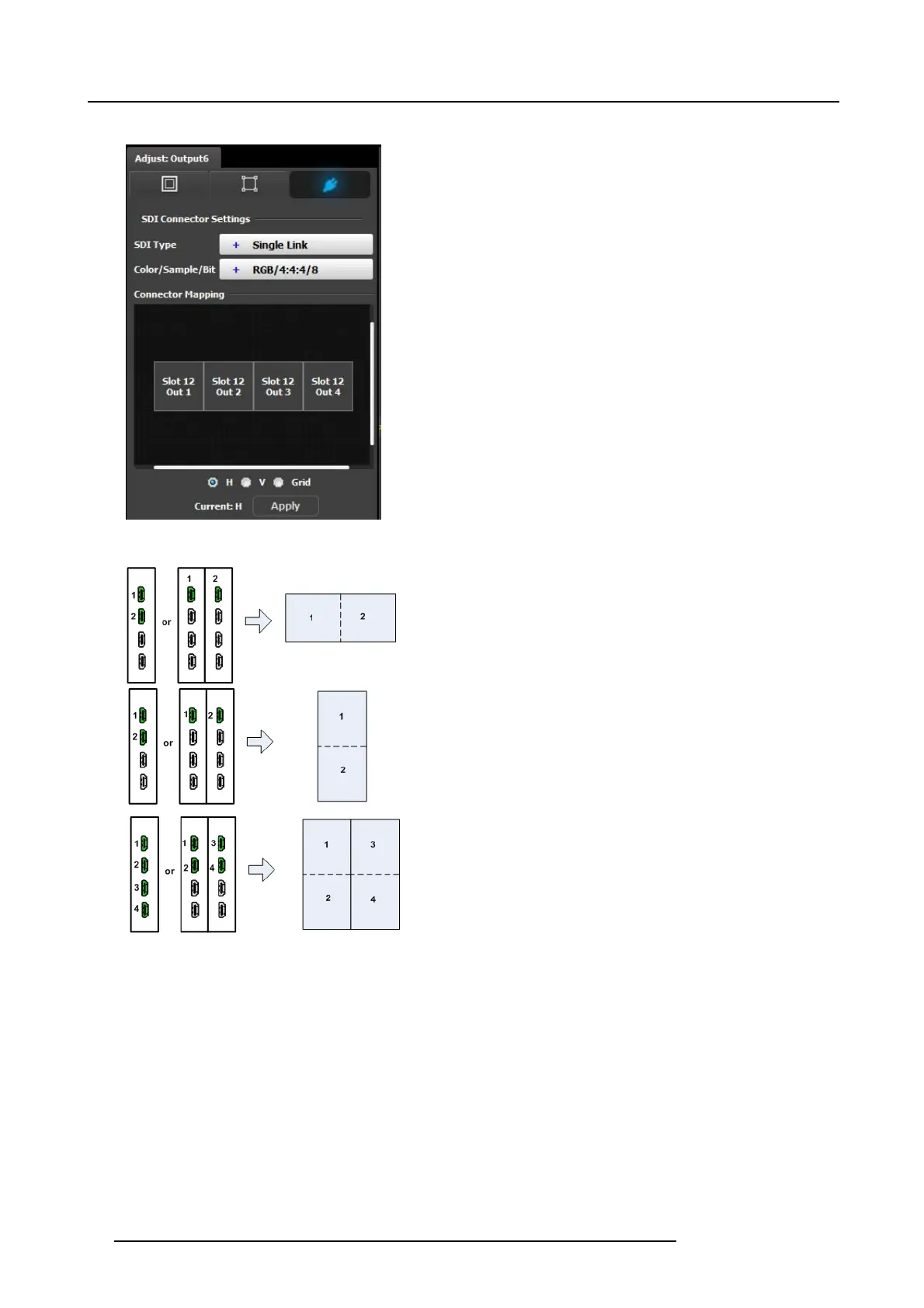
• Connector Mapping: If more than one output connector are
part of the output configuration, as in a blended widescreen
screen, then the connector mapping menu appears. F rom
this m enu the user can select the appropriate connector
horizontal and vertical arrangement (see default mapping
explanations below).
Connector M apping Defaults:
• In a two connector, 2x1 horizontal configuration: The left
side of the screen is fed by the top or most left connector;
• In a two connector, 2x1 vertical configuration: T he top
screen is fed by the top or most left connector.
• In a 4 connector, the default is a 2x2 grid. The top left input
is the left most or top m ost co nnector. The bottom left is the
next one, the top right is next, and the bottom right is ne xt.
98
R5905948 E2 12/12/2014



 To Next Page