6. GUI orientation
Priority
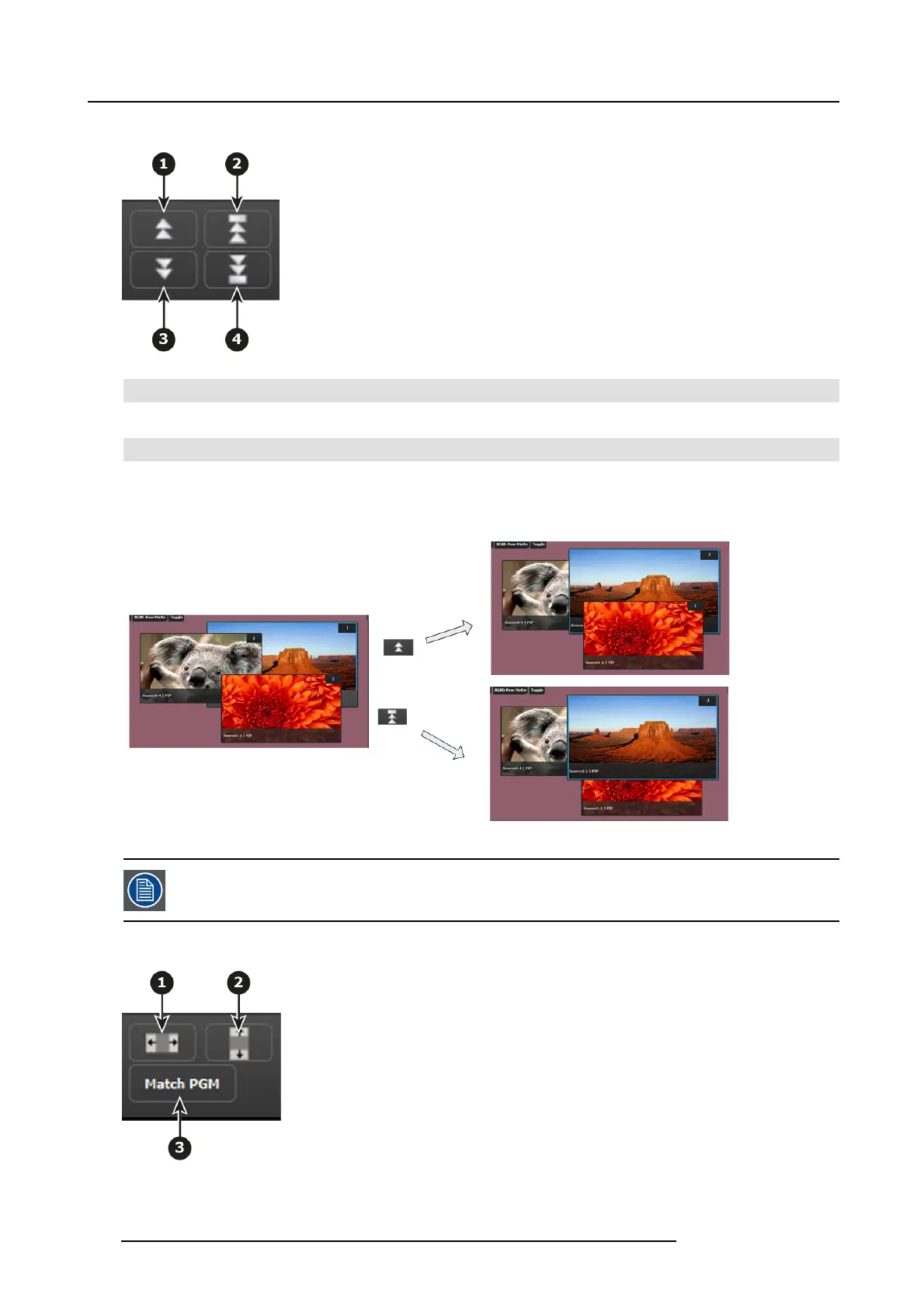
Image 6-46
1 Moves the selected layer up in priority and swaps with the laye r previously a bove.
2
Moves the selec ted layer to the top of the priority and swaps it with the layer p reviously on top.
3 Moves down in priority and swaps the z-order of the selected layer with the layer previously below.
4 Moves the selected layer to the bottom of the priority and swaps it with the layer previously at the bottom.
Example:
Image 6-47
Only the visual priority (on Preview) of the two layers chan ges. The layers remain at their current locations
— o nly the priority changes.
Size and Position
Image 6-48
116 R5905948 E2 12/12/2014



 To Next Page