6. GUI orientation
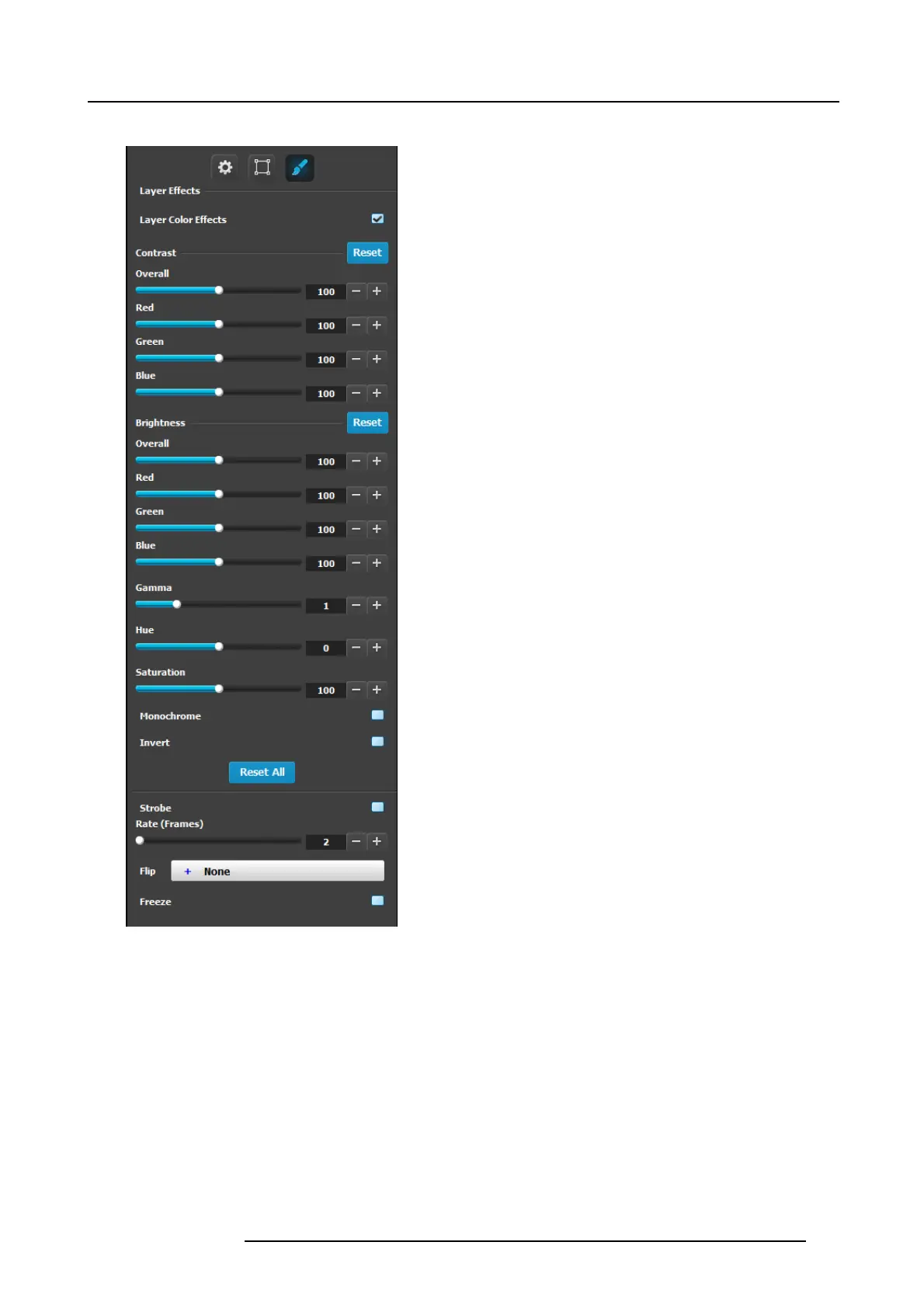
Layer adjustment panel > Layer Effects adjustment
• RGB C ontrast and Brightness settings are adjustable within
a range of 0% to 2 00% . T he default setting for all of these
properties is 100%.
• Gamm a is adjustable w ithin a range of 0.3 to 3.28. The
default setting is 1.0.
• Hue is adjustable within a range of -180 to +180 degrees.
The default setting is 0 degr ees.
• Gamm a is adjustable w ithin a range of 0.3 to 3.28. The
default setting is 1.0.
• Saturation is adjustable w ithin a r ange o f 0% to 200% . The
default setting is 0% .
• Monochrom e: Togg le this button to turn the source video’s
chroma component on a nd off . When off, the im age is
completely monochr ome;
• Invert: Toggle this button to turn the color “invert” function
on and off. W hen on, all image colors are inverted.
• Reset All: Returns all values to their default se ttings.
• Strobe: Toggles the strobe function on and off. When
On, adjust the strobe Rate interval (in frames) to set the
duration that the source is frozen until the next grab.
• Flip: Flips the image w ithin the PIP :
- Off: The image is displayed in its or iginal orientation.
-H:toflip the image horizontally, a long the Y axis.
- V: Flips the image vertically, along the X axis.
- H/V: Flip the image both horizontally and vertically,
along the X and Y axes.
• Freeze: Enables or disables the freeze action.
Note that alm ost all c olor correction effects (except “invert”)
work on a keyframe by keyframe ba sis. This enables you to
morph effects from keyframe to K eyframe.
R5905948 E2 12/12/2014
125



 To Next Page