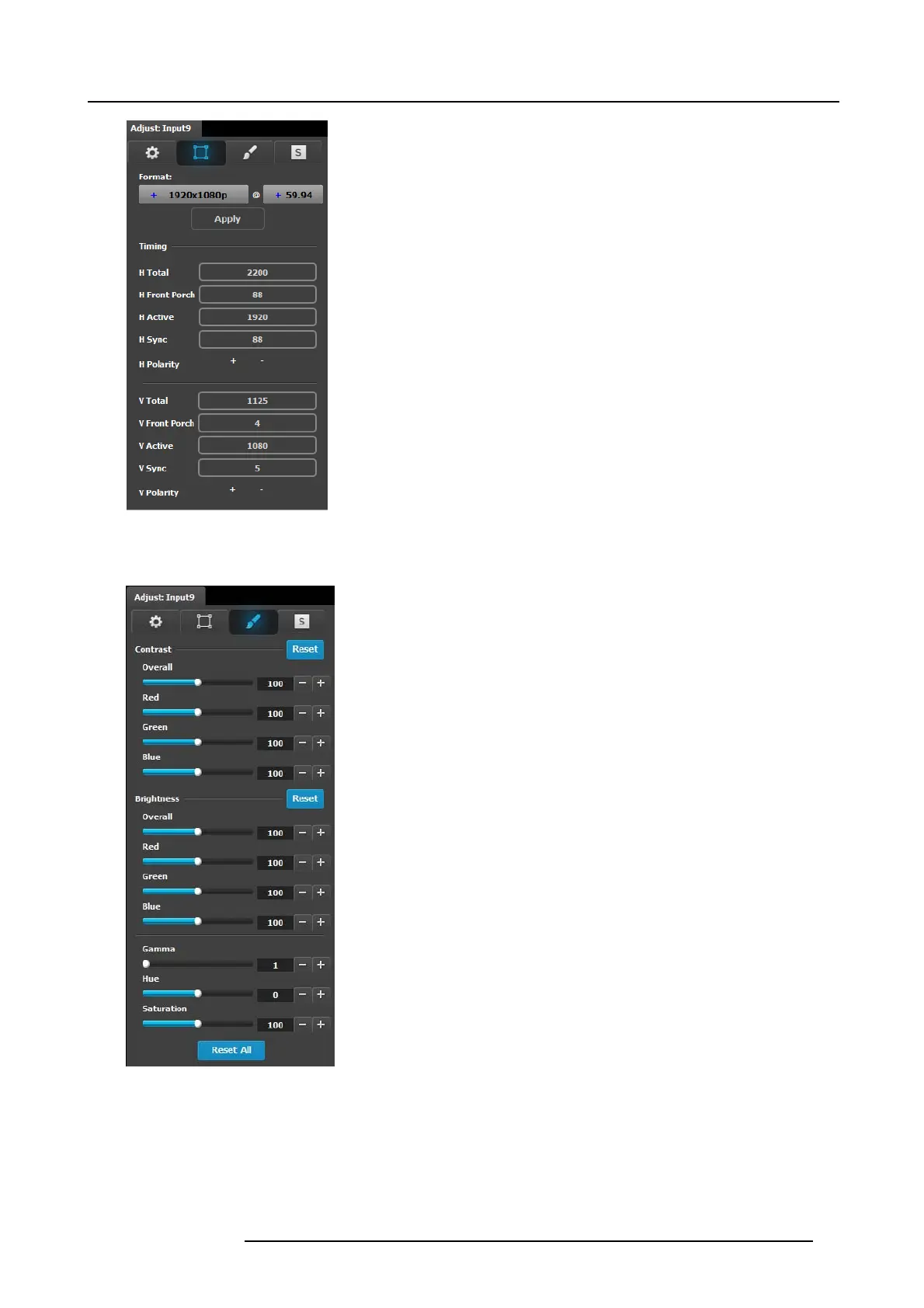
6. GUI orientation
• Format: Video format of the input
• H Total: Total pixel count per line
• H Front Porch: T he offset b etween the end of the active
area and the beginning of H sync
• H Ac tive: The horizon tal size in pixels of the active area
• H Sy n c: H syn c width in pixe ls
• H Polarity: P olarity (active High or Low) of the horizontal
sync pulse (N/A in SDI)
• V Total: Total line count per frame
• V F ront Porch: The offset in lines between the end of the
output active ar ea and the beginning of V sync
• V Active: The vertical size o f the output active area
• V Sync: V sync width in lines
• V Polarity: Polarity (active High or Low) o f the vertical sync
pulse (N/A in SDI)
Input adjustment panel > Color Adjustment
This menu allows for color adjustments for each input.
• The RGB Contrast and Brightness settings are adjustable
within a r ange of 0% to 200%. The default setting for all
of these properties is 100% .
• Hue is adjustable within a range of -180 to +180 degrees.
The default setting is 0 degrees.
• Saturation is adjustable w ithin a range of 0% to 200%. The
default setting is 0%.
• Reset changes all values to their default settings.
• Gamma is adjustable within a range of 0 .3 to 3.28. The
default setting is 1.0.
Input adjustment pa
nel > Contact Information
This menu allows for the user to enter contact information for easy identification .
R5905948 E2 12/12/2014
89



 To Next Page