CAPINTEC, INC. CAPTUS
®
3000
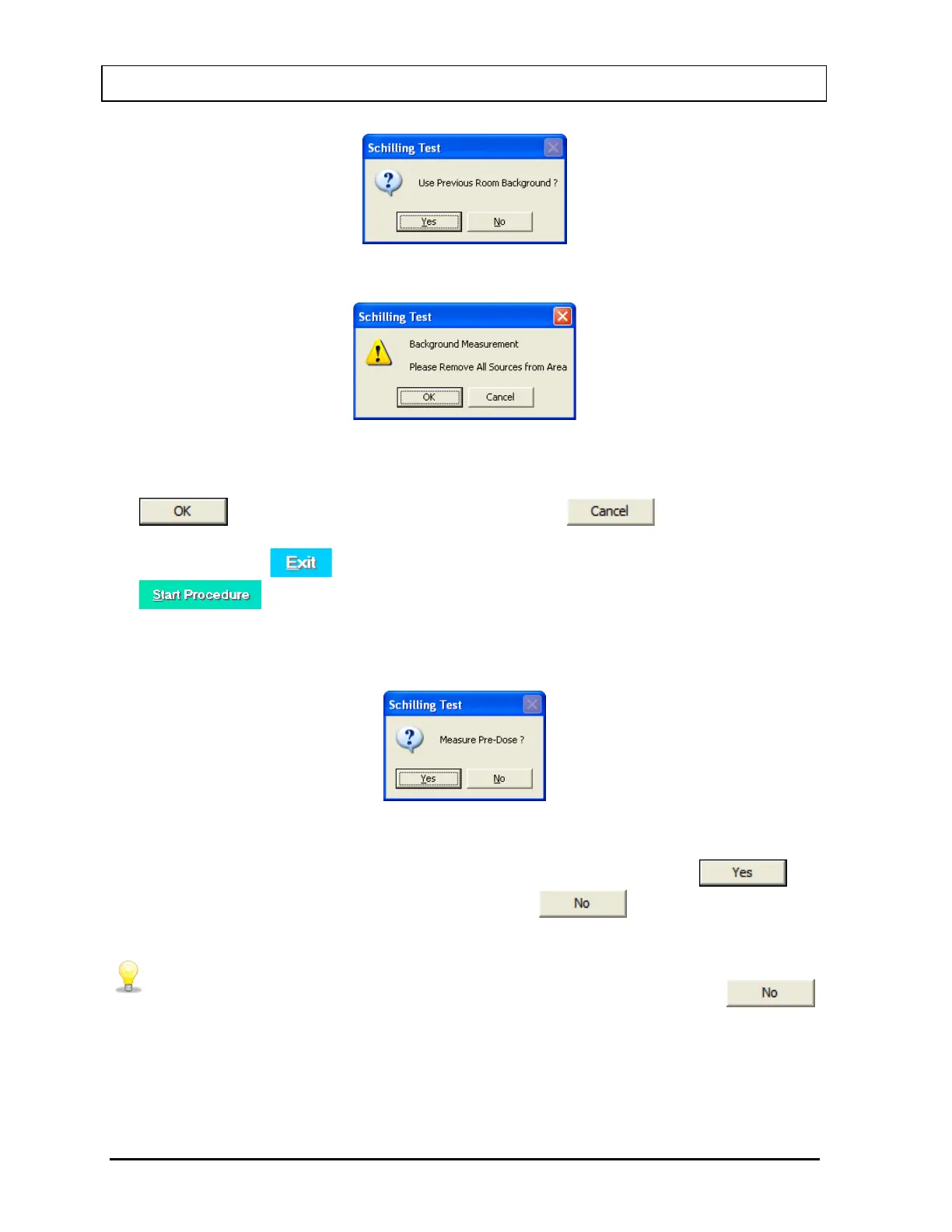
Figure 10-14
Figure 10-15
To begin counting, verify that there are no radioactive sources nearby and click the
button. To abort the measurement, click the button and the
screen will return to that shown Figure 10-12. To exit to Figure 10-2 Schilling Test Main
Screen, click the button or press Alt+E. To begin the test again, click the
button or press Alt+S.
5. If the Pre-Dose Measurement option was set to YES in the setup, the screen prompts
you to measure the pre-dose urine sample (patient blank) as shown in Figure 10-16.
Figure 10-16
To measure patient blank, place the patient blank in the well and click the
button or press the Y key. To skip this step, click the
button or press the N
key.
• To skip the second repetition or Pre-Dose measurements, click the
button or press the N key when prompted to do so.
6. The screen appears as in Figure 10-17, prompting you to measure the Co57 standard.
10-12 LAB TESTS November 13



 To Next Page