Troubleshooting When Using the Copy Function
22
2
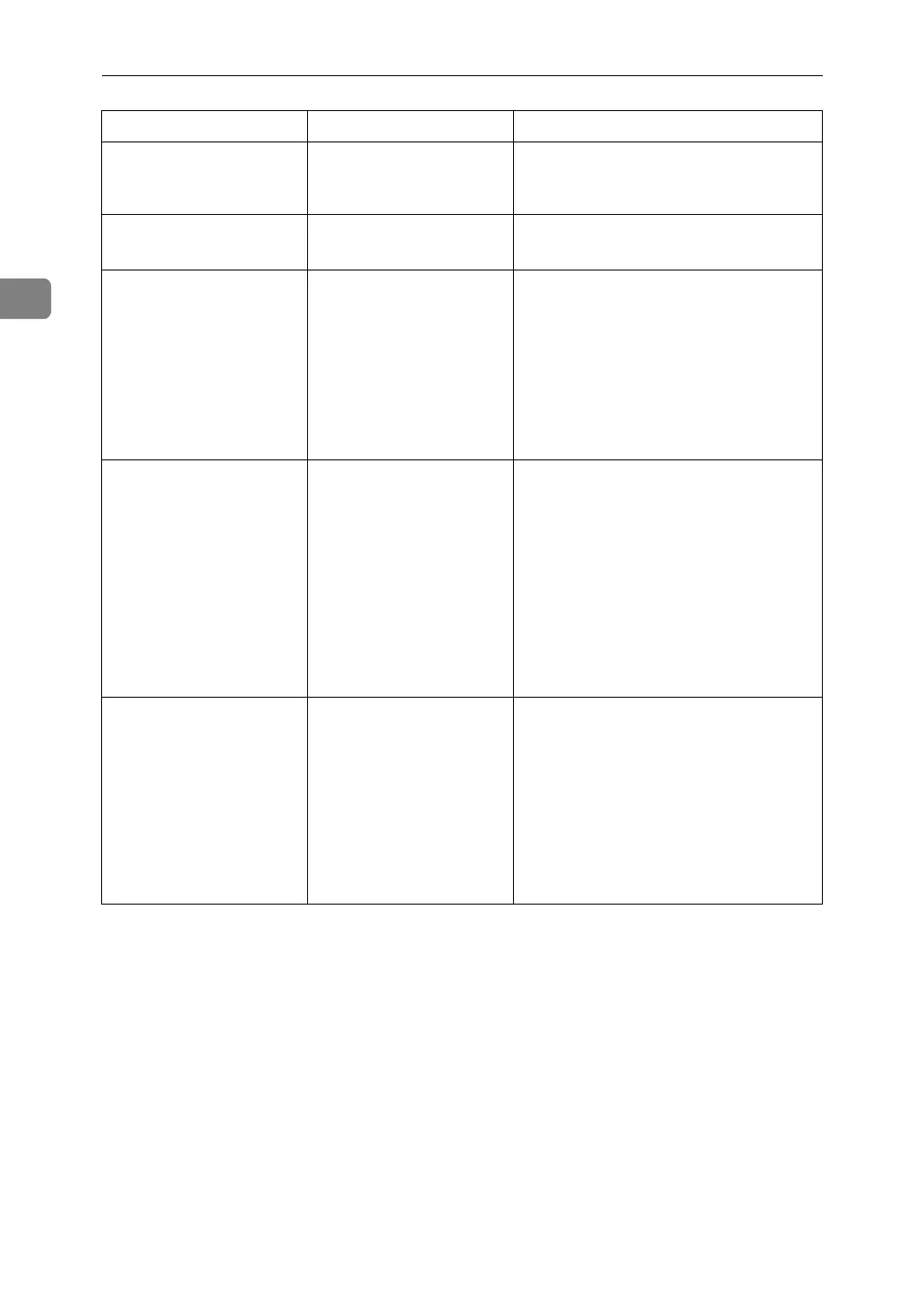
Authentication
has failed.
The entered login user
name or login password
is not correct.
Inquire the user administrator for the
correct login user name and login pass-
word.
Authentication
has failed.
The machine cannot per-
form authentication.
Contact the administrator.
The selected
file(s) contained
file(s) without
access privileg-
es. Only file(s)
with access priv-
ileges will be
deleted.
You have tried to delete
files without the authori-
ty to do so.
Files can be deleted by the person who
created the file. To delete a file which
you are not authorized to delete, con-
tact the person who created the file.
Please wait.
The destination list is being
updated from the network
using SmartDeviceMoni-
tor for Admin. Depending
on the number of destina-
tions to be updated, there
may be some delay before
you can resume operation.
Operations are not possi-
ble while this message is
displayed.
Wait until the message disappears. Do
not switch off the power while this
message is displayed.
It will be neces-
sary to start
over and reload
the tab stock to
the trays.
A misfeed occurred when
unneeded tab stock was
ejected.
Remove the jammed sheet.
If cycle printing is specified for tab
stock sheets, both needed and unneed-
ed tab stock is ejected when copying re-
starts. Reload the tab stock trays before
the new print cycle begins.
After resetting the tab stock pages,
press [Exit]. To resume printing, press
the {Start} key.
Message Cause Solution


 To Next Page