Copier Functions
55
2
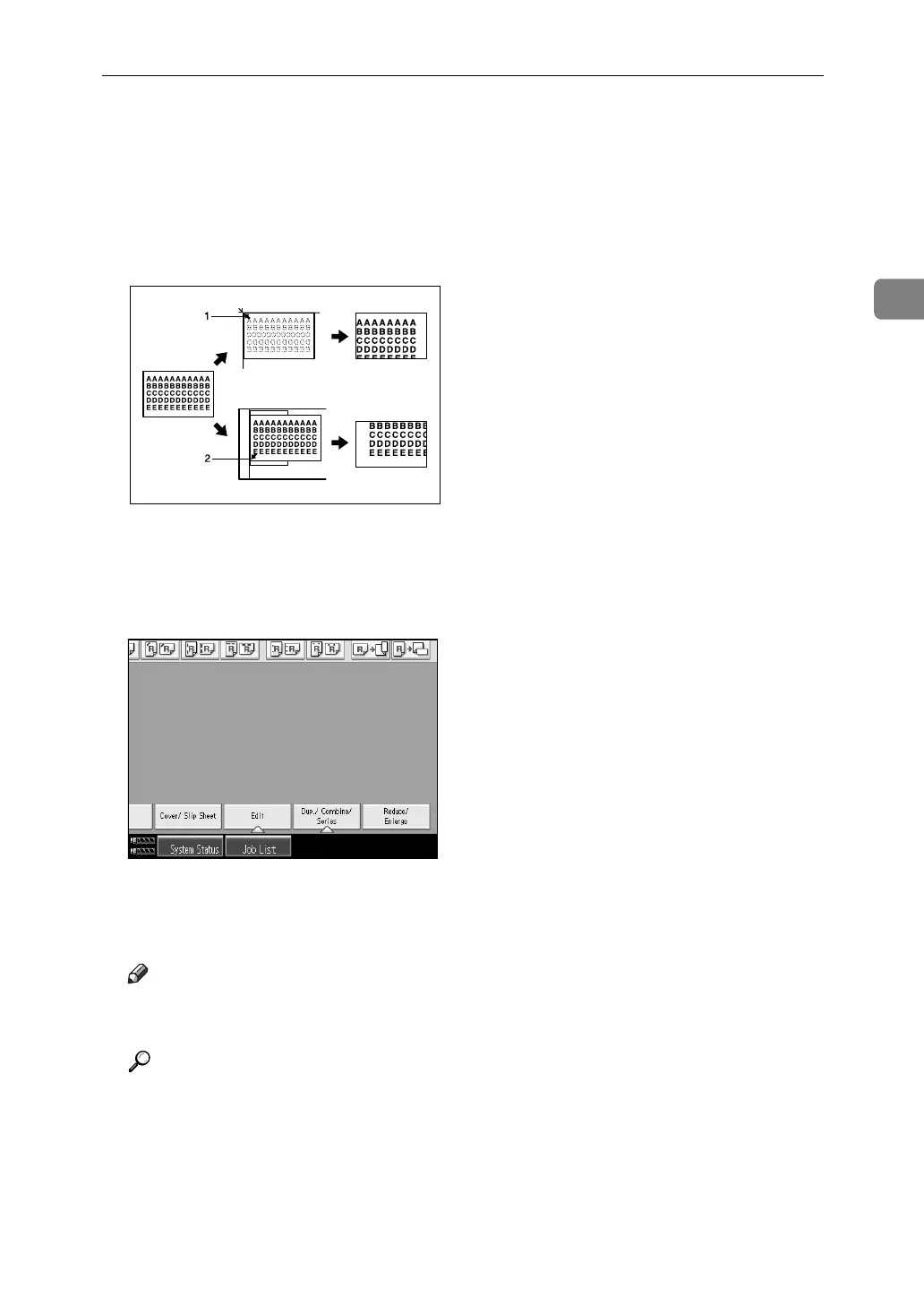
❖ Base Point
The base point of Reduce/Enlarge differs depending on how the original is
scanned. When the original is set on the exposure glass, the upper left corner
will be the base point. When it is set to ADF, the bottom left corner of the orig-
inal will be the base point.
Shown below are the resulting copy images that differ depending on how the
original is scanned.
A Base point when placed on the exposure glass.
B Base point when placed in the ADF.
A Press [Reduce/ Enlarge].
B Select a ratio, and then press [OK].
C Place the originals, and then press the {Start} key.
Note
❒ To select a preset ratio on the initial display in step
A
, press the shortcut
reduce/enlarge key and go to step
C
.
Reference
“Reproduction Ratio”, General Settings Guide
GCKA031e



 To Next Page