EM500 Open-Loop Vector Control Inverter User Manual
447
Point CANopen expansion card at interface and location hole of expansion slot, and
fix them with screws.
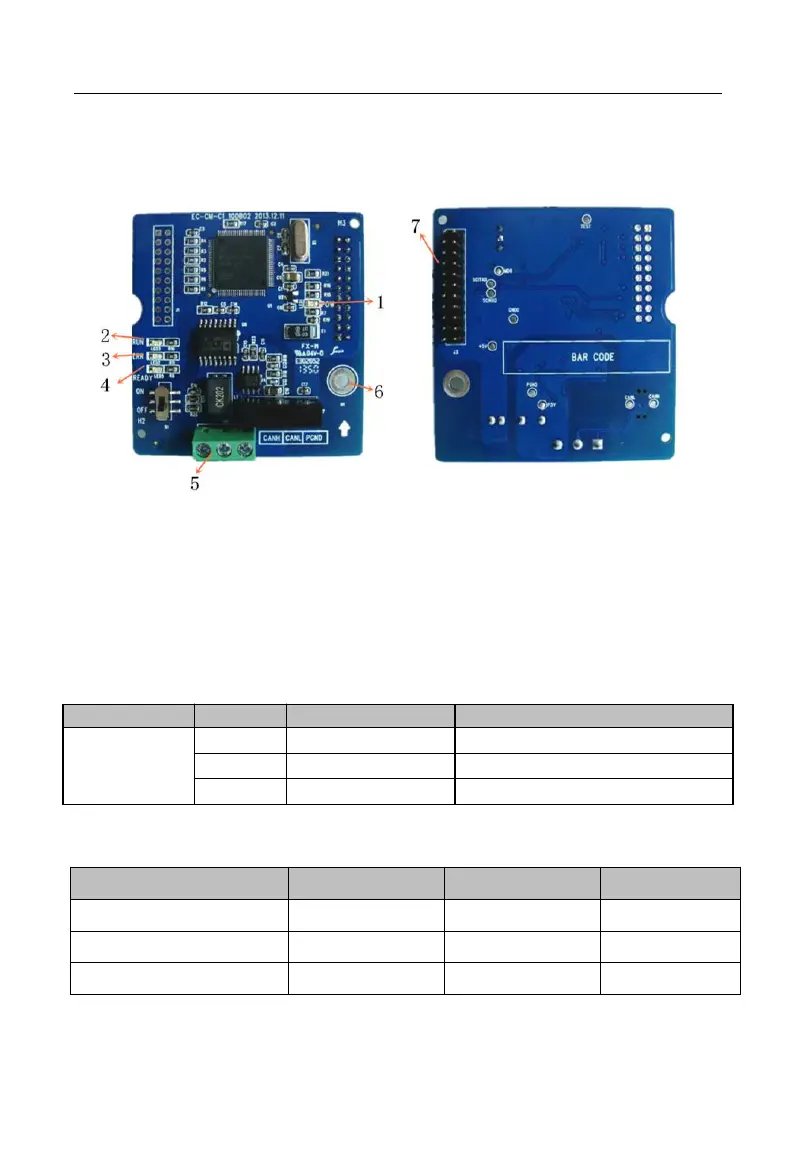
Figures of real objects are as follows:
Elevation Back Elevation
1. POWER Indicator 2. RUN Indicator 3. ERR Indicator
4. READY Indicator 5. CANopen Interface 6. Screw Location Hole
7. Inverter Interface
IV.3 Expansion Terminal Function
Table 7 CANopen Expansion Card Terminal Function
CANopen
Communication
Terminal
Table 8 CANopen Expansion Card Indicator







 To Next Page