EM500 Open-Loop Vector Control Inverter User Manual
446
Appendix IV CANopen Expansion Card (EC-CM-C1)
Communication card EC-CM-P1 is defined as CANOPEN slave communication
card and used to connect EM500 inverter to CANOPEN network.
It supports Node Guard protocol and master can use this function to view device
It supports Heartbeat protocol, with which slave reports present status to master
It supports NMT network management protocol, with which inverter receives the
message for inverter status control by master and changes its own communication
SDO only supports accelerated sending mechanism, up to 4 bytes in transmission,
and can be used to read and write device parameters.
PDO supports 4 groups and user may select 1 group randomly; this can be used to
transmit the data required for real time transmission in the transmission
communication process, up to 4 bytes for each frame.
IV.2 Installation Instructions
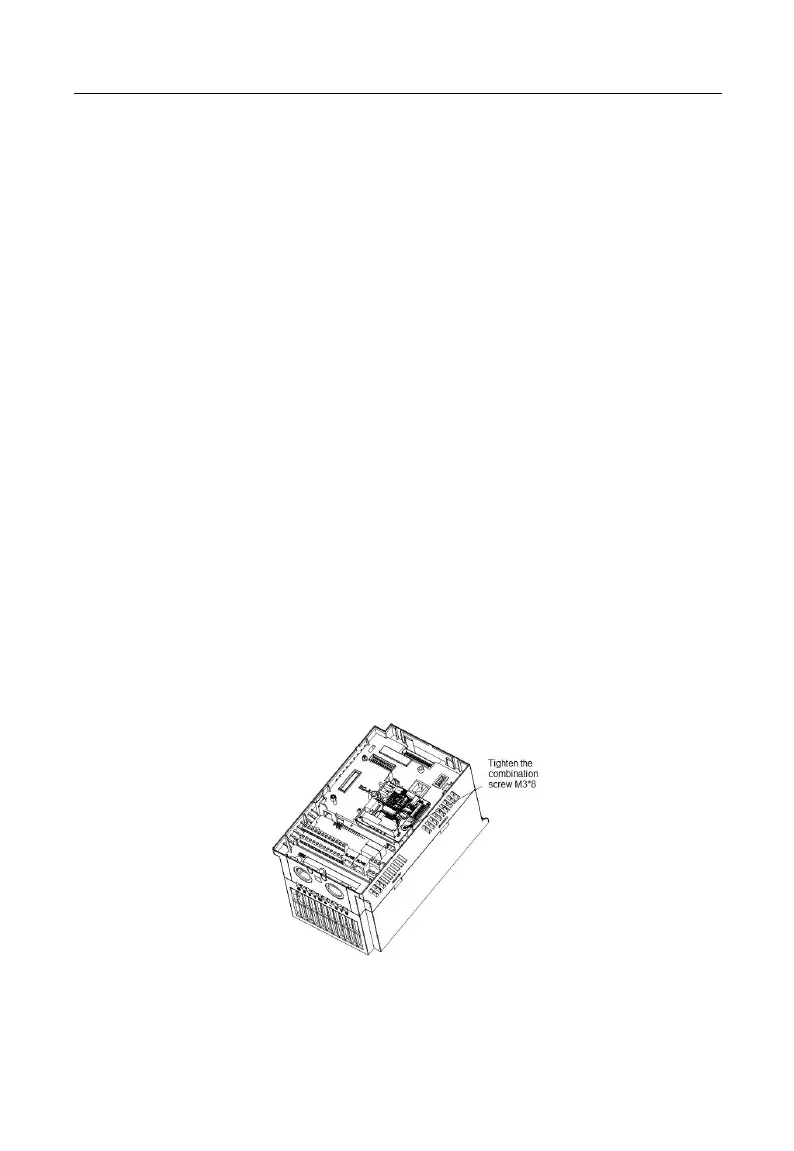
Install CANopen expansion card into the expansion slot EC-B (make sure that it
is installed and buckled properly).
Disassemble or install CANopen expansion card only after inverter is powered
Figure 4 CANopen Expansion Card Installation







 To Next Page