EM500 Open-Loop Vector Control Inverter User Manual
60
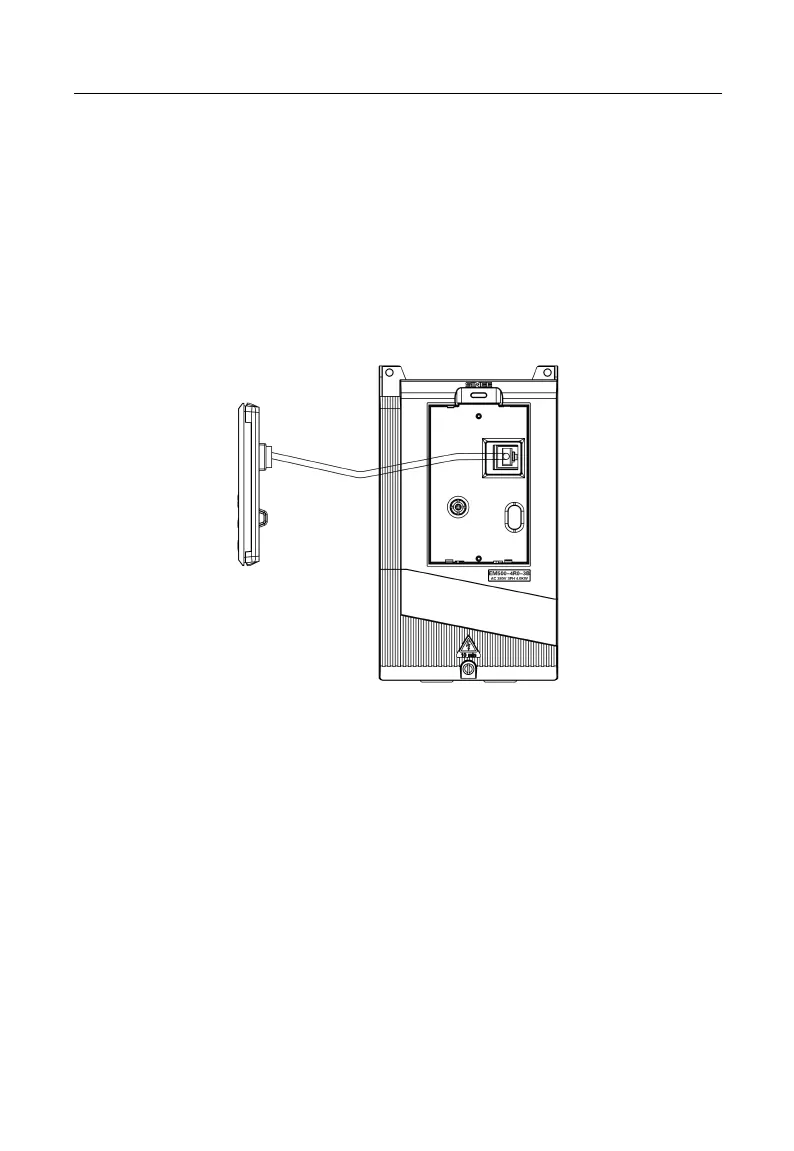
3.4 Extending Keypad Wire
1) External keypad interface adopts RJ45 interface and the extending wire is common
network cable (connection plug executes standard EIA/TIA568B).
2) See Figure 3-22 for wiring of keypad extension line.
This wiring mode will facilitate your installation and debugging greatly.
It’s not recommended that keypad extension line be longer than 30m.
If cable above cat5 is used and electromagnetic environment is good, the
extension line can be up to 50 m.
Figure 3-25 Wiring of Keypad Extension Line
Verify the following items after wiring:
Whether wiring is incorrect.
Whether there are screws, connector plugs or wire fragments inside inverter.
Whether screws are loosened.
Whether bare wire on one terminal connects to other terminals.







 To Next Page