EM500 Open-Loop Vector Control Inverter User Manual
65
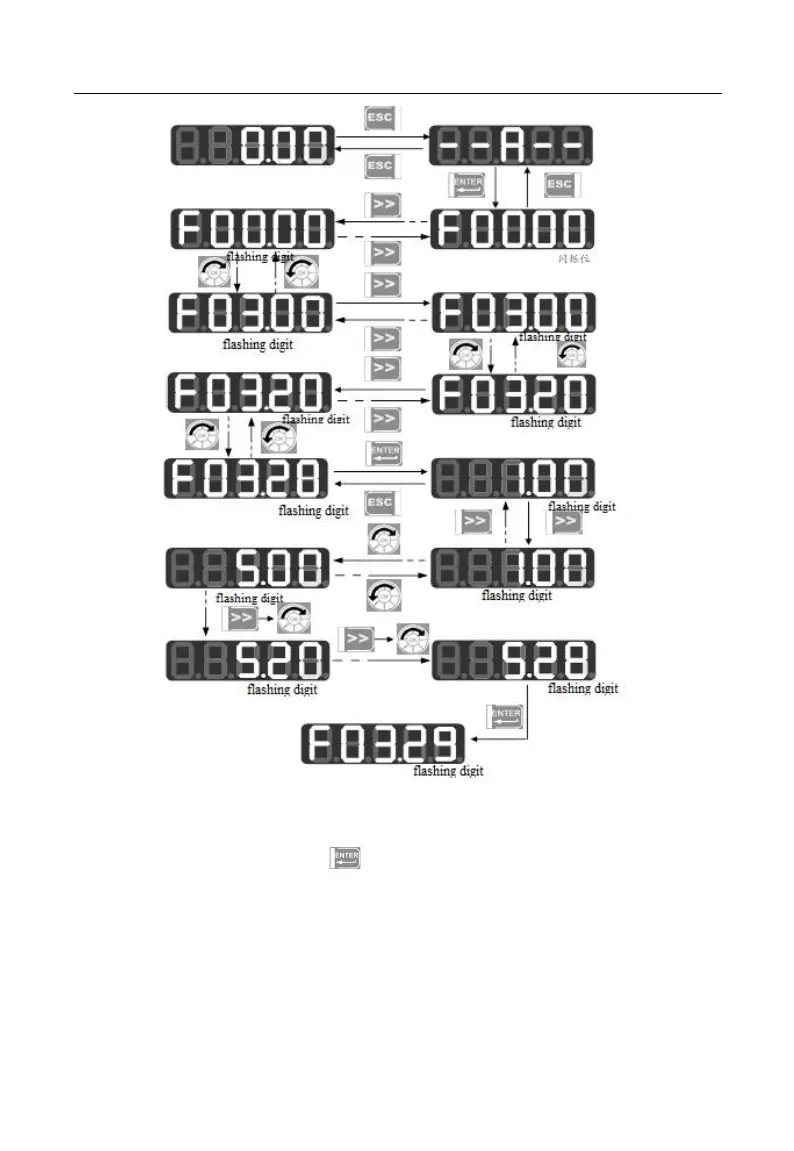
Figure 4-3 Operation Procedure from Power-on to Setting F03.28=5.28
Under all menu modes, press to save parameter change after having changed
the parameter. The difference is that after having saved the parameter: it enters the next
function code under all menu modes; it enters the next user-defined function code (as per
the sequence in F11.00 - F11.31) under user-defined mode; it enters the next non-factory
function code under non-factory defaults mode.







 To Next Page