OnAir 3000 Digital Mixing Console
5-76 Operation
Document generated: 10.10.14
SW V6.0
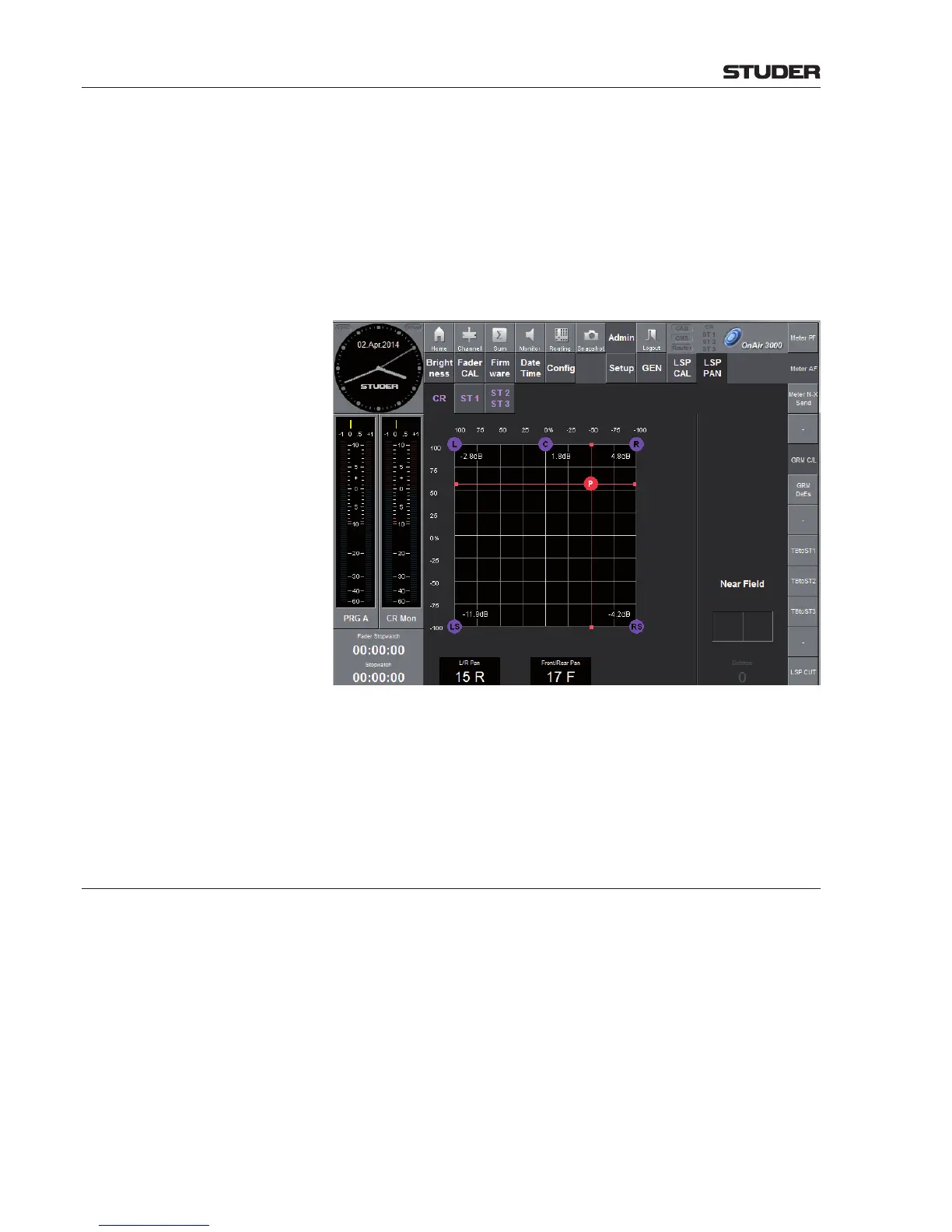
For the control room and all studios (CR/ST 1/ST 2/ST 3), an additional
static balance/panning can be given to the monitor loudspeaker outputs. This
can be useful to adapt the loudspeaker levels - and therefore the sound image
- for an important person who is not located in the sweet-spot of the control
room/studio. This LSP PAN can be set for control room and all the studios
individually. Also for the nearfield speakers (CR/ST 1), an individual balance
can be set.
Below, see the screenshot of the LSP PAN page with 5.1 Option installed.
Desk key functions Per location, a Reset button can be configured on the desk surface. This
button then clears the LSP PAN for the individual location (CR/ST 1/ST 2/
ST 3). The Reset button stays illuminated as long as the LSP PAN is not
in center position.
The Reset button can be configured in the file Desk_KeyMapping.xml.
See the table ‘Assignable Global Functions’ in chapter 6.5.37.4
5.3.8 Login Page
Automated USB Login is available since SW V5.0. A USB socket has to be provided, which is the
case for OnAir 1500 and OnAir 2500 per default. Earlier OnAir 3000 systems
need a main screen hardware update to perform this task.
If a user connects his personalized USB stick that carries the required data,
the desk performs the login for this user automatically - login and password
entry is no more required. For creating a personalized USB stick refer to
chapter 5.13.5.6.
The usual login procedure can be used nevertheless; proceed as follows.



 To Next Page
 Loading...





