OnAir Digital Mixing Consoles
Conguration 6-51
Document generated: 10.10.14
SW V6.0
6.5.22.3 Define Net Inputs
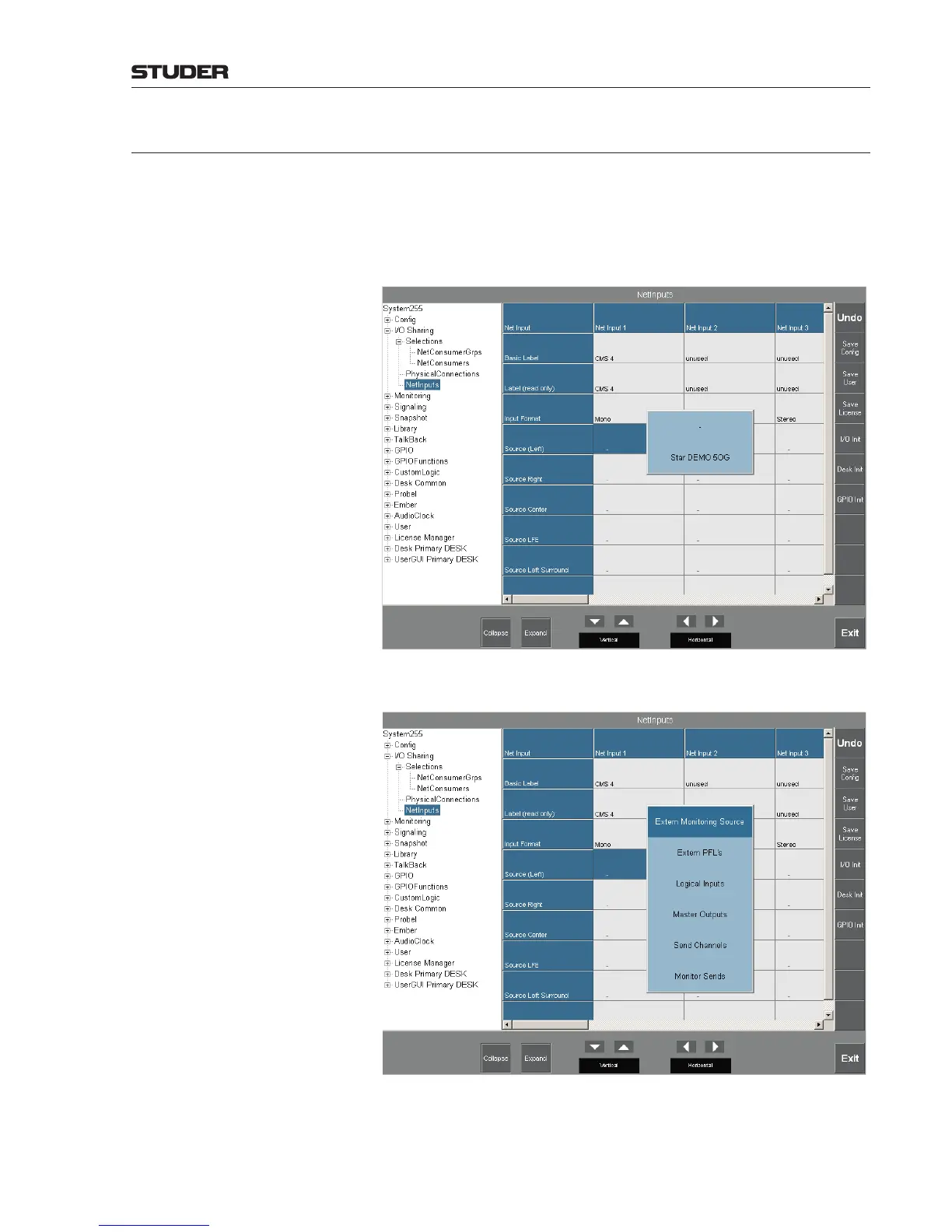
In two-step I/O sharing, Net Inputs must be defined in order to make a neigh-
boring Net Source available, e.g. on the Star DEMO 5OG system. Start the
Configuration Tool on the target system and select I/O Sharing - Net Inputs.
When selecting the Net Source parameter, the Configuration Tool shows a
pop-up menu listing the names of all systems that can be reached by physical
connections. Net Input connections are always static.
After having selected a system, the Net Source groups pop up. Select one of
them (e.g. Extern Monitoring Source).
Then a list of all possible Net Sources pops up (in our example, all external
monitoring sources available). Select one of them, e.g. OFF AIR.



 To Next Page