3. Repair Instructions 1/2010 3 - 54
BA-TE-DE08C M.KAY
Dialog+ SW9xx_sm_Chapter 3_1-2010.doc/pdf <100329> yymmdd
B. Braun Avitum AG
Dialog
+
SW 9.xx
3.5.7
Enter Specific Parameters
The specific parameters must be entered again in the TSM service program
and saved with the OK button after the software installation.
28.
Enter the tube constants in menu
Calibration 2.13 Flow of BPA and BPV
Pump
,
2.13.1 Tube Constants of BPA and BPV.
BPA:
12306 [
µ
l/head rotation]
BPV:
12306 [
µ
l/head rotation]
29.
Enter the stroke value in menu
Calibration 2.15 HDF Online Substitution
Pump OSP.
OSP:
8300 [
µ
l/head rotation]
30.
Enter the absolute low limit for PA in menu
Calibration 2.12 PV Alarm
Window, PA Low Limit
and save with the calibration button (see default
table).
31.
Select the limit for the blood leak detector in menu
Calibration 2.7 Blood
Leak Detector
,
BL Limit
(standard limit or AAMI limit).
32.
Save in menu
File Operation
,
Save Calibration Data
after entering all
constants and calibration data.
0
0
0 1 0
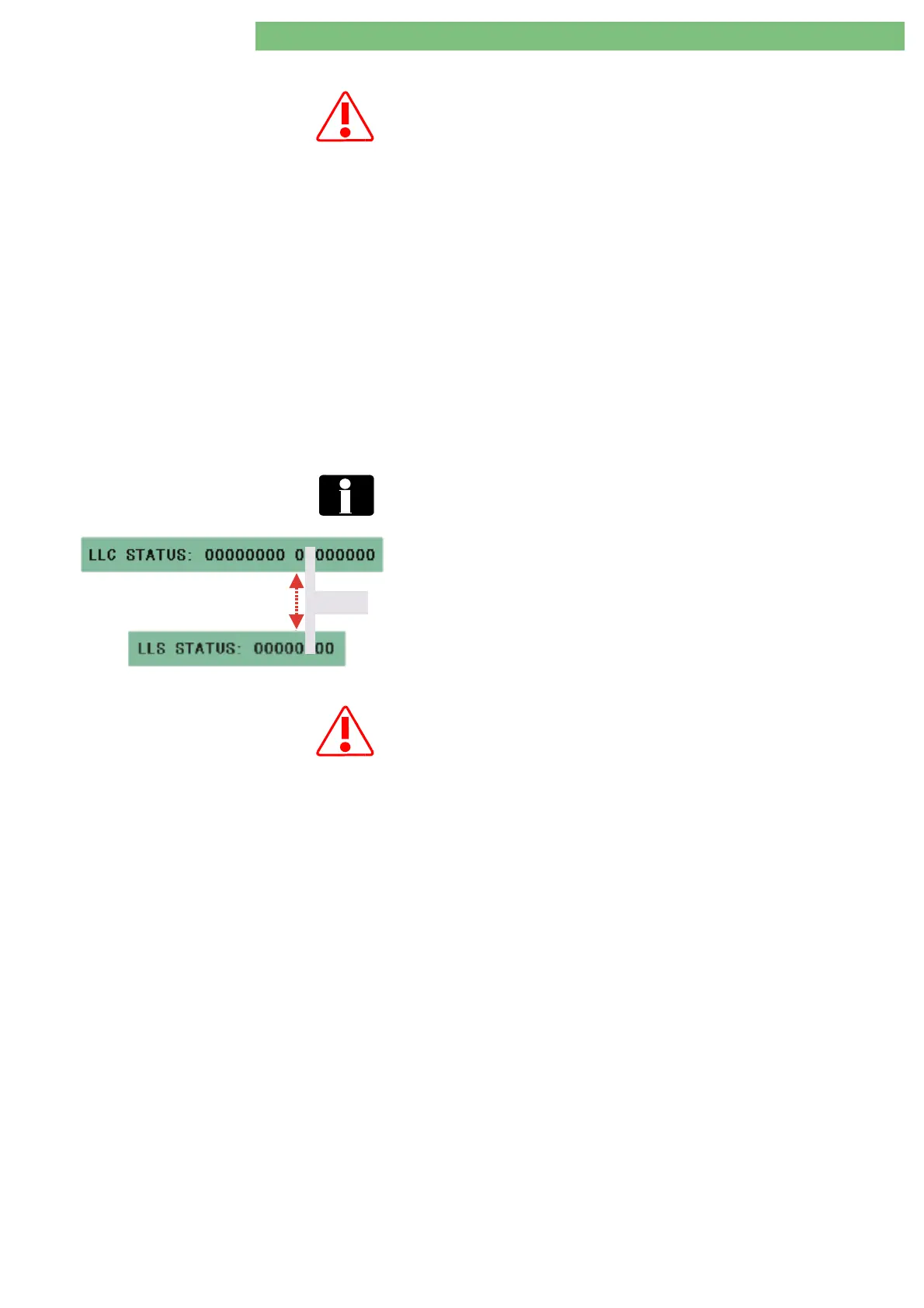
Pay attention to the LLC and LLS status windows when saving the
calibration data. The bit sequence 010 must be identical in the LLC and
LLS status windows during the saving procedure. The calibration data is
saved only after the bit sequence 010 (see figure).
If an error occurs select corresponding window: error message is displayed
(eliminate cause of trouble).
FSU USB-Stick for Treatment Support Settings
The system configuration saved on a USB stick (FSU utility) must only be
downloaded to an other Dialog+ SW 9.xx machine after a software update
if:
• the hardware matches and
• the machine has the identical software version number.
33.
Set system configuration (customer specific values) or if available use the
FSU USB stick with the system configuration.
34.
Save settings.
35.
Switch off machine.















 To Next Page