4. TSM Service Program 1/2010 4 - 35
BA-TE-DE08C M.KAY Dialog+ SW9xx_SM_Chapter 4-1-1_1-2010.doc/pdf <110301> yymmdd B. Braun Avitum AG
Dialog
+
SW 9.xx
4.7.1.8 UF Parameters
The dialysate fluid parameters can be set in the UF
Parameters menu.
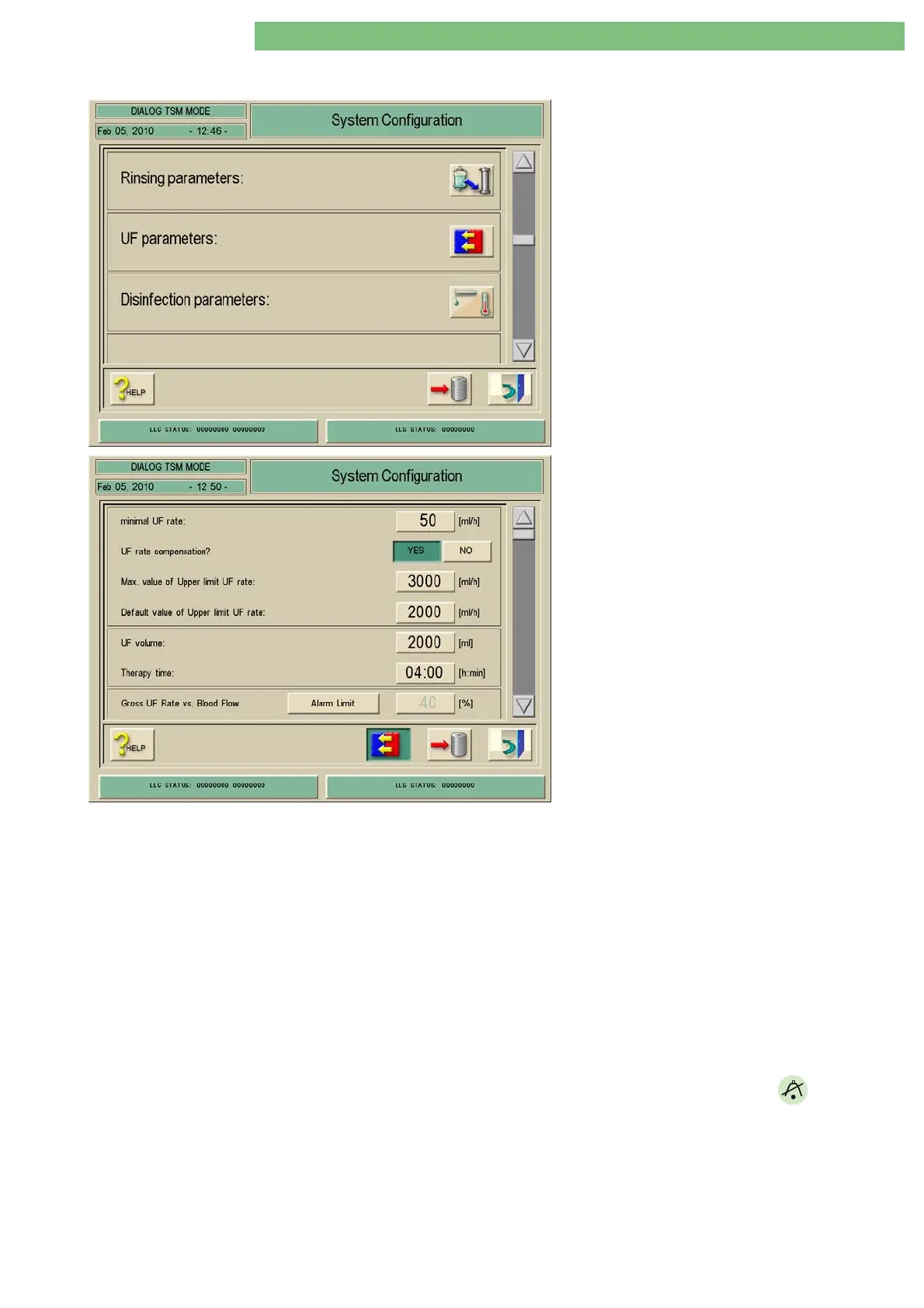
1. Activate the System Configuration menu with
the System Configuration key in menu
Treatment Support. The following menu is
opened and displayed (scroll with scroll bar).
2. Activate the UF Parameters menu with the UF
Parameters icon. The following menu is
opened.
The following parameters can be set:
• Minimal UF Rate
• UF Rate Compensation?
• Max. Value of Upper Limit UF Rate
• Default Value of Upper Limit UF Rate
• UF Volume
• Therapy Time
• Gross UF Rate vs. Blood Flow - Alarm Limit
• Gross UF Rate vs. Blood Flow - Warning Limit
• UF Profile Editor
Minimal UF-Rate
You can set the minimal UF rate.
UF Rate Compensation?
If YES is Activated
If the Minimal UF Rate is active the UF rate is recalculated to reach the
required UF volume.
Max. Value of Upper Limit UF Rate
You can set the maximum value of the upper limit for the UF rate.
Default Value of Upper Limit UF Rate
You can set the default value of the upper limit for the UF rate.
UF Volume
You can set the UF volume.
Therapy Time
You can set the therapy time.
Gross UF Rate vs. Blood Flow -
Alarm Limit
You can set and activate an alarm limit, i.e. an alarm (red) is activated if the
limit is reached. The alarm limit can only be changed if the warning limit was
changed in advance. The alarm can be acknowledged with the
key.
Setting Range
The alarm limit can not be set lower than the warning limit (even if the
warning limit is deactivated).















 To Next Page