4. TSM Service Program 1/2010 4 - 25
BA-TE-DE08C M.KAY Dialog+ SW9xx_SM_Chapter 4-1-1_1-2010.doc/pdf <110301> yymmdd B. Braun Avitum AG
Dialog
+
SW 9.xx
4.7.1.2 Blood Side Parameters
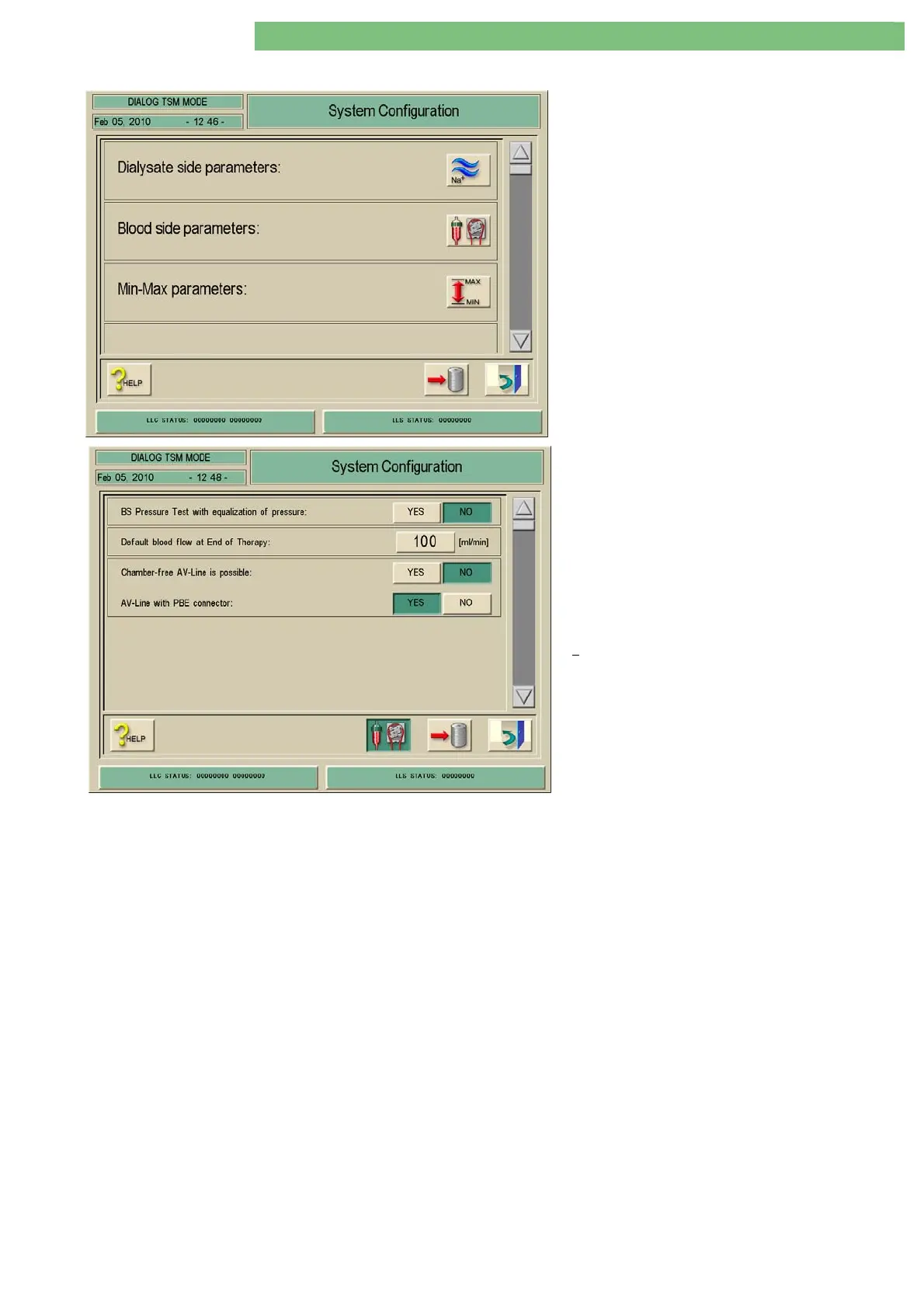
1. Activate the System Configuration menu with
the System Configuration key in menu
Treatment Support. Use the scroll bar until the
following menu appears.
2. Activate the Blood Side Parameters menu with
the Blood Side icon. The following menu is
opened.
The following parameters can be set:
• Blood Side BS Pressure Test with Equalisation
of Pressure
• Default Blood Flow at End of Therapy
• Chamber-free AV Line is Possible
•
AV Line with PBE Connector
Blood Side BS Pressure Test with
Equalisation of Pressure
YES
If the YES key is pressed: The system performs a relief (equalisation) of the
pressure at the end of the blood side BS pressure test via the main flow
(dialyser).
NO
If the NO key is pressed: The system does not perform a relief (equalisation) of
the pressure at the end of the blood side BS pressure test (venous tubing clamp
SAKV opens and some fluid escapes from the venous line, as before).
Default Blood Flow at End of Therapy
You can preselect the blood flow which will be preset at the end of a therapy.
1. Click the ml/min key to set the default blood flow at the end of a therapy.
Chamber-free AV Line is Possible YES
The chamber symbols can not be selected in the level regulation menu in
therapy. The selected Chamber-free AV Line appears.
NO
The chamber symbols can be selected in the level regulation menu in therapy.
The selected Chamber-free AV Line does not appear.
AV Line with PBE Connector YES
Activate if AV lines with PBE pressure connection are used.
NO
Do not activate if AV lines without PBE pressure connection are used.















 To Next Page