4. TSM Service Program 1/2010 4 - 76
BA-TE-DE08C M.KAY Dialog+ SW9xx_SM_Chapter 4-2-1_1_2010.doc/pdf <110301> yymmdd B. Braun Avitum AG
Dialog
+
SW 9.xx
4.8.2.2 Test 1.2 Blood Pump Arterial
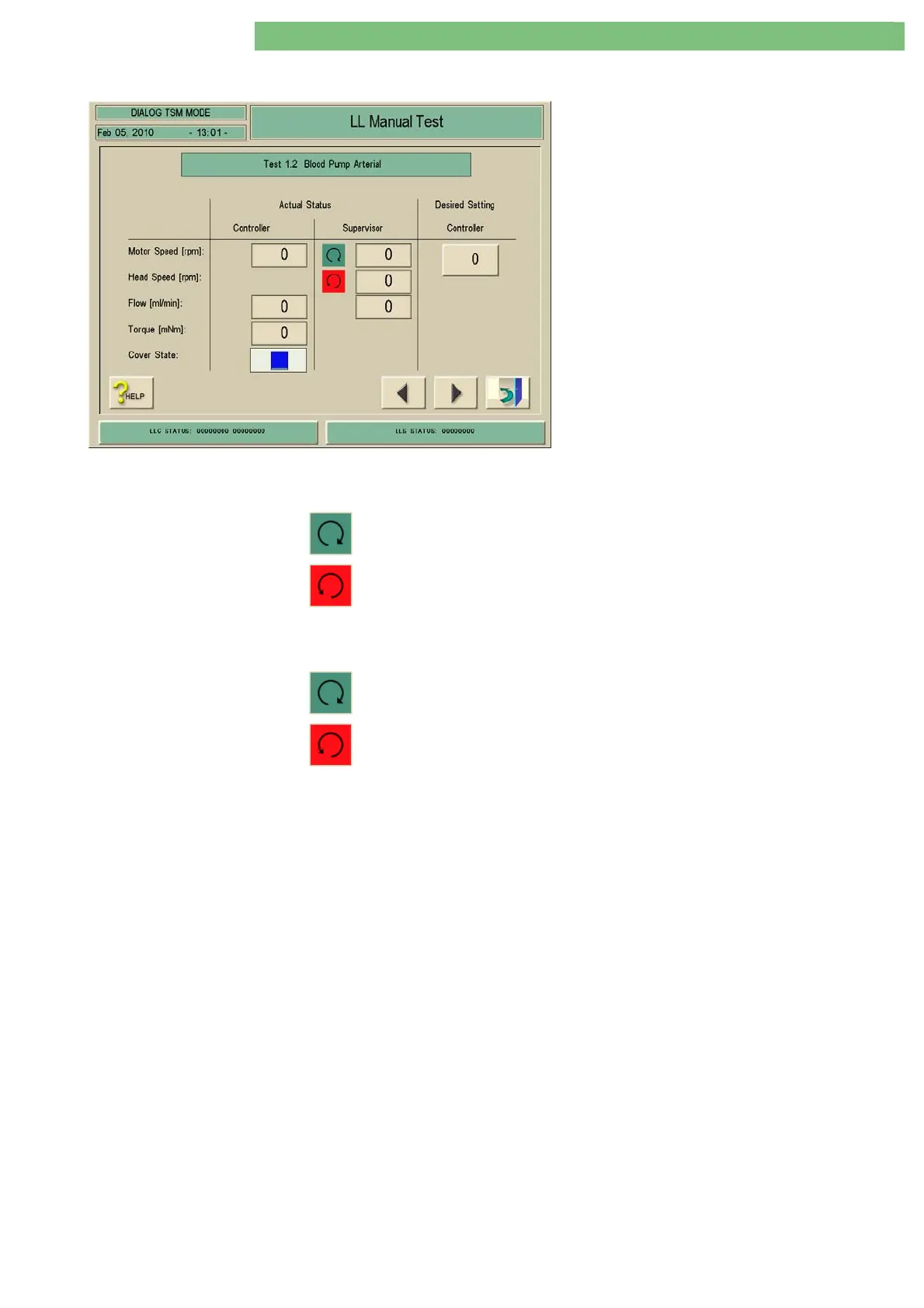
1. Activate the Blood Pump Arterial menu with
the Blood Pump Arterial key in the LL Manual
Test menu. The following menu is displayed.
2. Check the functions with the appropriate keys.
• Motor Speed
• Head Speed
• Flow
• Torque
• Cover State
Motor Speed
The motor speed is displayed by the controller and supervisor. The direction of
rotation is displayed by a direction of rotation symbol:
Green: Correct direction of rotation
Red: Reverse direction of rotation
Head Speed
The head speed is displayed by the supervisor. The direction of rotation for the
roller is displayed by a direction of rotation symbol:
Green: Correct direction of rotation
Red: Reverse direction of rotation
Flow
The controller and supervisor display the calculated flow rate, based on the
pump speed and the tube constant.
Torque
The motor torque is displayed by the controller.
Cover State If the pump cover is opened the blood pump BPA is stopped. The controller
detects and displays the opened pump cover.















 To Next Page