4. TSM Service Program 1/2010 4 - 48
BA-TE-DE08C M.KAY Dialog+ SW9xx_SM_Chapter 4-1-1_1-2010.doc/pdf <110301> yymmdd B. Braun Avitum AG
Dialog
+
SW 9.xx
4.7.1.13 Kt/V-UV Parameters
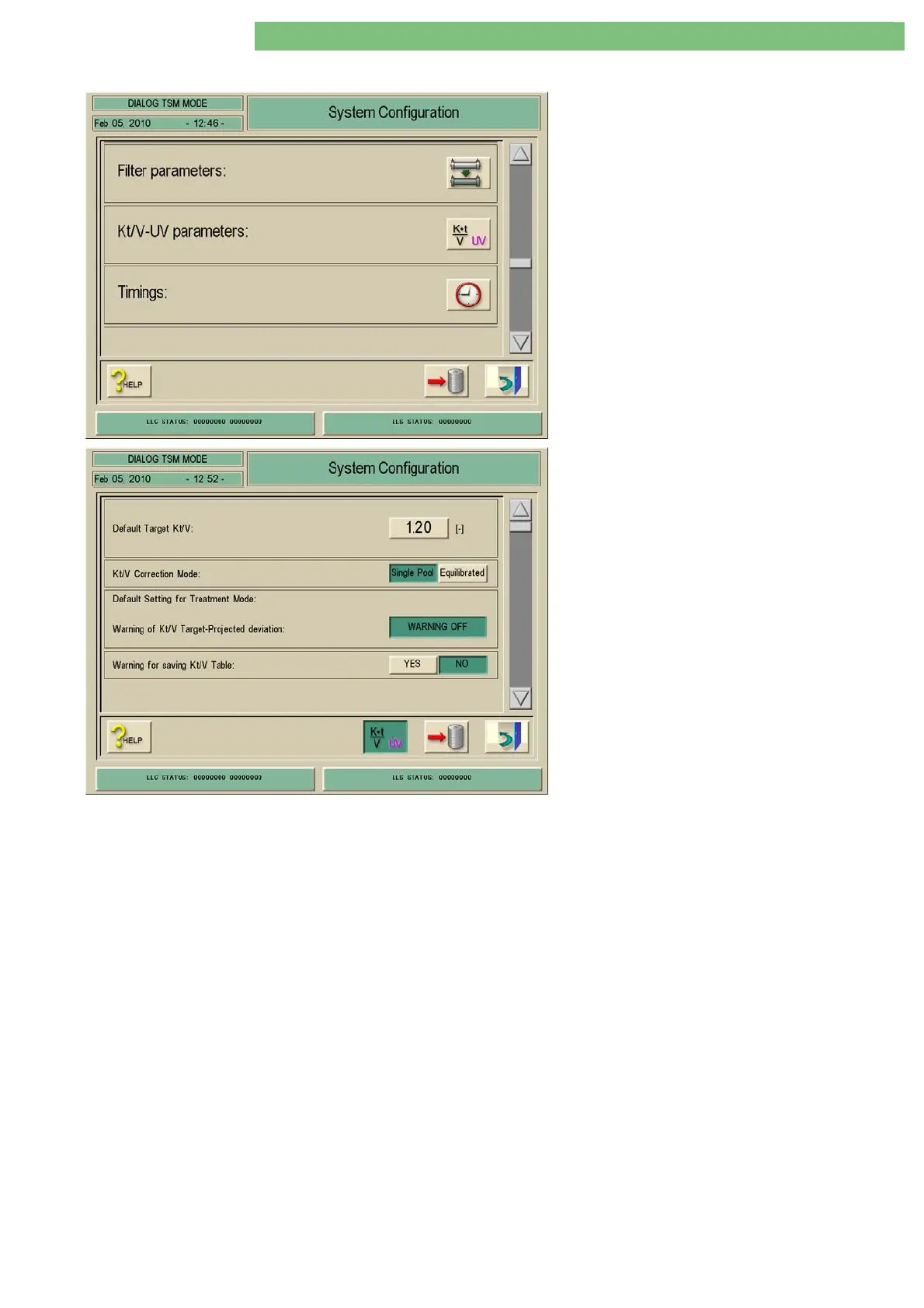
1. Activate the System Configuration menu with
the System Configuration key in menu
Treatment Support. Use the scroll bar until the
following menu appears.
2. Activate the Kt/V-UV Parameters menu with
the Kt/V-UV icon.
The following parameters can be set.
• Default Target Kt/V
• Kt/V Correction Mode
• Single Pool / Equilibrated
• Default Setting for Treatment Mode: Warning
of Kt/V Target-Projected Deviation
• Warning for Saving Kt/V Table
Default Target Kt/V
The target value is the required Kt/V value at the end of a therapy. The target is
set by the user.
Kt/V Correction Mode
For Kt/V-UV, i.e. Adimea option.
Single Pool / Equilibrated
The Single Pool parameter or the Equilibrated parameter can be selected
according to the requirements of the physician/customer.
Default Setting for Treatment Mode:
Warning of Kt/V Target-Projected Deviation
If the calculated Kt/V from the set parameters is smaller than the set target
value, a message is activated.
Warning for Saving Kt/V Table
A warning message can be enabled for saving the Kt/V table.















 To Next Page