4. TSM Service Program 1/2010 4 - 65
BA-TE-DE08C M.KAY Dialog+ SW9xx_SM_Chapter 4-2-1_1_2010.doc/pdf <110301> yymmdd B. Braun Avitum AG
Dialog
+
SW 9.xx
4.8.1.4 Brightness Calibration
Parameters can be set and tests can be performed
in the Brightness and Test Calibration menu.
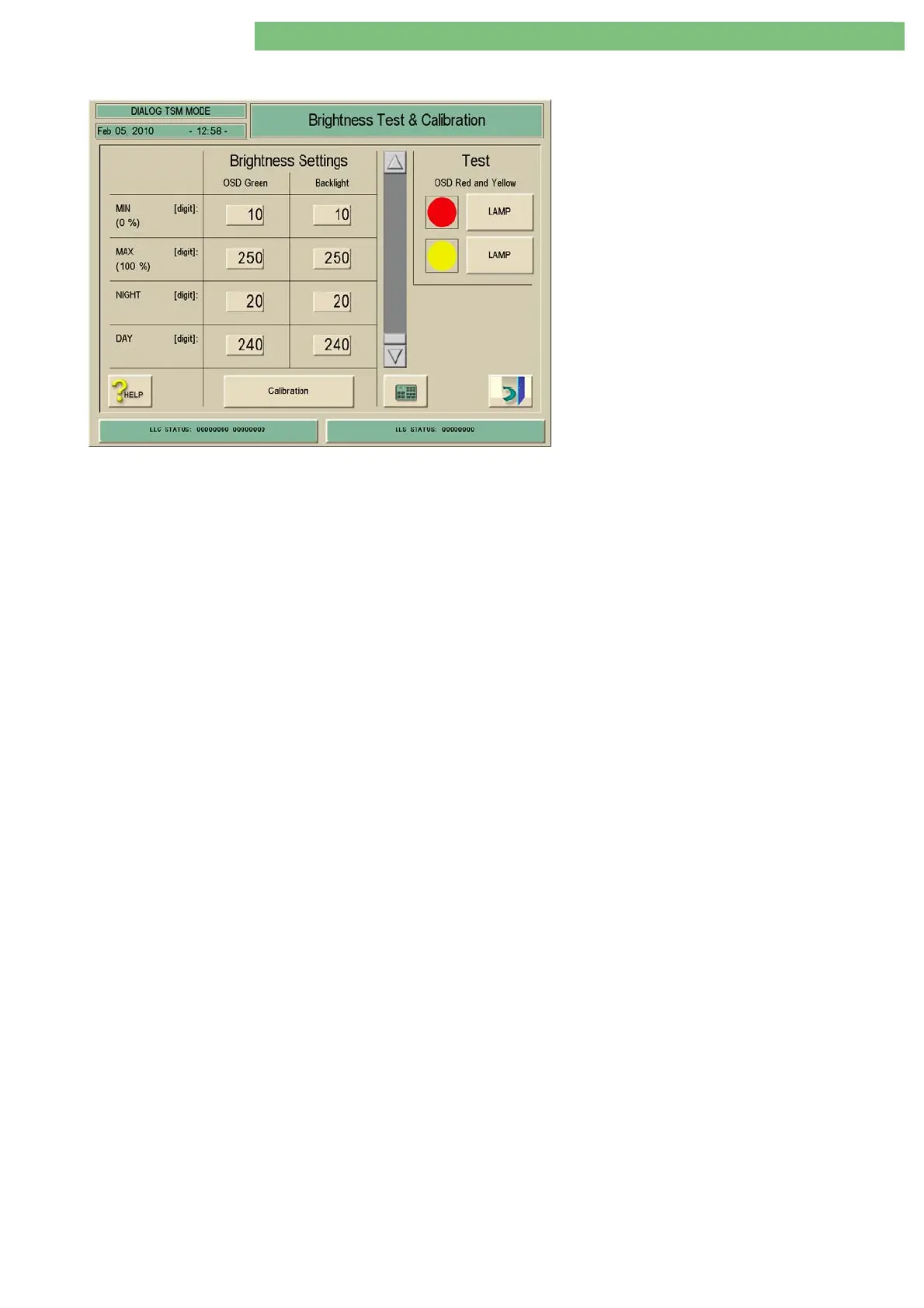
1. Activate the Brightness menu with the
Brightness key in the TL Manual Test and
Calibration menu. The following menu is
displayed.
If a button was pressed the field remains
highlighted.
If a value is changed the Calibration button must
be pressed to take over the new value.
If a MIN or MAX value was set the minimum
and/or maximum limits for NIGHT/DAY are
adapted.
Brightness Settings
OSD Green Parameter
(for green LED)
MIN (0%)
The minimum brightness (digits) for the green LEDs on the optical status
display OSD boards can be set.
MAX (100%)
The maximum brightness (digits) for the green LEDs on the optical status
display OSD boards can be set.
NIGHT
The night brightness (digits) for the green LEDs on the optical status display
OSD boards can be set.
DAY
The day brightness (digits) for the green LEDs on the optical status display
OSD boards can be set.
Backlight Parameter
MIN (0%)
The minimum brightness (digits) for the backlight can be set.
MAX (100%)
The maximum brightness (digits) for the backlight can be set.
NIGHT
The night brightness (digits) for the backlight set.
DAY
The day brightness (digits) for the backlight set.
Test
OSD Red and Yellow (for Signal Lamps)
The red and yellow LED of the optical status display OSD can be checked,
i.e. switched ON and OFF.















 To Next Page