4. TSM Service Program 1/2010 4 - 150
BA-TE-DE08W M.KAY Dialog+ SW9xx_SM_Chapter 4-3-1_1_2010.doc/pdf <110301> yymmdd B. Braun Avitum AG
Dialog
+
SW 9.xx
4.8.3.12.1 SAD Test after Calibration
SAD Test
AIR must be displayed if the SAD TEST is activated, even if a tubing filled with
fluid is inserted in the SAD.
The displayed result with SAD TEST OFF depends on the tubing inserted in the
SAD:
AIR: must be detected if a tubing filled with air is inserted.
NO AIR: must be detected if a tubing filled with fluid is inserted.
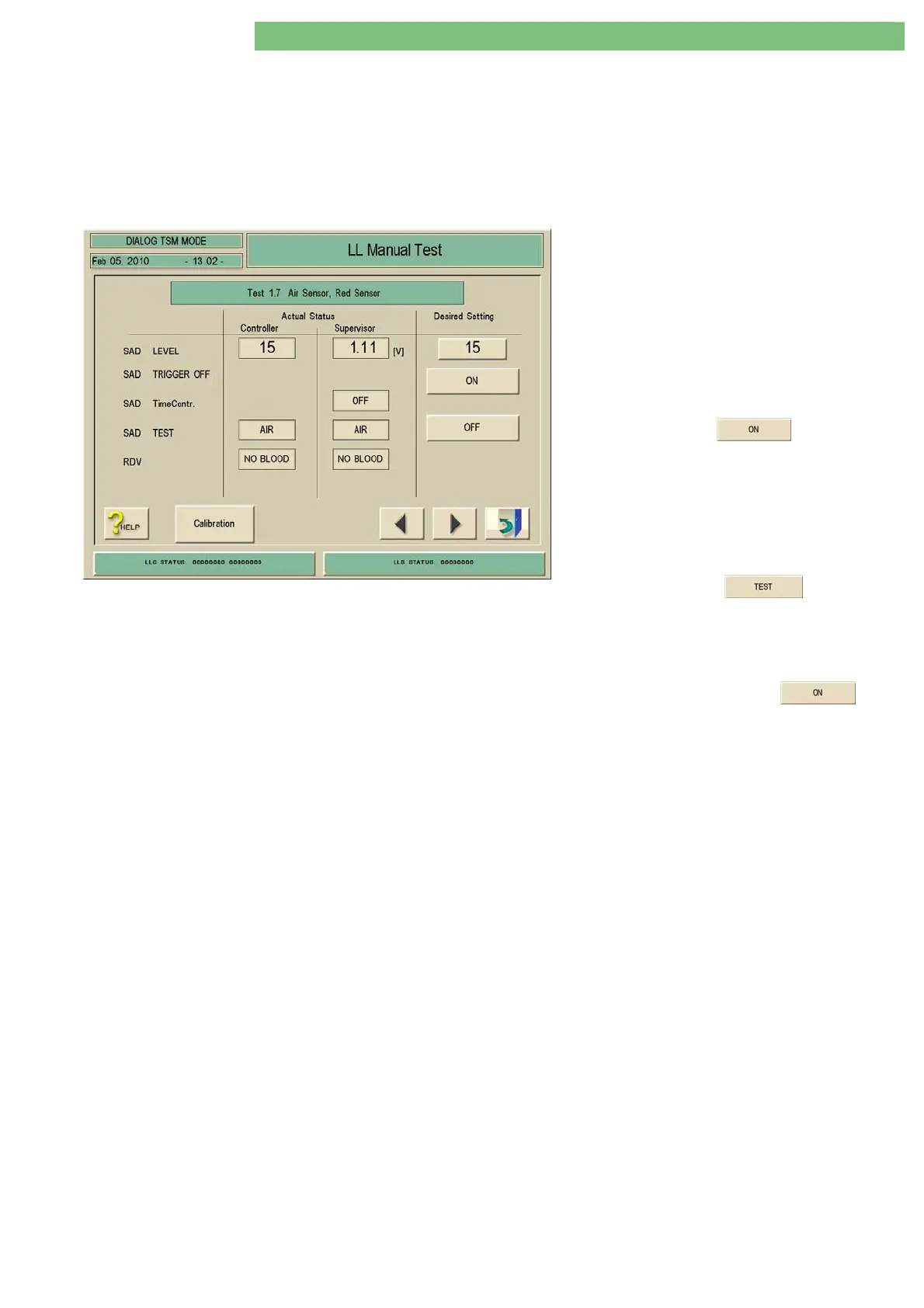
1. Activate the menu Test 1.7 Air Sensor, Red
Sensor in the LL Manual Test menu.
2. Insert a tubing filled with water in the SAD
and close cover.
The following settings must be displayed:
SAD LEVEL:
15
(Desired Setting)
SAD TEST:
NO AIR
(Controller/Supervisor)
RDV:
NO BLOOD
(Controller/Supervisor)
3. Press SAD TEST key (Desired
Setting).
The following settings must be displayed:
SAD LEVEL:
KS+5
(Desired Setting, see previous
page)
SAD TEST:
TEST
(Desired Setting)
SAD TEST:
AIR
(Controller/Supervisor)
4. Press the SAD TEST key (Desired
Setting) to terminate the test.
The following setting must be displayed:
SAD TEST:
OFF
(Desired Setting)
5. Press the SAD TRIGGER OFF key
(Desired Setting) to activate the SAD
TimeContr.
The following settings must be displayed:
SAD TimeContr.
:
OFF
(Supervisor)
after approx. 1 second:
SAD TimeContr.:
ON
(Supervisor)
6. Remove the tubing from the SAD.
7. Interrupt the light path in the SAD with a
piece of paper.
The following settings must be displayed:
RDV:
NO BLOOD
(Controller/Supervisor)
changes to
RDV:
BLOOD
(Controller/Supervisor)















 To Next Page