4. TSM Service Program 1/2010 4 - 62
BA-TE-DE08C M.KAY Dialog+ SW9xx_SM_Chapter 4-2-1_1_2010.doc/pdf <110301> yymmdd B. Braun Avitum AG
Dialog
+
SW 9.xx
4.8.1.1 Buttons, Lamps and Sounds
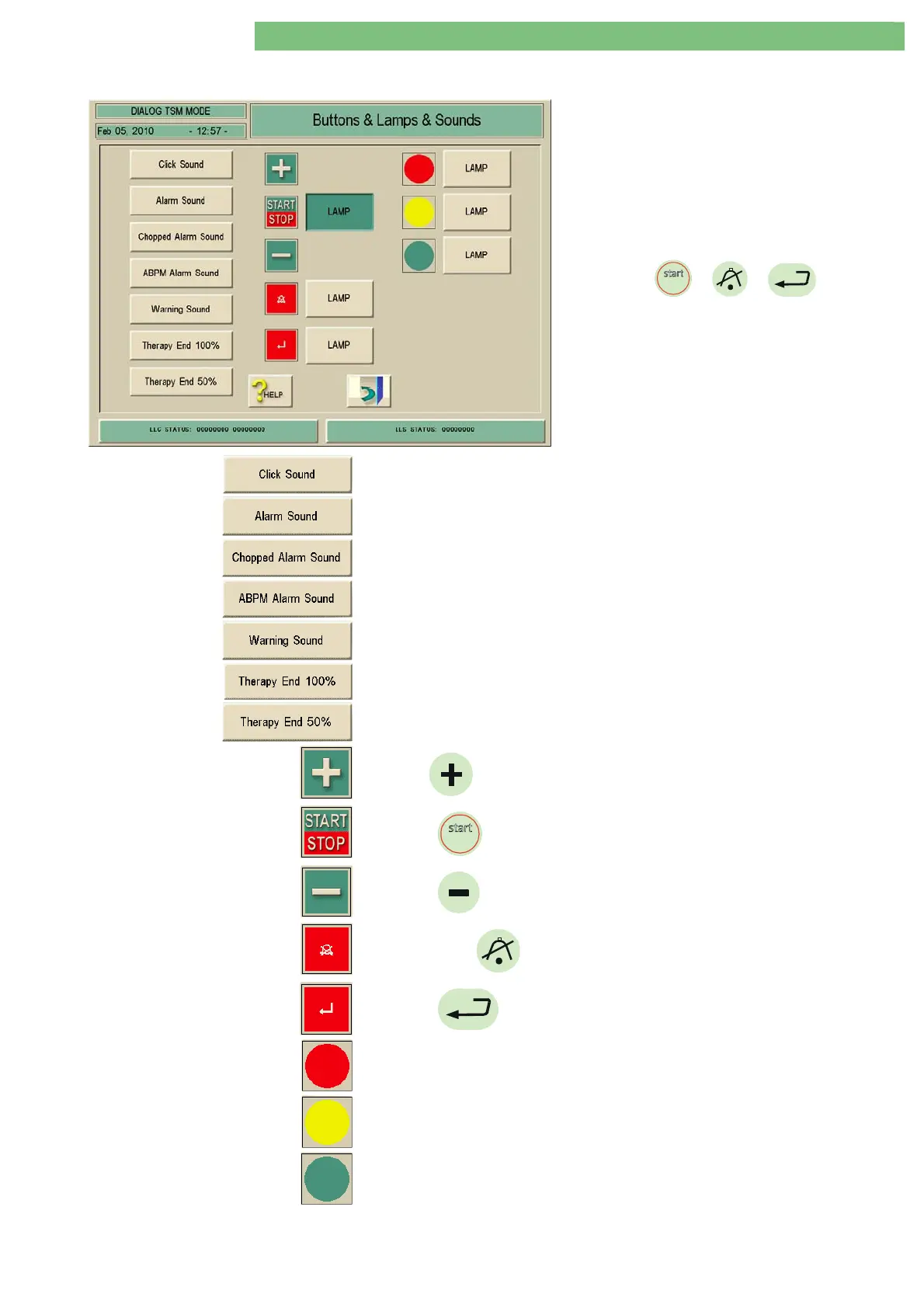
1. Activate the Buttons, Lamps and Sounds menu
with the Buttons, Lamps and Sounds key in the
TL Manual Test and Calibration menu. The
following menu is displayed.
In the Buttons, Lamps and Sounds menu the
following functions can be tested:
• different sounds
• LEDs for
stopstop
/ / (on front
panel board FPB)
• LEDs for signal lamps (on optical status display
boards OSDs)
The Click sound can be checked.
The Alarm sound can be checked.
The Chopped Alarm sound can be checked.
The ABPM Alarm sound can be checked.
The Warning sound can be checked.
The Therapy End 100 % sound can be checked.
The Therapy End 50 % sound can be checked.
Check
key for blood pump.
Check
stopstop
key/lamp for blood pump.
Check
key for blood pump.
Check alarm
(confirm) key and lamp (LED).
Check
(enter) key and lamp (LED).
Check red LED for signal lamp (on optical status display boards OSD).
Check yellow LED for signal lamp (on optical status display boards OSD).
Check green LED for signal lamp (on optical status display boards OSD).















 To Next Page