4. TSM Service Program 1/2010 4 - 80
BA-TE-DE08C M.KAY Dialog+ SW9xx_SM_Chapter 4-2-1_1_2010.doc/pdf <110301> yymmdd B. Braun Avitum AG
Dialog
+
SW 9.xx
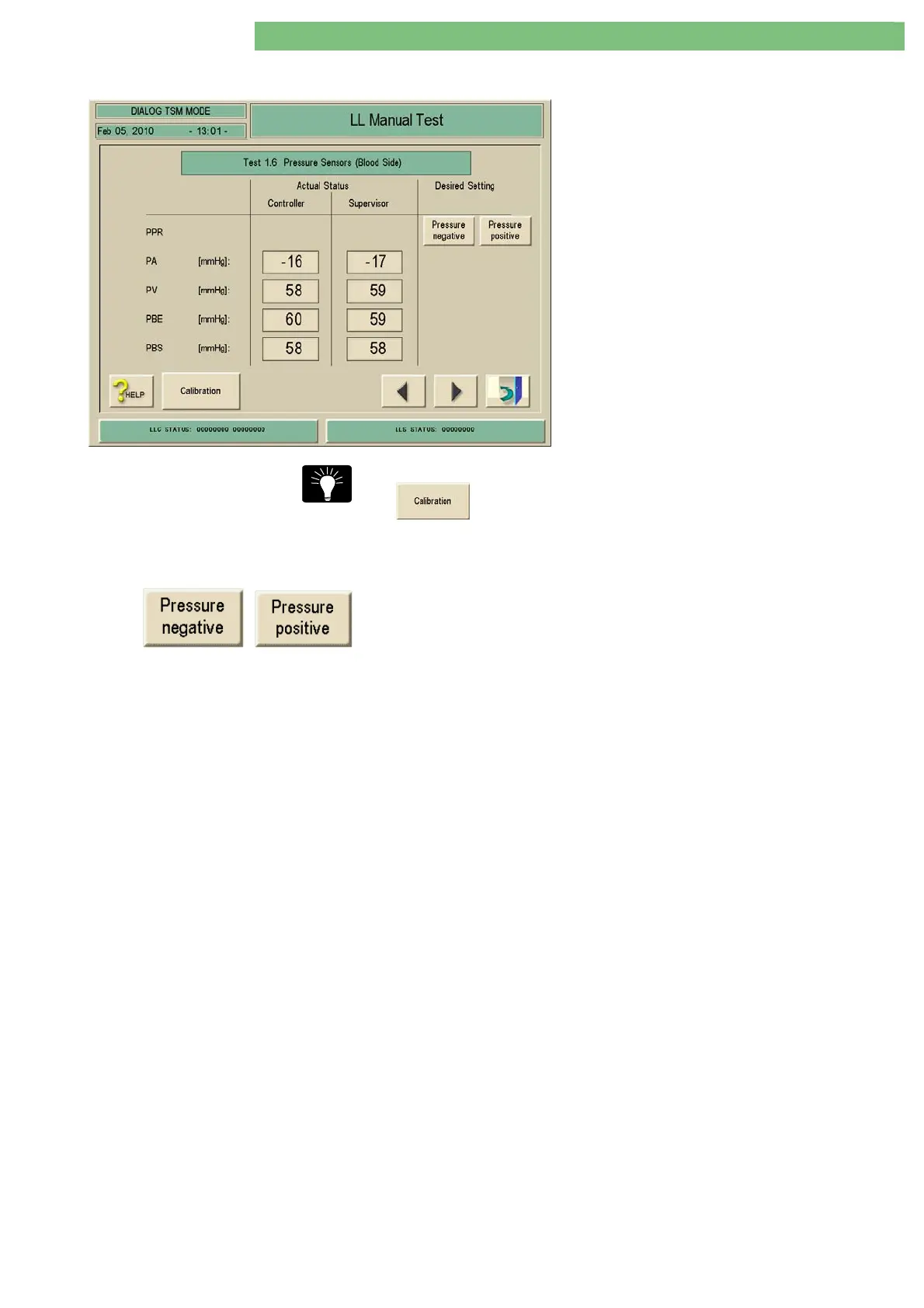
4.8.2.6 Test 1.6 Pressure Sensors (Blood Side)
1. Activate the Pressure Sensors (Blood Side)
menu with the Pressure Sensors (Blood Side)
key in the LL Manual Test menu. The following
menu is displayed.
2. Check the functions with the appropriate keys.
You can skip directly to the calibration of the sensors by pressing the
key.
Level Regulation Pump LRP (PPR)
The pressure for the pressure sensors can be set with the Pressure Negative and
Pressure Positive keys. The pressures are increased or decreased via the level
regulation pump (diaphragm pump).
Pressure Sensors The pressure sensors PA, PV and PBE are displayed.
PBS Value Machine with Single Pump
The value for PBS is 0.
Machine with Double
Double Pump must be activated in Production Report, Low Level Options. A
value for PBS is displayed.















 To Next Page