4. TSM Service Program 1/2010 4 - 49
BA-TE-DE08C M.KAY Dialog+ SW9xx_SM_Chapter 4-1-1_1-2010.doc/pdf <110301> yymmdd B. Braun Avitum AG
Dialog
+
SW 9.xx
4.7.1.14 Timings
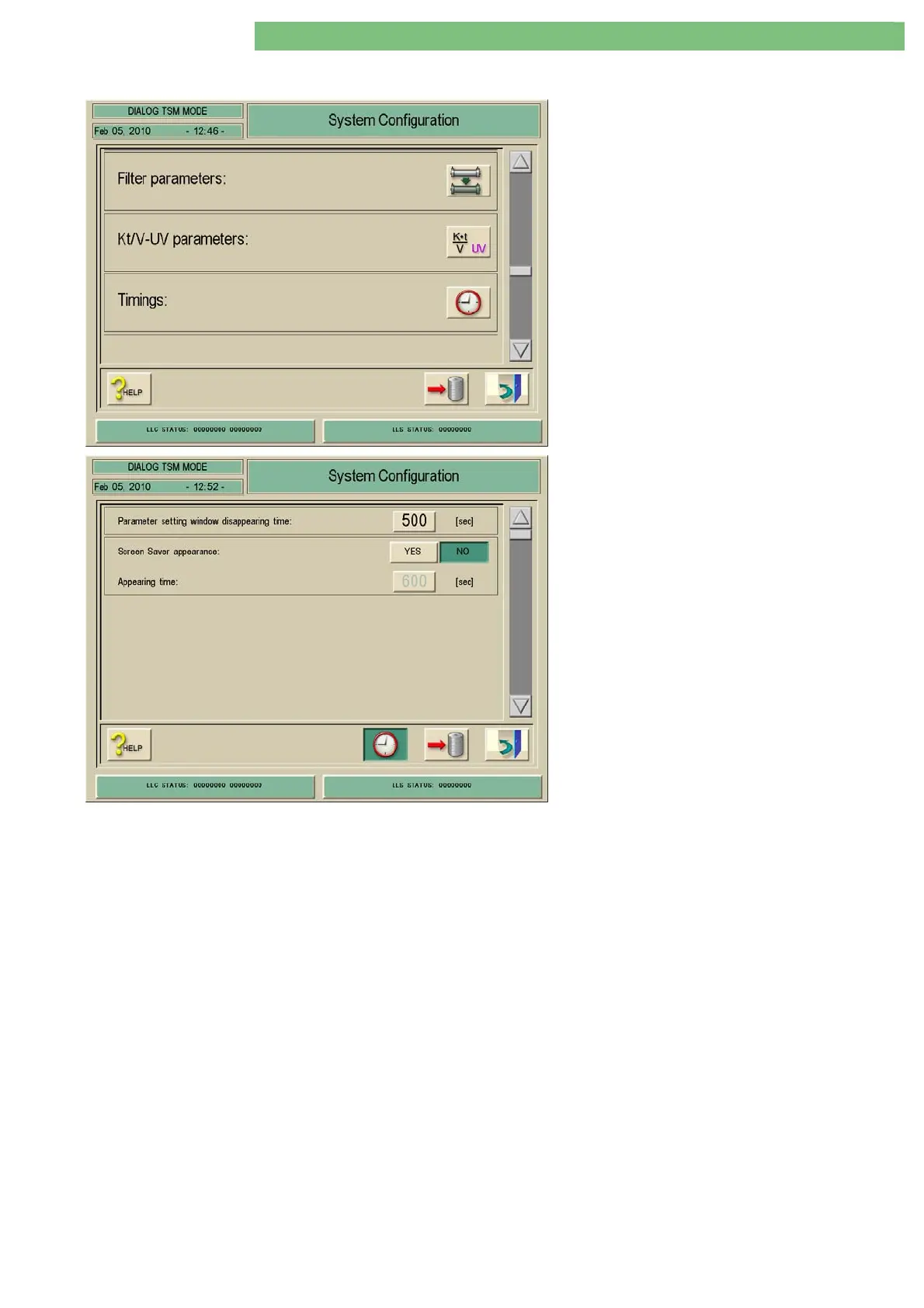
1. Activate the System Configuration menu with
the System Configuration key in menu
Treatment Support. The following menu is
opened and displayed (scroll with scroll bar):
2. Activate the Timings menu with the Timings
icon. The following menu is displayed.
The following parameters can be set:
• Parameter setting window disappearing time
• Screen saver appearance
• Appearing time
Parameter Setting Window
Disappearing Time
You can set the automatic disappearing time for the Parameter Setting
Window (lower screen in therapy).
Screen Saver Appearance
You can activate a screen saver with the YES key. The actual image on the
screen is then replaced by the screen saver, according to the preset time. The
original image appears in case of an alarm or if the screen is touched. The
following screen savers are activated:
Therapy selection: B.Braun logo, date, time
Preparation: B.Braun logo, time, status line
Therapy and end of therapy: Time cake, remaining time, status line
Disinfection: Time cake, disinfection mode, phase
Appearing Time
You can set the appearance time of the Screen Saver.















 To Next Page