4. TSM Service Program 1/2010 4 - 66
BA-TE-DE08C M.KAY Dialog+ SW9xx_SM_Chapter 4-2-1_1_2010.doc/pdf <110301> yymmdd B. Braun Avitum AG
Dialog
+
SW 9.xx
4.8.1.5 Card Reader and Card Check
The card reader and the card can be checked in
the Card Reader and Card Check menu.
The Card Reader and Card Check key is displayed
in this menu if the card reader is present in the
machine and the option was selected/activated in
the Production Report menu.
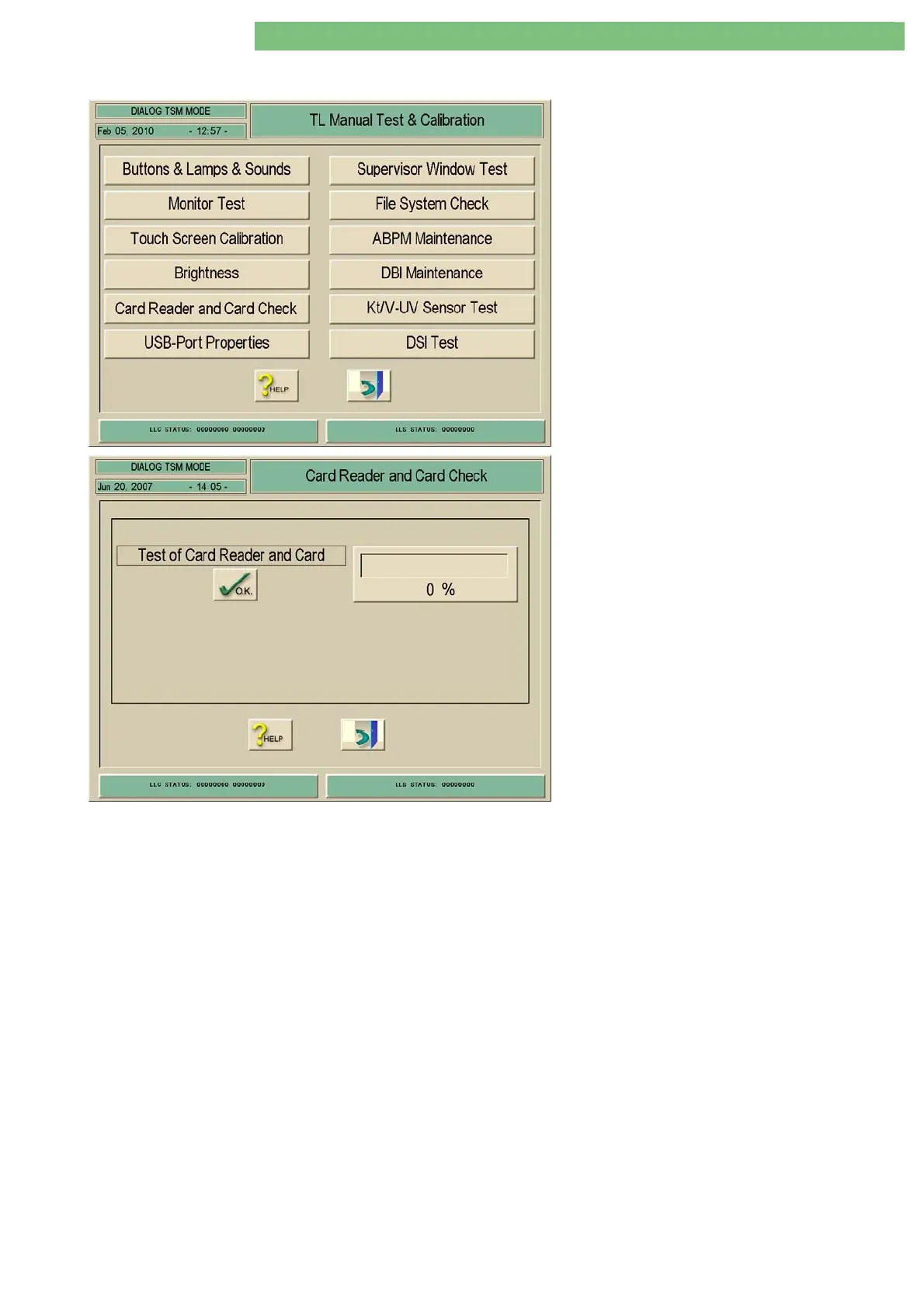
1. Activate the Card Reader and Card Check
menu with the Card Reader and Card Check
key in the TL Manual Test and Calibration
menu. The following menu is displayed.
Both card reader and chip card can be checked if
a chip card is inserted in the card reader and the
test is started with the OK key. The chip card must
be inserted with the contacts facing upwards.
Note
• Use an empty service chip card (art. no.
7703856) for the test and not a patient chip
card.
• Do not remove the chip card from the card
reader during the test.















 To Next Page