3. Repair Instructions 1/2010 3 - 85
BA-TE-DE08C M.KAY
Dialog+ SW9xx_sm_Chapter 3_1-2010.doc/pdf <100329> yymmdd
B. Braun Avitum AG
Dialog
+
SW 9.xx
3.6.10.2 Read Calibration Data
The utility reads the calibration data from Dialog+ hard disk drive (CFC) and
writes it to the USB stick. Files from different Dialog+ machines are placed in
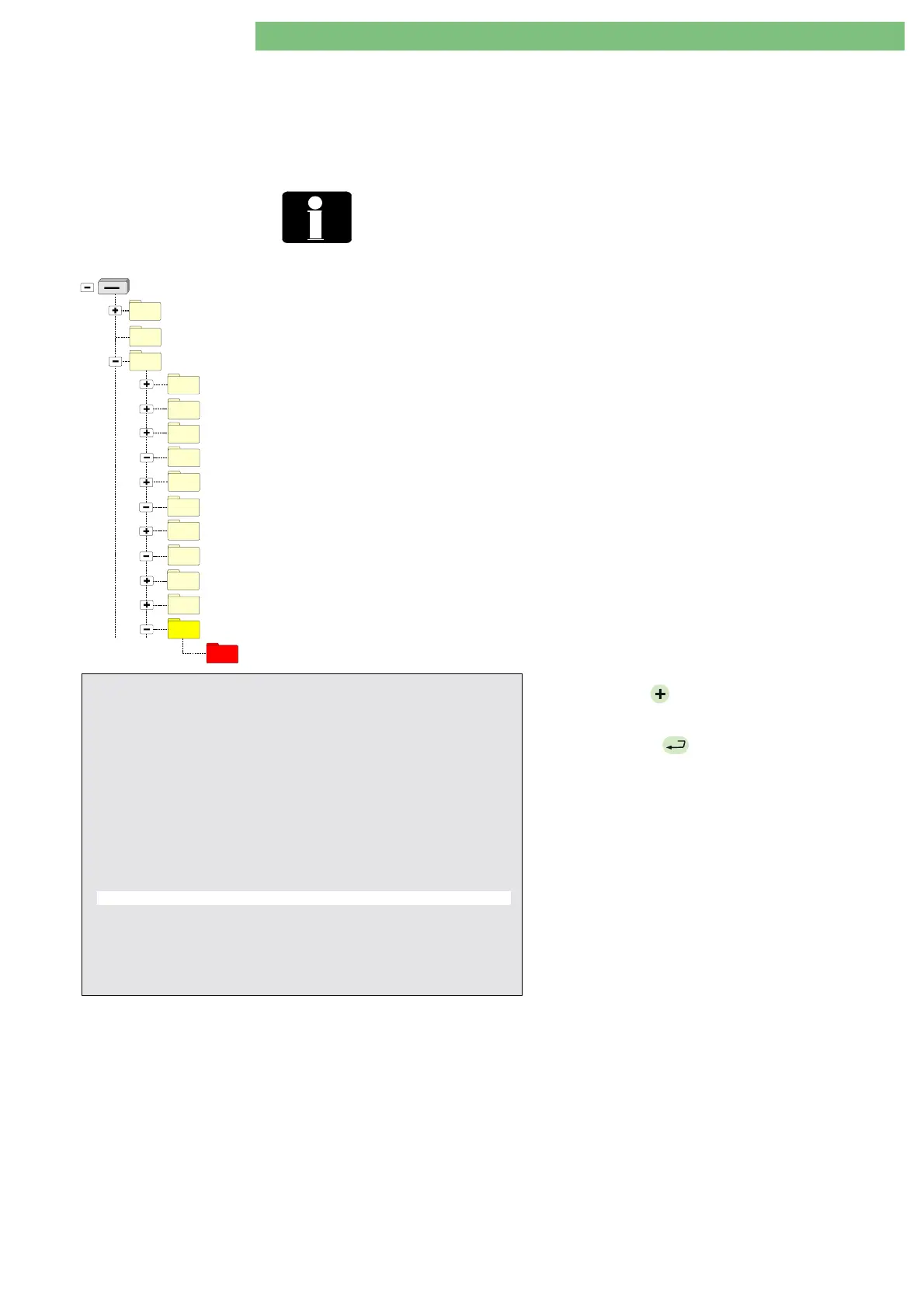
different subdirectories on the USB stick. The subdirectory name
USER/11_Read_Calibration_Data/ <SERNUM>_<Main Version>/
is created
from the serial number and the main version number of the Dialog+ machine.
<SERNUM>
The subdirectory name is created from the serial number <SERNUM> and the
main version number of the Dialog+. If the serial number is not set on the
Dialog+ <SERNUM> is equal to ‘-----‘.
BlueCat
Removable Disk (X: - FSU USB Stick)
DISKTYPE
USER
05_Write_Calibration_Data
04_Write_Languages
06_Write_System_Configuration
09_Card_01_Read_Card_Image
09_Card_02_Write_Card_Image
09_Card_03_Read_Patient_Diskette
09_Card_04_Write_Patient_Diskette_to_Card
09_Card_05_Read_Patient_Card
10_Read_System_Configuration
09_Card_06_Write_Patient_Card
11_Read_Calibration_Data
23532_V7_59
See the results in the directories with the following path for
the
Calibration Data
file
calib.dat.xxu
.
Read Calibration Data
USB:\USER\11_Read_Calibration_Data\{Serial
Number}_{Main Version}\calib.dat.xxu
Example:
USB:\USER\11_Read_Calibration_Data\23532_V7_59\
calib.dat.xxu
23532: Serial Number of the Dialog machine
V7_59: Dialog+ main software version
Field Service Utilities V2.00 - SetMST
CRC = XXXX - OK
01. Set System Version Number
02. Set Working Time Counter (WTC)
03. Kill Masterboot Record (Dialog+ Hard Disk)
04. Write Languages (USB Stick
→
Dialog+ Hard Disk)
05. Write Calibration Data (USB Stick
→
Dialog+ Hard Disk)
06. Write System Configuration (USB Stick
→
Dialog+ Hard Disk)
07. Undo Last Written (USB Stick
→
Dialog+ Hard Disk)
08. USB Stick Self Test
09. Select Menu of Card Reader Commands
10. Read System Configuration (Dialog+ Hard Disk
→
USB Stick)
11. Read Calibration Data (Dialog+ Hard Disk
→
USB Stick)
12. Read All Trends (Dialog+ Hard Disk
→
USB Stick)
13. Read Screenshots (Dialog+ Hard Disk
→
USB Stick)
14. Get Error (ErrorDisk) (Dialog+ Hard Disk
→
USB Stick)
BP-
: move cursor up
BP+
: move cursor down
AQ
: exit – see
Important Note
EQ
: execute
Important Note:
To prevent the corruption of USB stick, before removing it,
please press
AQ
then follow the instructions on the screen!
1.
Press the
BP
hardware key and move the cursor
down to select the utility.
2.
Press the
EQ
hardware key to execute the
utility.















 To Next Page