4. TSM Service Program 1/2010 4 - 54
BA-TE-DE08C M.KAY Dialog+ SW9xx_SM_Chapter 4-1-1_1-2010.doc/pdf <110301> yymmdd B. Braun Avitum AG
Dialog
+
SW 9.xx
4.7.1.19 Miscellaneous Parameters
Further parameters can be set in the
Miscellaneous Parameters menu.
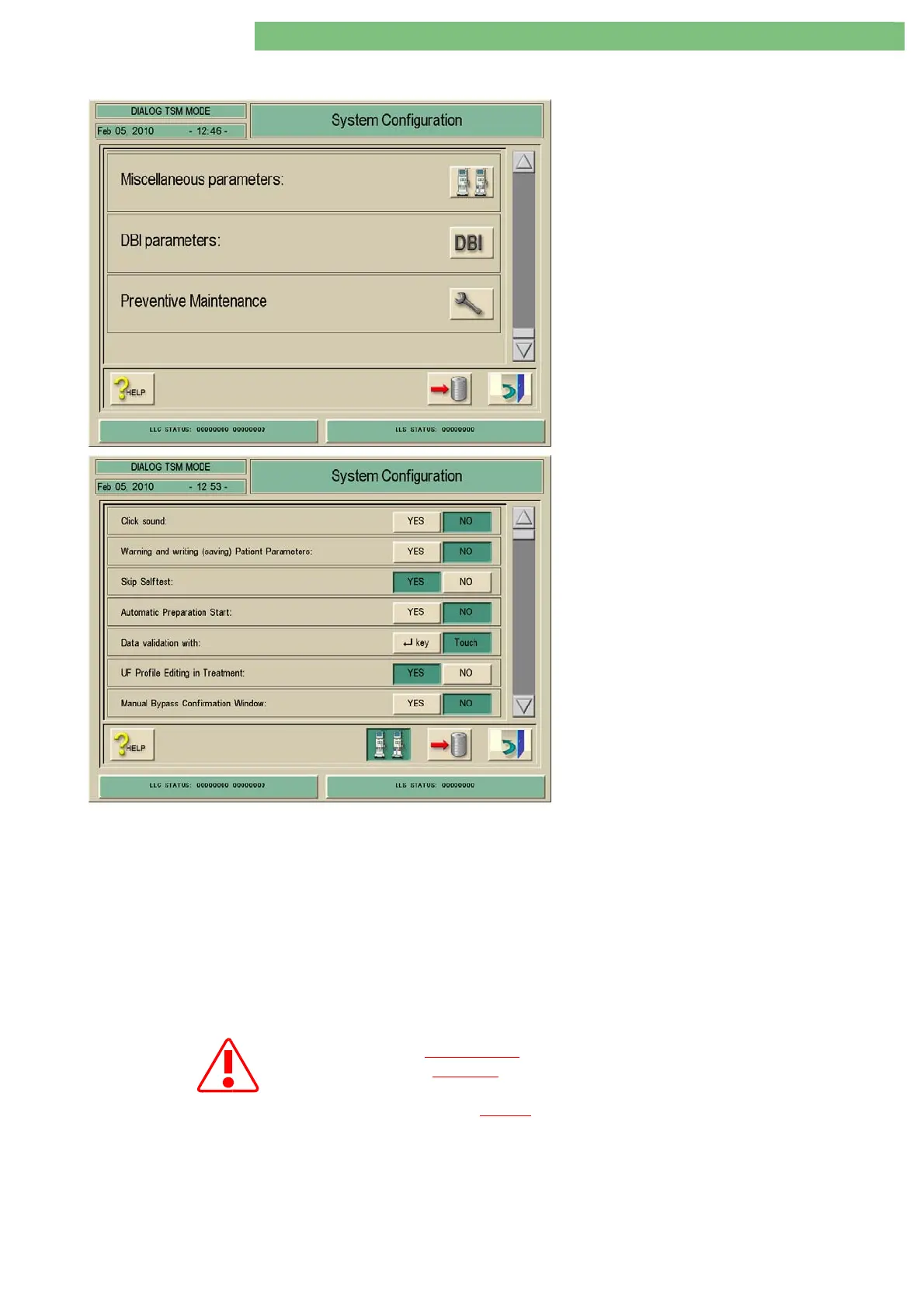
1. Activate the System Configuration menu with
the System Configuration key in menu
Treatment Support. The following menu is
opened and displayed (scroll with scroll bar).
2. Activate the Miscellaneous Parameters menu
with the Miscellaneous Parameters icon. The
following menu is displayed.
The following parameters can be set:
• Click Sound
• Warning and Writing (Saving) Patient
Parameters
• Skip Self Tests
• Automatic Preparation Start
• Data Validation with
• UF Profile Editing in Treatment
• Manual Bypass Confirmation Window
• End of Therapy Sound Duration
• Chopped Alarm Sound
• Suppression of Warning Sounds in Preparation
• Automatic Reinfusion Start at Entering End of
Treatment
Click Sound
If you activate the YES key a click sound is activated if a key or the touch
screen is pressed.
Warning and Writing (Saving) Patient
Parameters
If you click the YES key you can generate a warning message to save the
patient data in the following cases:
• The patient data was loaded from the data media
• The therapy was terminated without saving the patient data
Skip Self Tests It is only permitted
to activate the
Skip Self Test
function for servicing.
It is prohibited
to run a therapy with a patient if the
Skip Self Test
function is activated.
The self test must be
passed successfully prior to a therapy.















 To Next Page