4. TSM Service Program 1/2010 4 - 30
BA-TE-DE08C M.KAY Dialog+ SW9xx_SM_Chapter 4-1-1_1-2010.doc/pdf <110301> yymmdd B. Braun Avitum AG
Dialog
+
SW 9.xx
4.7.1.5 Single-Needle Parameters
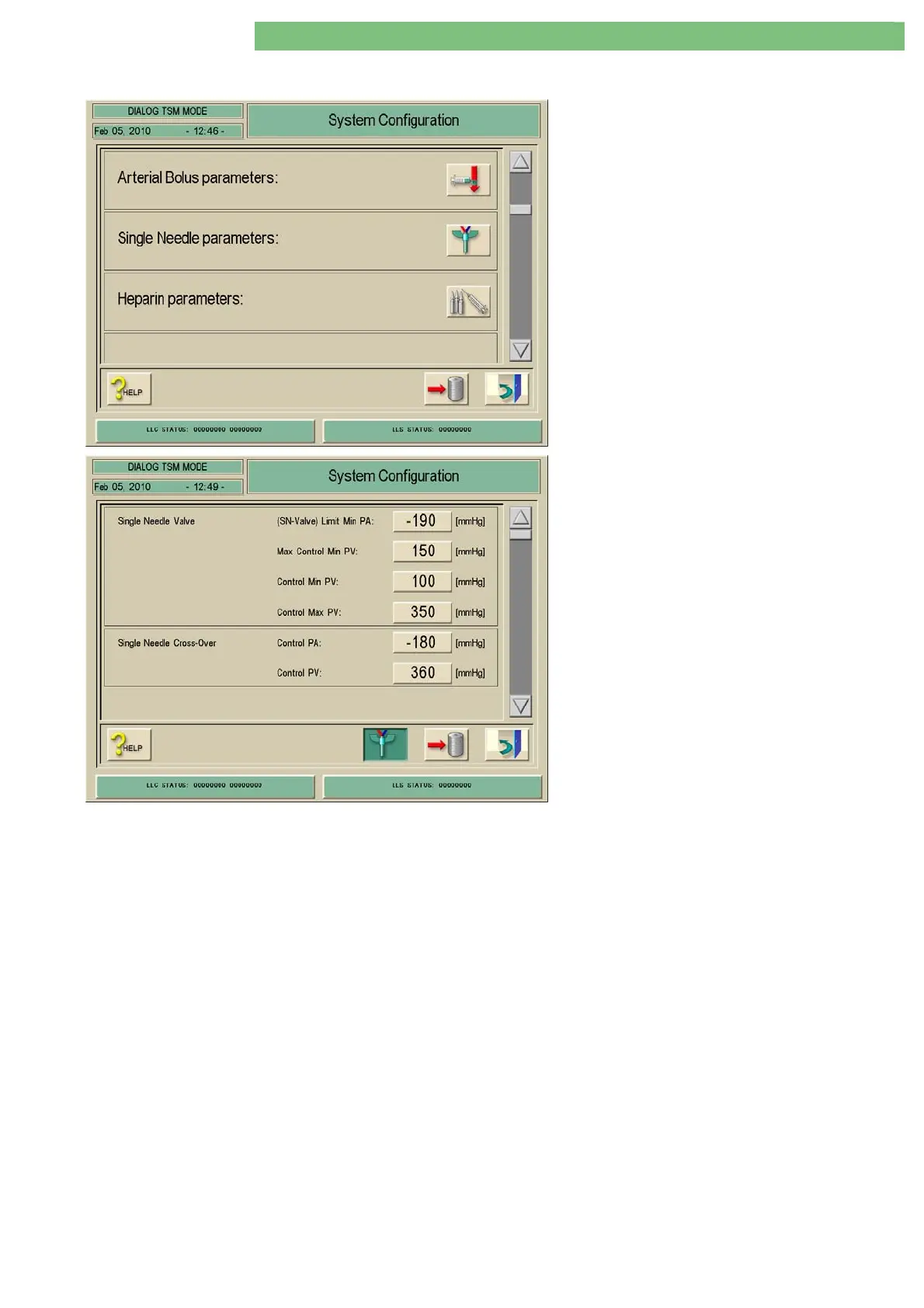
1. Activate the System Configuration menu with
the System Configuration key in menu
Treatment Support. Use the scroll bar until the
following menu appears.
2. Activate the Single-Needle Parameters menu
with the Single-Needle icon.
The following parameters can be set:
Single-Needle Valve (Control Pressures)
• (Single-Needle SN Valve) Limit Min PA
• Max Control Min PV
• Control Min PV
• Control Max. PV
Single-Needle Cross-Over (Control Pressures)
• Control PA
• Control PV
Single-Needle Valve (Single-Needle SN Valve) Limit Minimum PA
The minimum limit of the arterial pressure PA can be set for the single-needle
valve mode.
Maximum Control Minimum PV
The maximum lower venous control pressure can be set for the Single-Needle
Valve option. For safety reasons it is necessary to limit the maximum value for
the lower venous control pressure for the SN valve. The maximum setting is
150 mmHg (default setting).
Furthermore the control pressure PV can be set. Thereby the blood pump is
started/stopped and the venous tubing clamp currentless closed SAKV-SG is
opened/closed.
Single-Needle Cross-Over
The control pressures for PA and PV can be set for single-needle cross-over.















 To Next Page