4. TSM Service Program 1/2010 4 - 50
BA-TE-DE08C M.KAY Dialog+ SW9xx_SM_Chapter 4-1-1_1-2010.doc/pdf <110301> yymmdd B. Braun Avitum AG
Dialog
+
SW 9.xx
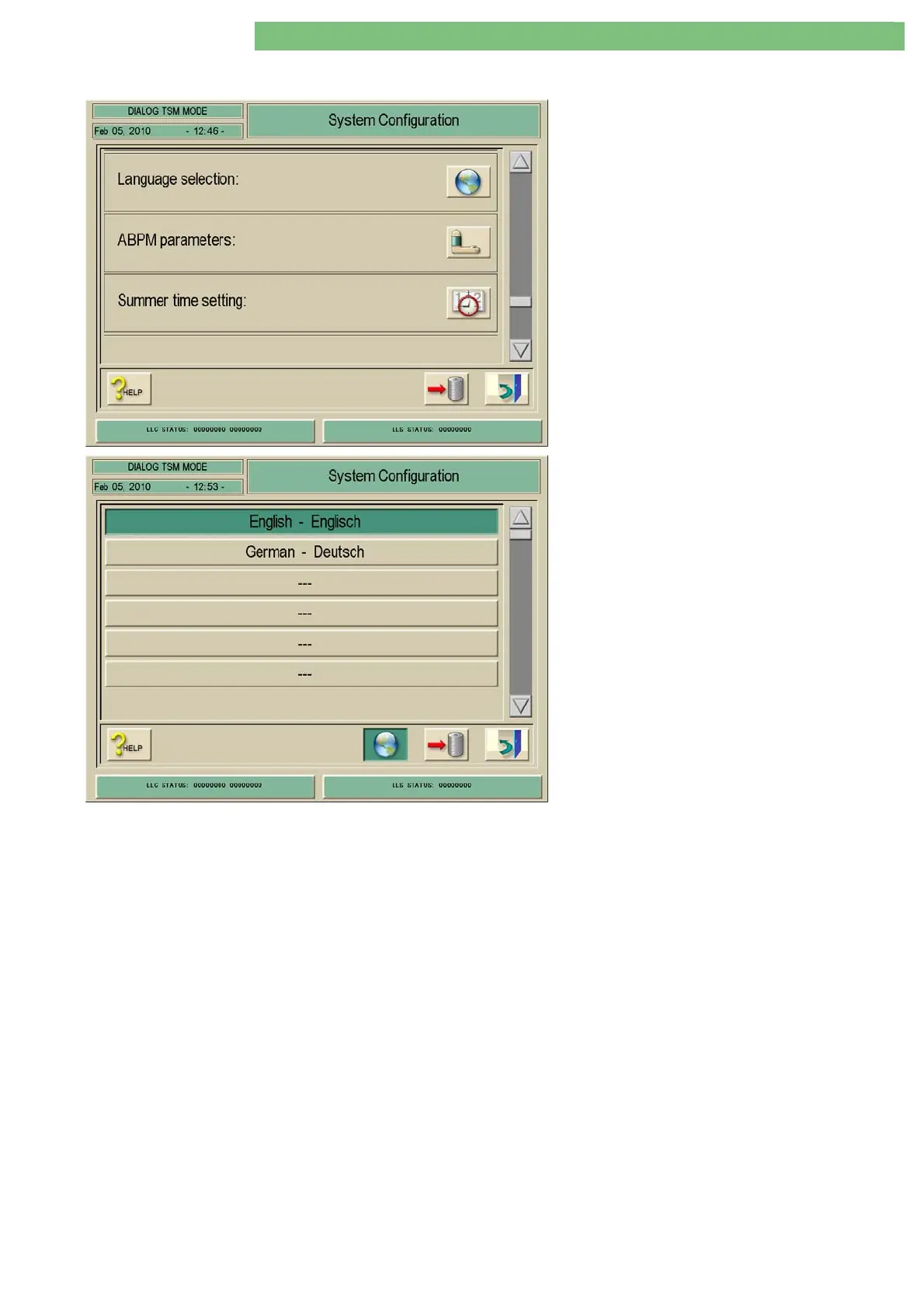
4.7.1.15 Language Selection
1. Activate the System Configuration menu with
the System Configuration key in menu
Treatment Support. The following menu is
opened and displayed (scroll with scroll bar).
2. Activate the Language Selection menu with
the Language Selection icon.
3. Select the English or German language or an
additional available language.
4. The following menu is displayed (or if available
additional languages).
If English is selected the therapy and TSM
language is English. If German is selected the
therapy and TSM language is German. If an
additional language is selected this language is
used in therapy. The TSM language is English.















 To Next Page