4. TSM Service Program 1/2010 4 - 38
BA-TE-DE08C M.KAY Dialog+ SW9xx_SM_Chapter 4-1-1_1-2010.doc/pdf <110301> yymmdd B. Braun Avitum AG
Dialog
+
SW 9.xx
4.7.1.9 HDF/HF Online Parameters
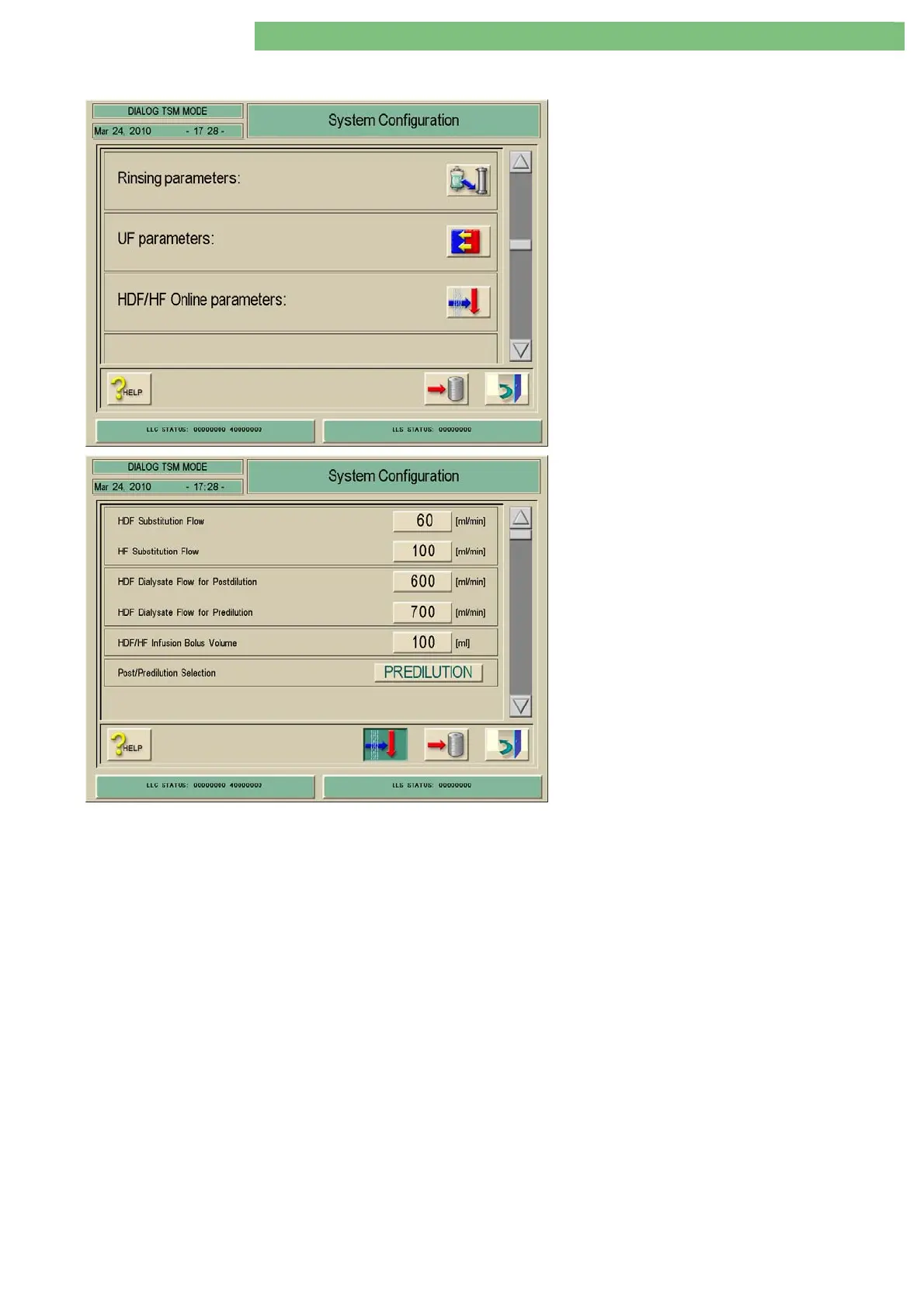
1. Activate the System Configuration menu with
the System Configuration key in menu
Treatment Support. Use the scroll bar until the
following menu appears (only HDF online
machines).
2. Activate the HDF/HF Online Parameters menu
with the HDF/HF Online Parameters icon. The
following menu is opened.
The following parameters can be set.
• HDF Substitution Volume
• HF Substitution Volume
• HDF Dialysate Flow for Postdilution
• HDF Dialysate Flow for Predilution
• HDF/HF infusion bolus volume
• Post/Predilution Selection
HDF Substitution Volume
The HDF substitution volume can be set.
HF Substitution Volume
The HF substitution volume can be set.
HDF Dialysate Flow for Postdilution
The HDF dialysate flow for postdilution can be set.
HDF Dialysate Flow for Predilution
The HDF dialysate flow for predilution can be set.
HDF/HF Infusion Bolus Volume
The HDF/HF infusion bolus volume can be set.
Post/Predilution Selection
You can set predilution for a HDF/HF online therapy by activating the
Predilution key.















 To Next Page