4. TSM Service Program 1/2010 4 - 68
BA-TE-DE08C M.KAY Dialog+ SW9xx_SM_Chapter 4-2-1_1_2010.doc/pdf <110301> yymmdd B. Braun Avitum AG
Dialog
+
SW 9.xx
4.7.1.7 Supervisor Window Test
The position and data of the selected supervisor window is displayed. You can
close the window with the Cancel key.
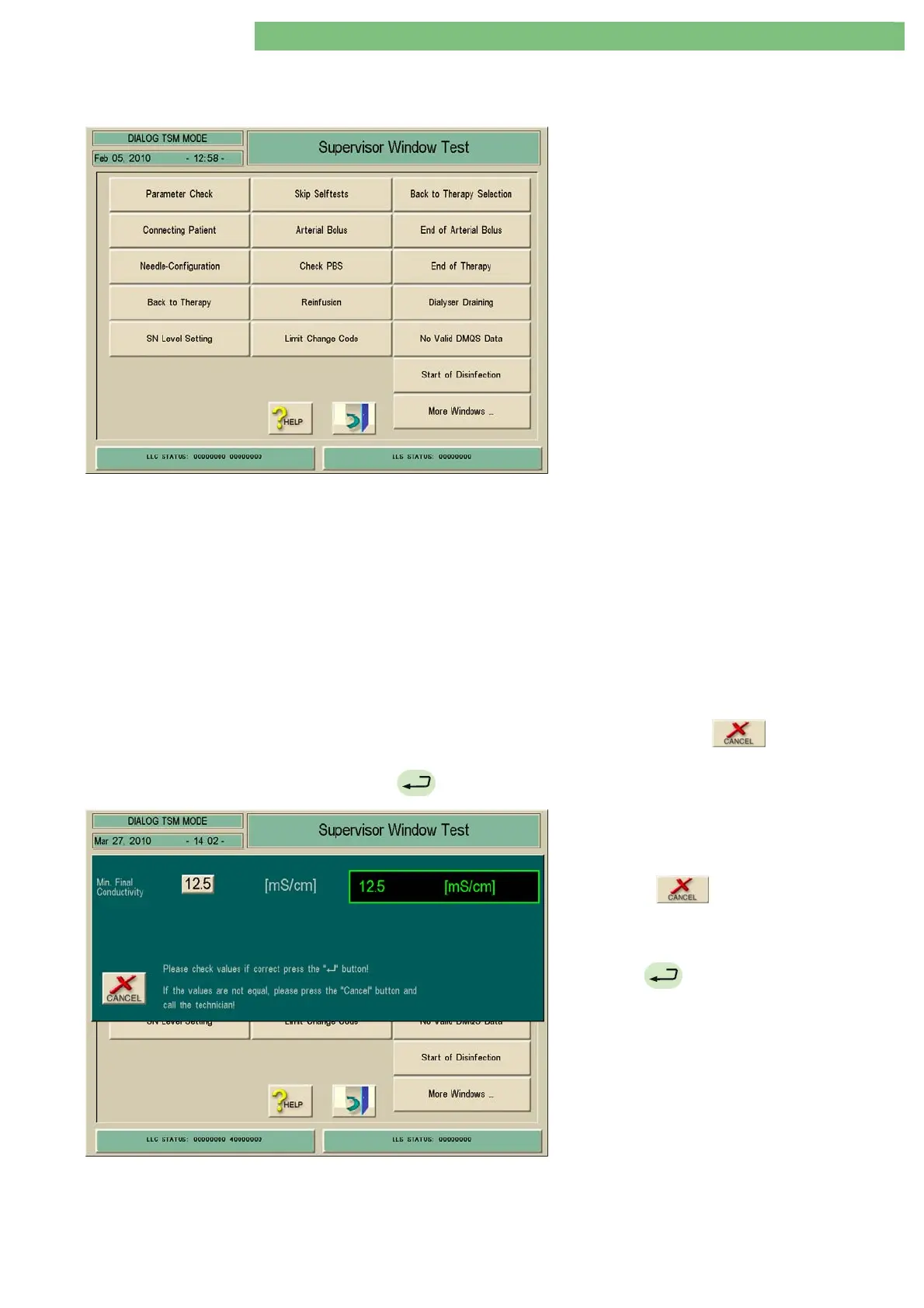
1. Activate the Supervisor Window Test menu
with the Supervisor Window Test key in the TL
Manual Test and Calibration menu. The
following menu is displayed.
The following supervisor windows can be checked:
• Parameter Check
• Connecting Patient
• Needle Configuration
• Back to Therapy
• SN Level Setting
• Skip Self Tests
• Arterial Bolus
• Check PBS
• Reinfusion
• Limit Change Code
• Back to Therapy Selection
• End of Arterial Bolus
• End of Therapy
• Dialyser Draining
• No Valid DMQS Data
• Start of Disinfection
More Windows ...:
• Multi Window
• UF Volume and Max. UF Rate
• Multi Window MW with Substitution Volume
• Multi Window MW with Single Needle
• Min. Max. Final Conductivity
A parameter check is displayed as an example.
The supervisor window for the Min. Max. Final Conductivity is displayed. You
can either close the supervisor window with the
key or select and
acknowledge the single parameters and close the supervisor window with the
key.
2. Activate the Parameter Check window with
the Parameter Check key. The following menu
is displayed.
3. Press the
key to close the supervisor
window.
or
Press the
key to select and acknowledge
the single parameters and close the supervisor
window.















 To Next Page