3. Repair Instructions 1/2010 3 - 41
BA-TE-DE08C M.KAY
Dialog+ SW9xx_sm_Chapter 3_1-2010.doc/pdf <100329> yymmdd
B. Braun Avitum AG
Dialog
+
SW 9.xx
3.4.5 BIOS Settings for LX800 Motherboard
BIOS Menu
The LX800 motherboard is delivered with a special default setting - Dialog+
with software
≥
9.xx and CFC.
These settings are displayed in the following BIOS lists.
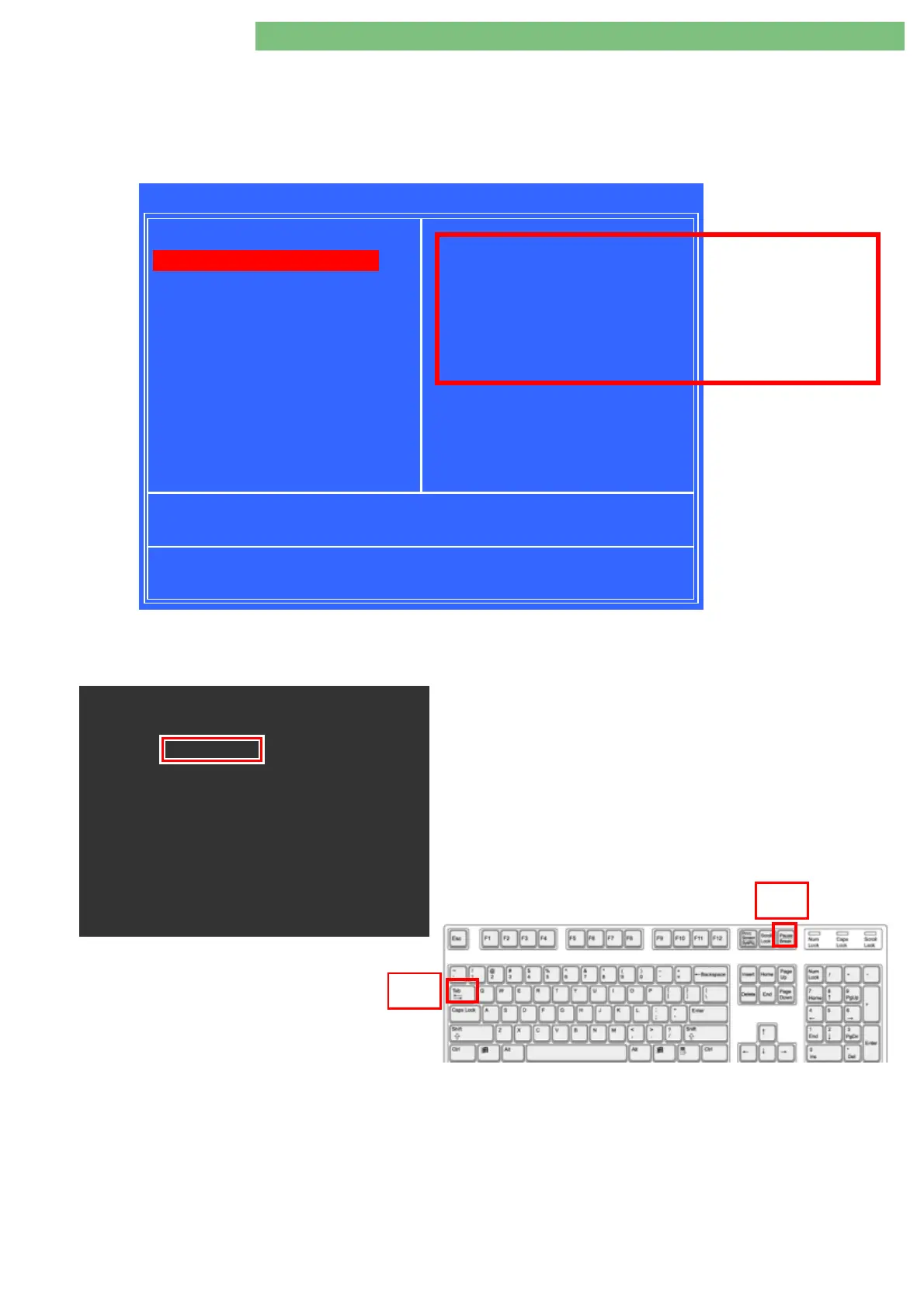
Fig.: Phoenix – AwardBIOS CMOS Setup Utility (Example)
BIOS Version Number
The BIOS version number can be displayed as follows:
1.
Connect PC keyboard to motherboard.
2.
Switch on machine.
3.
Press the
TAB
key when the
B BRAUN
logo is displayed.
4.
Press the
Pause/Break
key to stop the boot routine. The BIOS
version is displayed, e.g.
BIOS Revision 1.04
.
Phoenix - AwardBIOS CMOS Setup Utility
Load Fail-Safe Defaults
!
Advanced BIOS Features Load Optimized Defaults
!
Advanced Chipset Features Set Supervisor Password
!
Integrated Peripherals Set User Password
!
Power Management Setup Save & Exit Setup
!
PnP/PCI Configuration Exit Without Saving
!
PC Health Staus
Esc : Quit
F10 : Save & Exit Setup
Time, Date, Hard Disk Type . . .
!
!!
!
"
""
"
#
##
#
$
$$
$
: Select Item
!
Standard CMOS Features
Phoenix . AwardBIOS v6.00PG, ............
Copyright ( C ) ................
BBM-LX800 BIOS REV.1.04
(2008/08/08)..............
Main Processor..........
.........
.........
Tab
Pause
Break
Never select these
parameters, because this
will cause a malfunction
of the motherboard.















 To Next Page