4. TSM Service Program 1/2010 4 - 155
BA-TE-DE08W M.KAY Dialog+ SW9xx_SM_Chapter 4-3-1_1_2010.doc/pdf <110301> yymmdd B. Braun Avitum AG
Dialog
+
SW 9.xx
4.8.3.15 Calibration PV Alarm Window, PA
Low Limit
1. Activate the LL Manual Calibration menu with
the LL Manual Calibration key in the Manual
Test and Calibration menu.
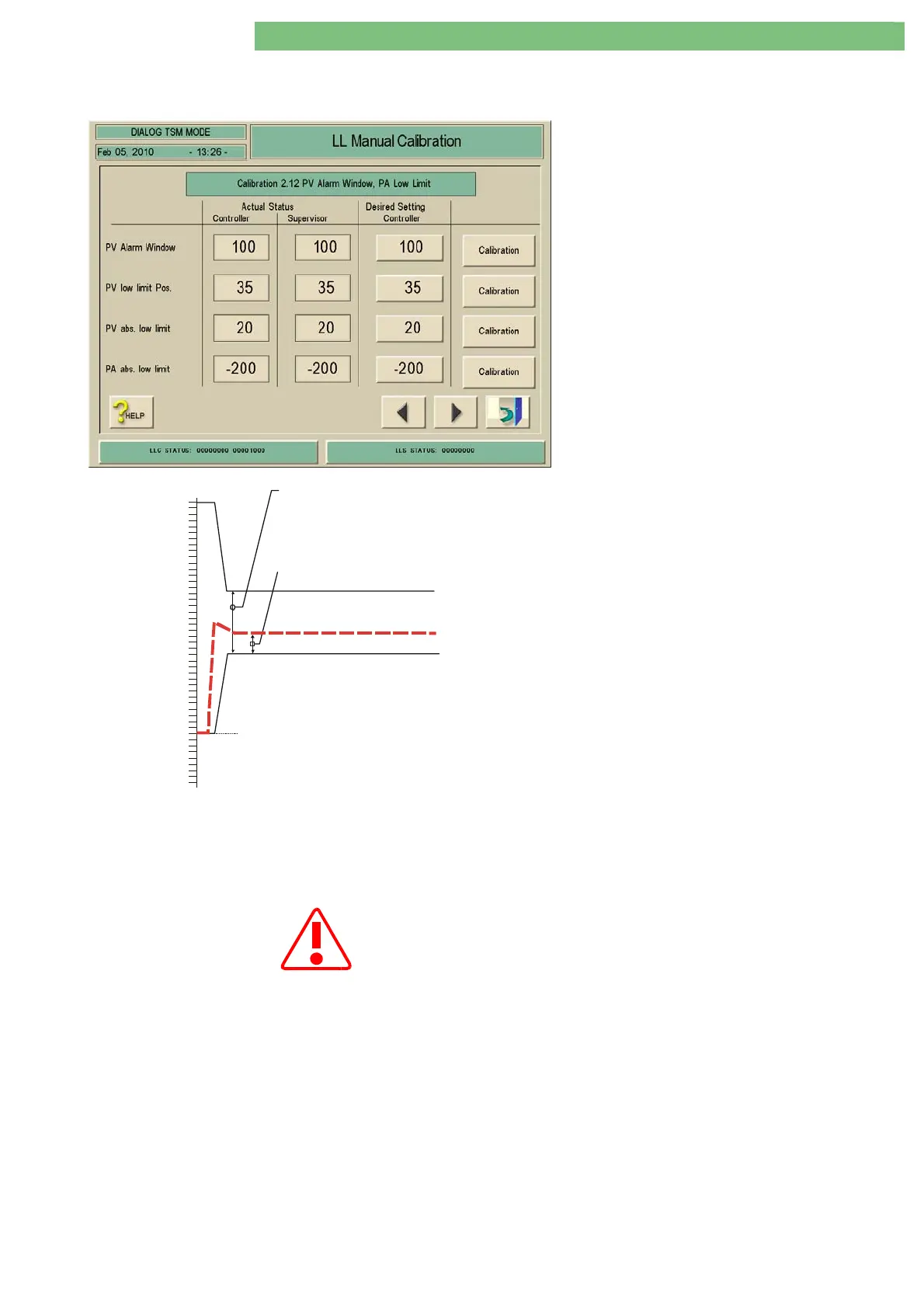
2. Activate the PV Alarm Window, PA Low Limit
menu by pressing on the line Calibration 2.12
PV Alarm Window, PA Low Limit. The following
menu is displayed.
0
100
150
200
250
300
350
400
50
-50
PV
mmHg
PV abs. Low Limit
(default 20 mmHg)
(set range -50 .... 100 mmHg)
PV Low Limit Pos.
PV Alarm Windo
(default 100 mmHg)
(set range 40 ... 200 mmHg)
Fig.: PV Settings
PV Alarm Window
You can set the window values for the alarm
limits of the PV monitoring for therapy.
PV Low Limit Position
You can set the low limit position and window
values for the alarm limits of the PV monitoring
for therapy.
For all Limit Settings (PA and PV)
PV Absolute Low Limit
If any setting values are changed these must be in agreement with the
user, because any value can be used as a possible indication for "bleeding"
(e.g. if the venous access to the patient is disconnected). Furthermore
please note that the LLS limit value is 10 mmHg under the
PV Abs. Low
Limit
(protection system).
You can set the absolute low limit for PV and the window values for the alarm
size and position of the PV monitoring for therapy.
The supervisor uses a tolerance of 10 mmHg for monitoring the PV limit values
to prevent double alarms.
PA Absolute Low Limit
The set PA Absolute Low Limit value (-200 mmHg) is used as limit in therapy
and TSM service program/system configuration.















 To Next Page