4. TSM Service Program 1/2010 4 - 51
BA-TE-DE08C M.KAY Dialog+ SW9xx_SM_Chapter 4-1-1_1-2010.doc/pdf <110301> yymmdd B. Braun Avitum AG
Dialog
+
SW 9.xx
4.7.1.16 Automatic Blood Pressure
Measurement ABPM
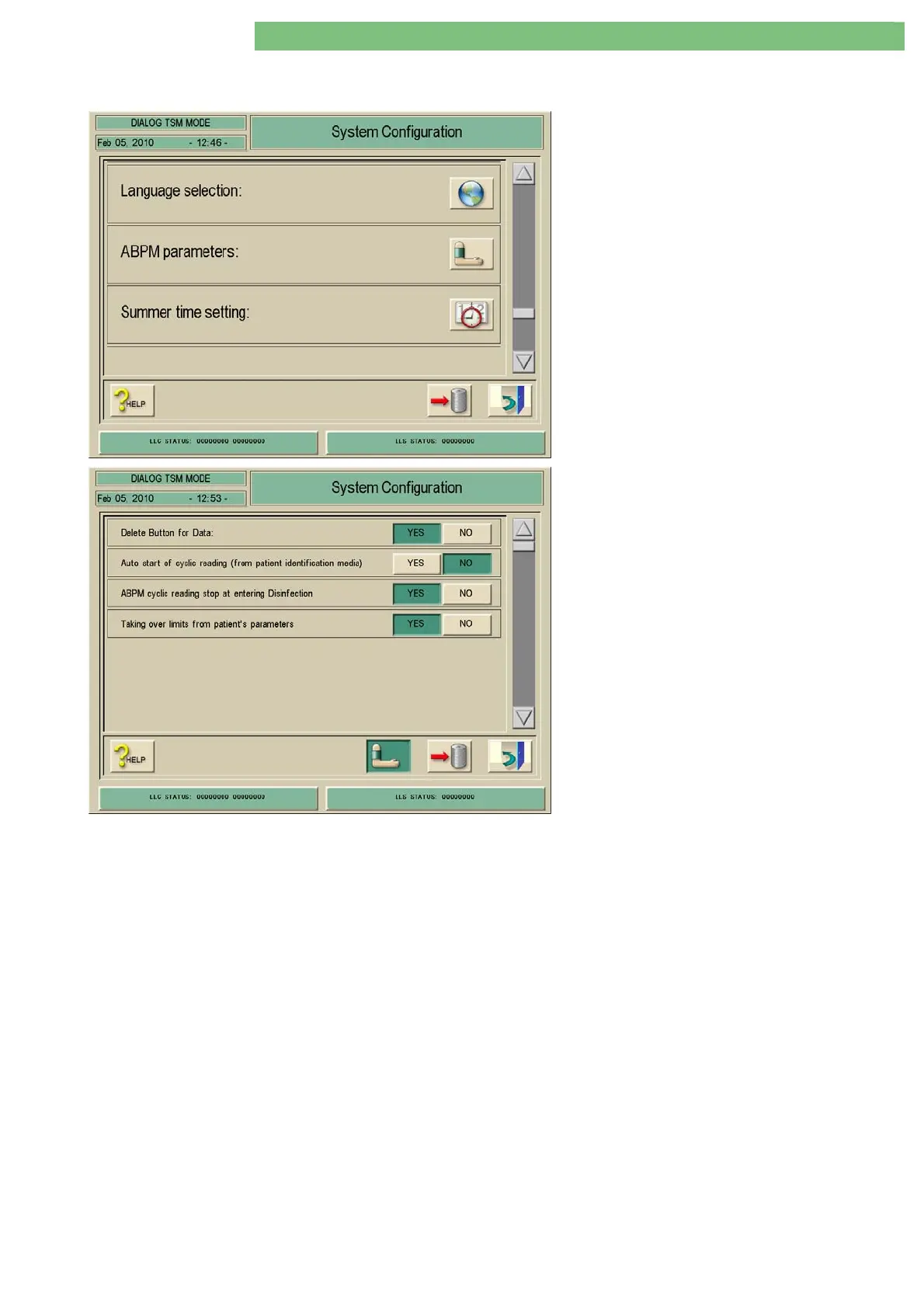
1. Activate the System Configuration menu with
the System Configuration key in menu
Treatment Support. The following menu is
opened and displayed (scroll with scroll bar).
2. Activate the ABPM Parameters menu with the
ABPM Parameters icon. The following menu is
opened and displayed.
The following parameters can be set:
• Delete Key Data
• Auto Start of Cyclic Reading (from Patient
Identification Media)
• ABPM Cyclic Reading Stop at Entering
Disinfection
• Taking Over Limits from Patient’s Parameters
Delete Key Data
If YES is Activated
In therapy a delete key is displayed in the ABPM menu. The measurement data
can be deleted in the table.
If NO is Deactivated
The measurement data is saved in the table until the end of therapy and can
not be deleted.
Auto Start of Cyclic Reading (from Patient
Identification Media)
NO
The cyclic blood pressure measurement must always be selected manually.
YES
If the cyclic blood pressure measurement is on the patient chip card, ABPM is
automatically activated at the beginning of a new therapy.
ABPM Cyclic Reading Stop at Entering
Disinfection
The cyclic reading of the ABPM is stopped at entering the disinfection.
Taking Over Limits from Patient’s
Parameters
The limit values in therapy, e.g. for systole/diastole can be stored on a patient
chip card. These limit values are taken over if the patient chip card is read.















 To Next Page