4. TSM Service Program 1/2010 4 - 6
BA-TE-DE08C M.KAY Dialog+ SW9xx_SM_Chapter 4-1-1_1-2010.doc/pdf <110301> yymmdd B. Braun Avitum AG
Dialog
+
SW 9.xx
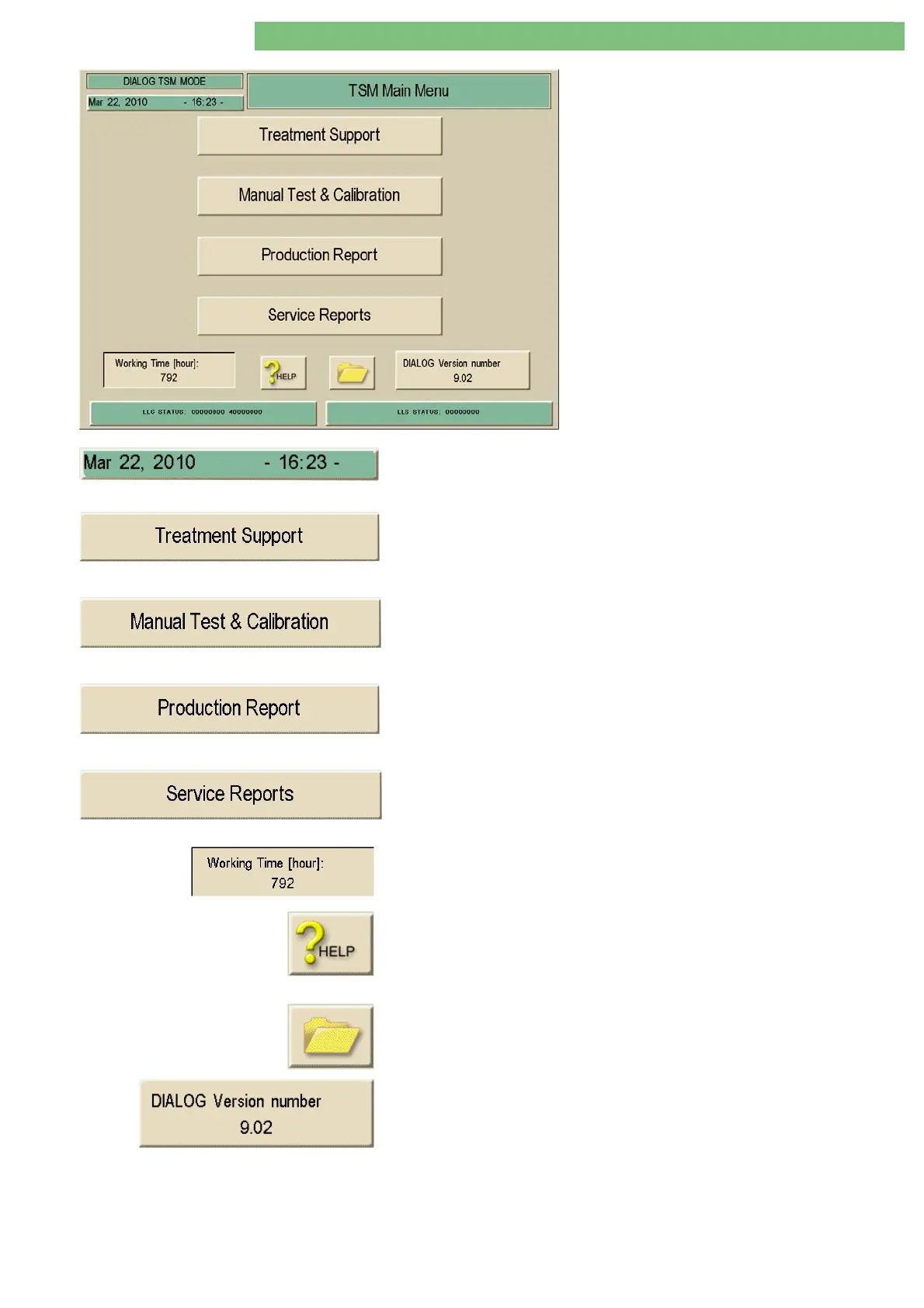
The TSM Main Menu is displayed.
The date and time can be set in the TSM Main
Menu.
The following four sub-menus can be selected:
• Treatment Support
• Manual Test and Calibration
• Production Report
• Service Reports
You can set the date and time of the machine by clicking on the field. The first
click opens the Minus/Plus window for the Date; the second click opens the
Minus/Plus window for the Time.
All basic parameters can be set for the therapy mode in the Treatment Support
menu.
All manual tests and calibrations can be performed in the Manual Test and
Calibration menu.
All machine specific data and options are available in the Production Report
menu.
The Operation Mode Report menu can be selected in the Service Report menu.
The total working time of the machine is displayed in the Working Time
Counter window. The total working time is stored on the compact flash card
CFC.
• Activate additional information with the HELP icon.
− Activate HELP icon
− Select a sub-menu via touch screen.
(A window with the help text is opened for the selected key.)
The File Operations menu can be activated with this icon.
The current software/firmware versions are displayed in the Dialog Version
Number menu. This menu can also be selected in the Production Report.















 To Next Page