4. TSM Service Program 1/2010 4 - 60
BA-TE-DE08C M.KAY Dialog+ SW9xx_SM_Chapter 4-1-1_1-2010.doc/pdf <110301> yymmdd B. Braun Avitum AG
Dialog
+
SW 9.xx
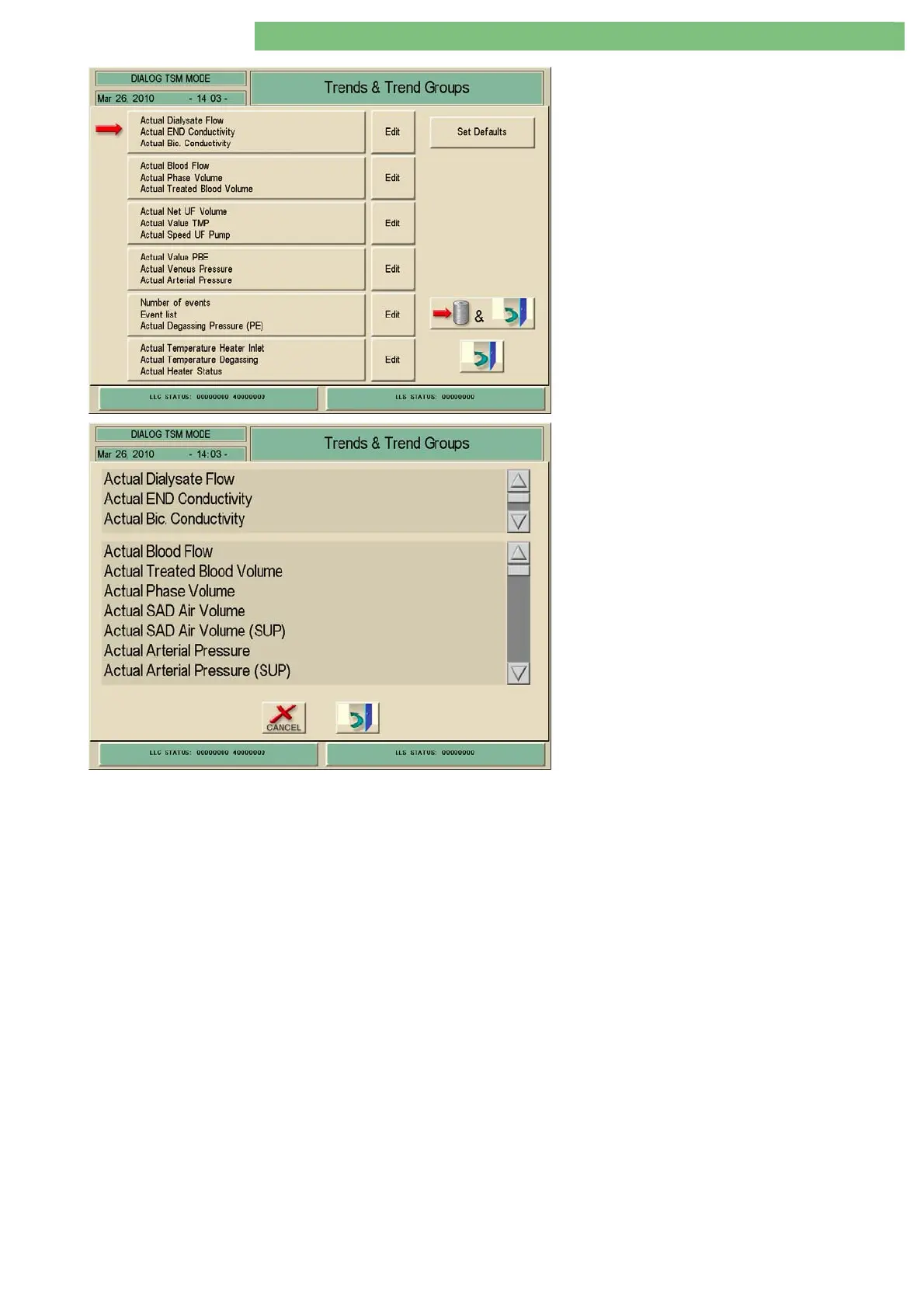
Six trend groups are available. The trend group
with the red arrow can be selected.
4. Activate the Trend Groups menu with the Trend
Groups icon.
Edit Key
Three treatment parameters can be selected for
one group from a parameter list.
5. Activate the Edit menu with the Edit icon.
6. The treatment parameters in the six trend
groups can be modified.
7. The default parameters can be reset with the
Set Defaults window.















 To Next Page