NIBP Monitoring
12-3
Adjust his/her sitting posture until:
He/she sits comfortably;
His/her legs are not crossed;
His/her feet are laid flat on the ground;
He/she leans his/her back against the chair and puts his/her hands on the desk;
The middle part of the cuff is at the same level as his/her right atrium.
Ask the patient to relax as much as possible and not talk during the measurement.
5 min elapses before the first reading taken.
12.4 NIBP Display
1) Enter [Tile Layout] in any of the following ways:
Select [Screen Setup] hot key → Select [Tile Layout] tab.
Select [Main Menu] hot key → [Display] → [Tile Layout].
2) Click on the area where NIBP is to be displayed, and select [NIBP] from the drop-down list.
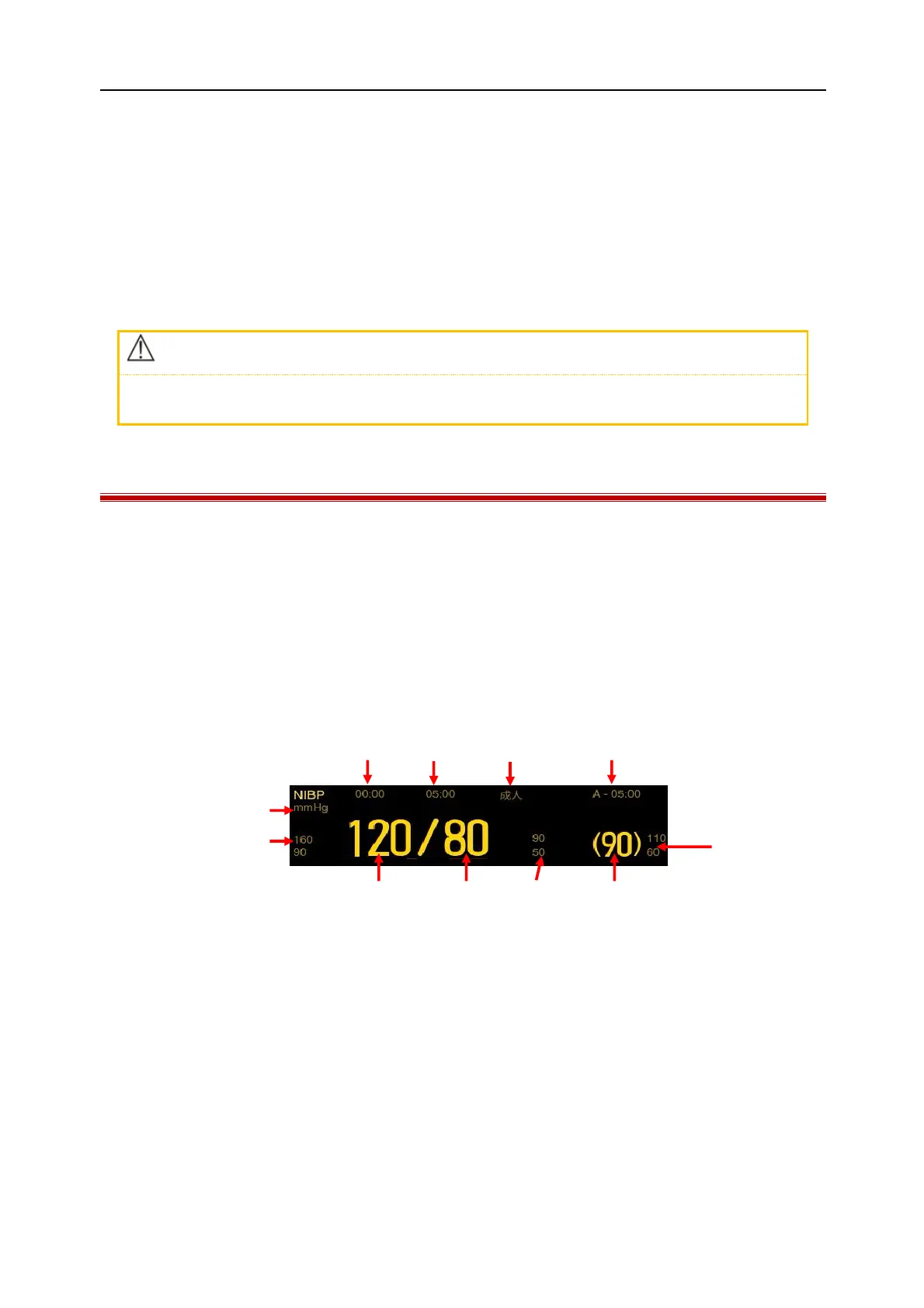
During measurement, the cuff pressure is indicated on the NIBP parameter area. After one NIBP determination the
NIBP measurement results are displayed in the parameter area. The figure below is for reference only. The actual
display interface of the monitor may be slightly different from this figure.
(1) NIBP unit (2) Time of the previous measurement
(3) Measurement mode: display measurement interval in auto measurement or sequence measurement mode
(4) Patient type: Adu(Adult), Ped (Pediatric), or Neo (Neonate).
(5) Display the current measurement cycle and measurement interval in sequence measurement mode
(6) MAP Alarm Limit (7) MAP (in the measurement process, display the cuff pressure)
(8) DIA Alarm Limit (9) DIA
(10) SYS (11) SYS Alarm Limit



 To Next Page