Clinical Assistant Assessment (CAA)
18-7
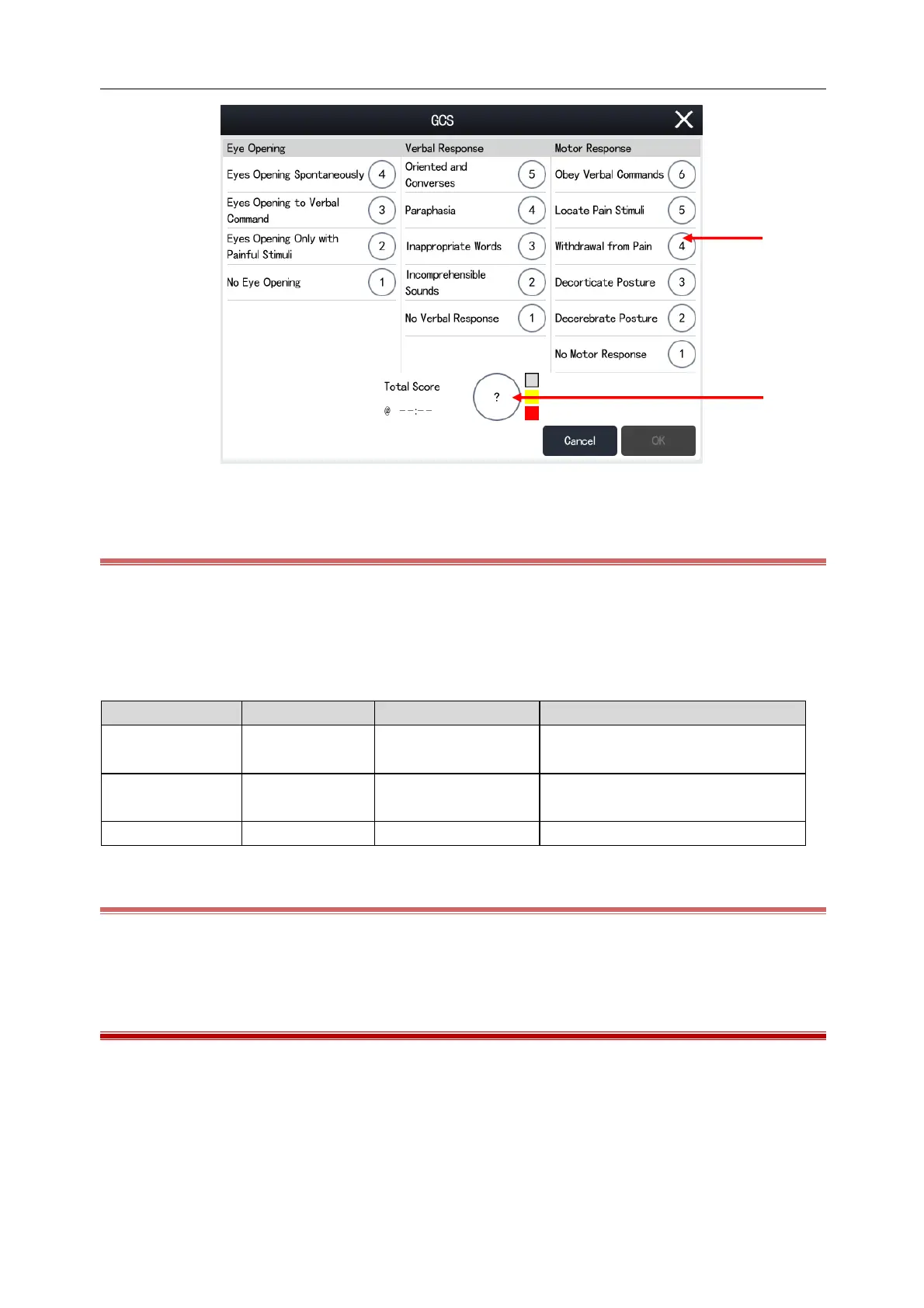
(1) Individual Score (2) Total Score
18.3.2 GCS Scoring
1) On the GCS screen, check an option in the [Eye Opening], [Verbal Response] and [Motor Response] area
respectively based on the patient's actual condition.
2) Click [OK] to confirm the score results.
The score range and background color of each score level are listed in the table below:
Normal or slightly impaired brain
function
Moderately or severely impaired brain
function
Brain death or vegetative
18.3.3 GCS Scoring Review
User can review the GCS scoring by selecting [Main Menu]---[CAA]---[GCS]---[Review].
18.4 ECG 24H Summary
ECG 24H Summary provides the current patient's ECG activity statistics for the last 24 hours. On the ECG 24H
Summary screen, you can view the following information:
HR statistics;
Arrhythmia statistics;
Statistics of QT/QTc measurements;



 To Next Page