C.O. Monitoring
16-6
16.6.3 C.O. Measure
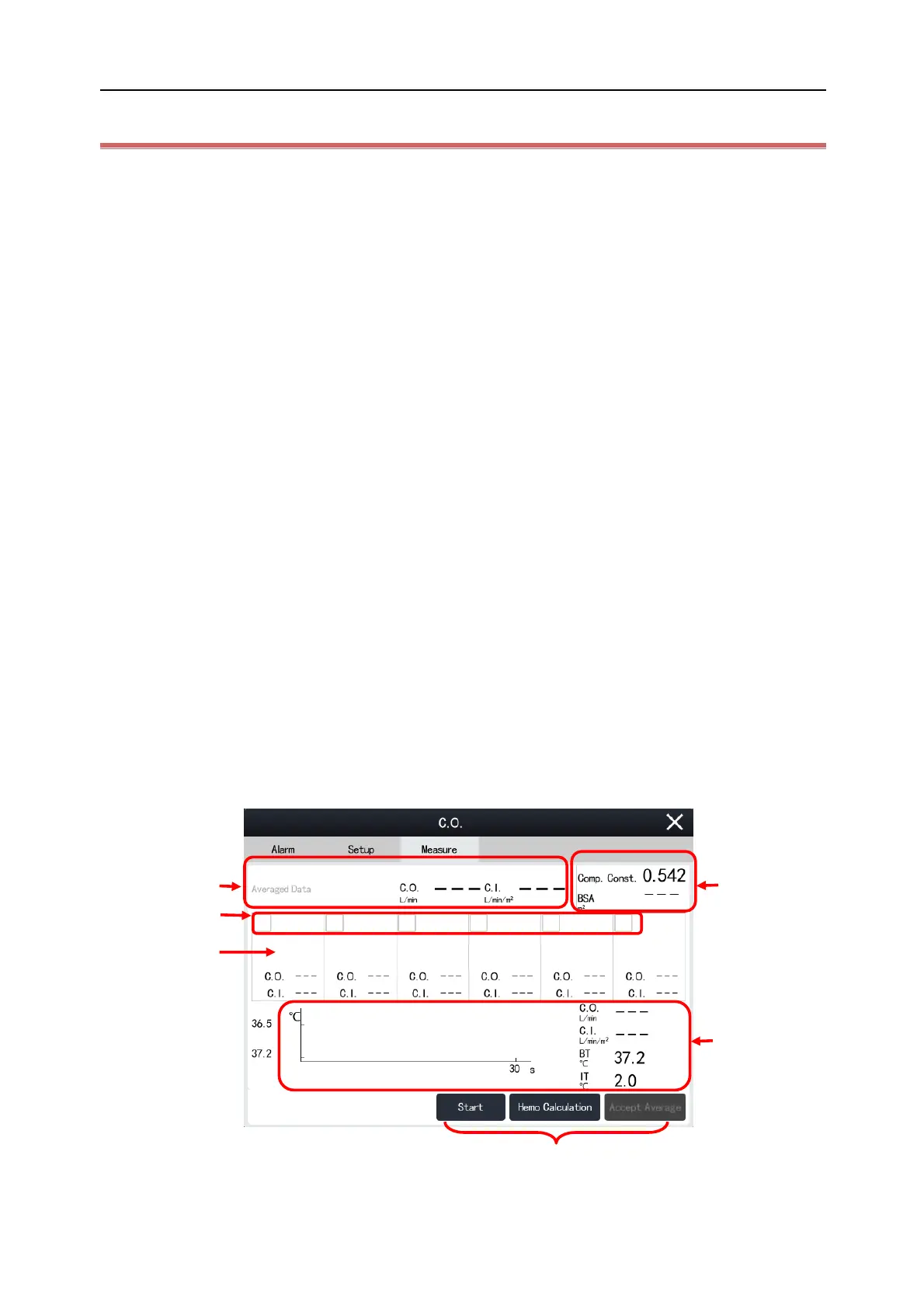
Set C.O. Measure as follows:
1) Select the C.O. parameter area to enter [C.O.] menu.
2) Select [Measure] tab.
If [Auto Start] is disabled, select [Start] to start fast injection (do not exceed 4s). The Thermodilution curve
will be displayed in the C.O. Measure window in real time. At the end of each measurement, the
measurement results will be displayed in the measurement history window. Wait for one minute and
select [Start] for the next measurement.
If [Auto Start] is enabled, the C.O. measurement will start automatically at the set [Interval], and you do
not need to select the [Start] button. If [Start] is switched to [Stop], please start the injection and
measurement immediately.
3) Obtain the average value of C.O. and C.I. After completing multiple measurements, select multiple
measurement curves as required in the measurement history window to calculate and display the average
value of C.O. and C.I., and then select [Avg.] to save and display the average value in the parameter area.
When injecting, the stopcock to the thermodilution catheter is open and the stopcock to the injectate solution is
closed. After completing the measurement, turn off the stopcock to the thermodilution catheter and turn on the
stopcock to the injectate solution, and then draw the injectate solution into the injectate syringe.
In addition, the following functions area available in the C.O. Measure window:
[Start]: start a C.O. measurement.
[Stop]: stop the ongoing measurement.
[Hemodynamic]: enter [Hemodynamic] window, input the value to be calculated in [Input] and click [Calculate]
to get the result. Please refer to "
Section 29.4 Hemodynamic Calculation
" for more information.
(1) Measurement history window (2) Check box (select the C.O. curve for average calculation)



 To Next Page