IBP Monitoring
14-13
14.6.4 Measurement Steps
1. Select PA parameter area or waveform area.
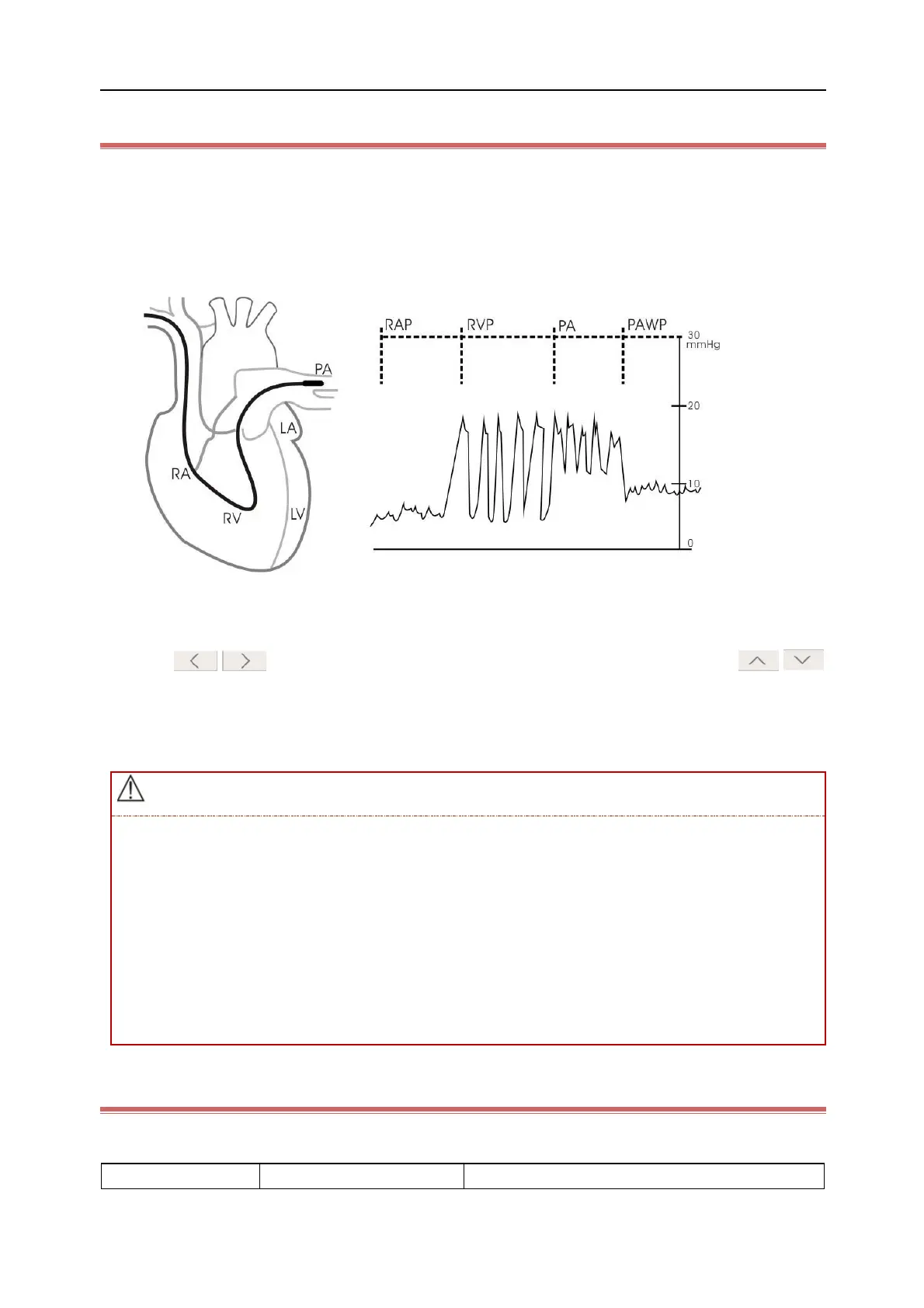
Wedge the tip of the Swan-Ganz catheter into the patient's pulmonary arteriole properly and then inflate the
balloon, and the PA waveform displayed by the monitor will change. Please pay close attention to the change of PA
waveform, shown as the figure below:
2. After the PAWP waveform becomes stable, click [Freeze] to freeze the stable waveform on the screen, and then
deflate the balloon.
3. Click on buttons to view the frozen waveforms leftward and rightward; click on
buttons to adjust the size of PAWP waveform displayed on the screen; click [Confirm] to save a set of PAWP
measurements.
4. If you want to obtain multiple sets of PAWP measurements, please repeat above steps.
In order to avoid thrombosis or pulmonary hemorrhage caused by inflation of the balloon for long
periods, inflate the balloon for the minimum time necessary for accurate measurements.
Over inflation of the balloon may lead to a rupture of the pulmonary artery, so please inflate the balloon
moderately. Take appropriate action according to good clinical practice and standard procedure.
If the measured PAWP value is higher than PA systolic pressure, please deflate the balloon and report
the accident in accordance with hospital policy. Besides, the measured PAWP value can only reflect the
pressure of the catheter or balloon, not the patient's hemodynamic status.
14.6.5 PAWP Setup
Click [Setup] on PAWP screen to enter [PAWP Setup] menu, where you can set the following parameters:



 To Next Page