Overview
2-8
(9). Waveform/Parameter Area: Displays parameter waveforms or parameter values, units, alarm limits, alarm
states, etc.. The user can select a parameter area or waveform area to enter the corresponding parameter
setup menu. See
“Section 4.3.1 Enter the Parameter Setup Window”
for details.
(10). Waveform Area: Displays parameter waveforms, etc. The user can select the waveform area of a parameter to
enter the corresponding parameter setup menu. See “Section 4.3.1 Enter the Parameter Setup Window” for
details.
2.3.1 Interface Symbols
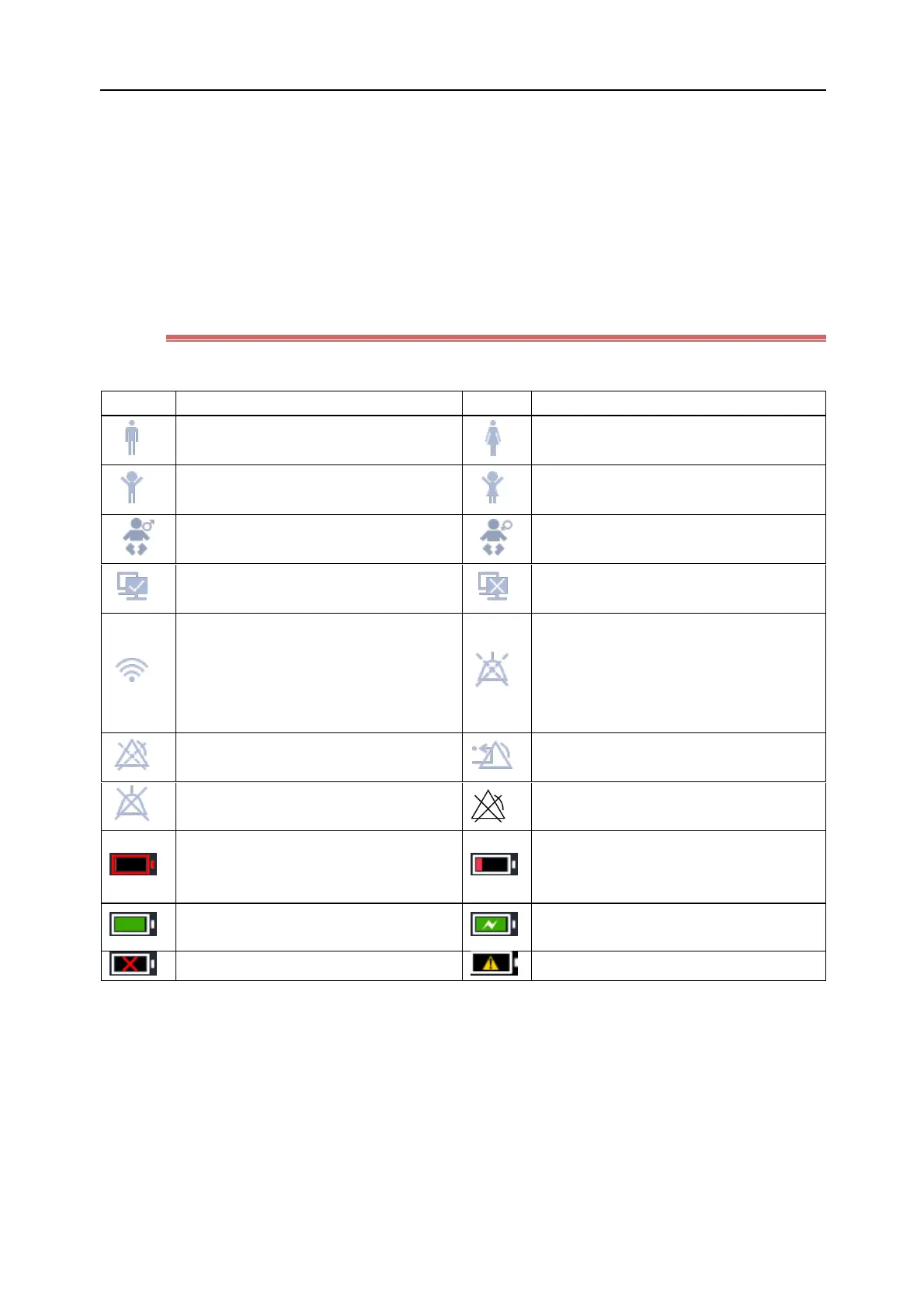
The table below lists the symbols shown in the System Information Area and their meanings:
Wired network has been connected
Wired network is not connected.
Wireless network has been connected. The
solid part indicates the network signal
intensity; the icon will not be displayed
when the wireless network is not
connected.
Very low battery. It should be charged
immediately, otherwise the monitor will
shut down automatically.
Low battery. Charging is needed.
Battery powered; the green part indicates
the remaining battery capacity.
The monitor is being charged.
The battery is not installed.
The battery failure has occured.



 To Next Page