20-1
Chapter 20 Record
20.1 Description of Recorder
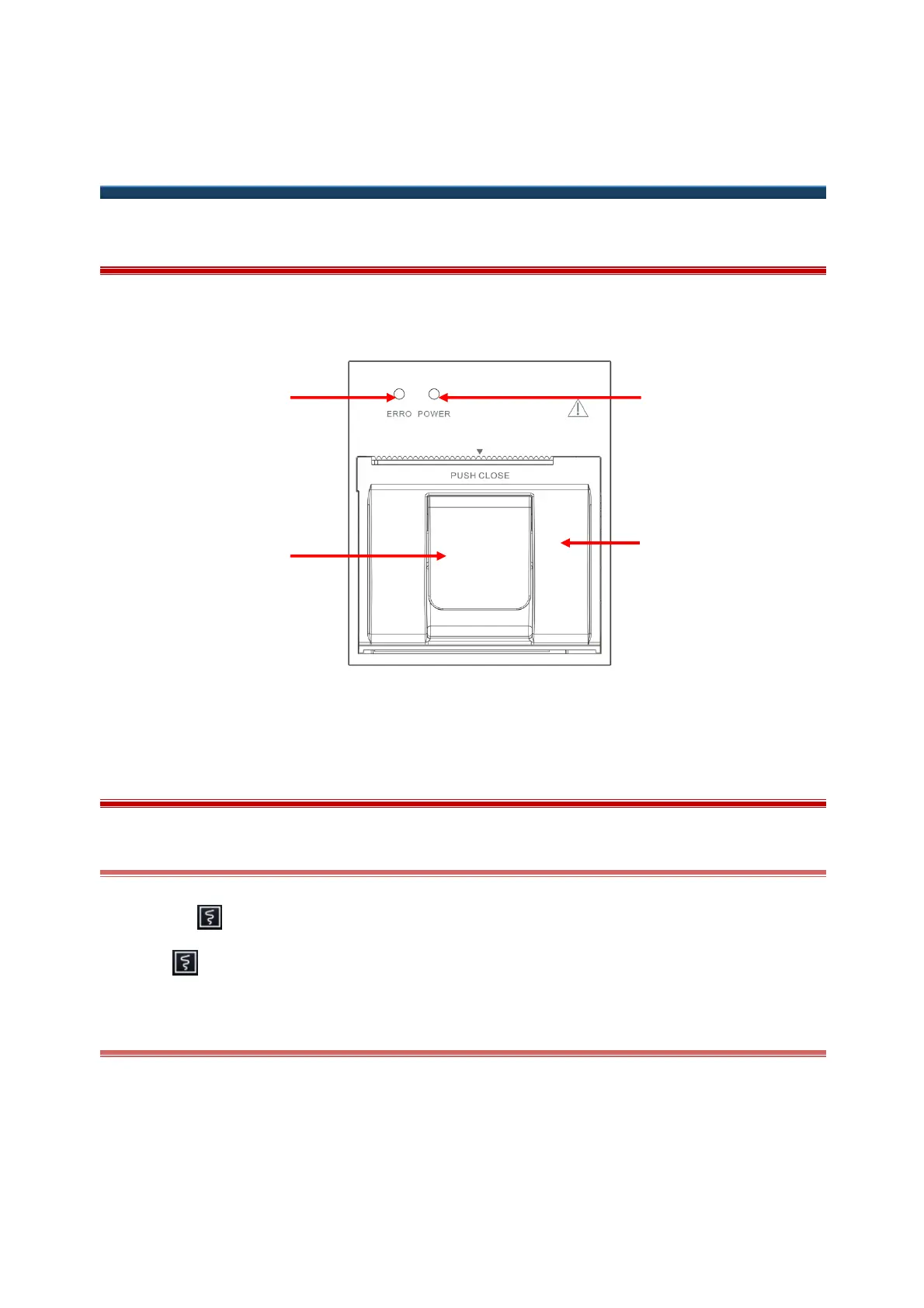
This monitor uses a thermal array recorder to record and print patient information, measurement data, reviews
and maximum 3 waveforms.
(1) Fault alarm light (2) On/Off latch lock (3) Recorder door (4) Power indicator
20.2 Start Recording
20.2.1 Start Recording Manually
Click the " |" hot key at the bottom of the screen to start real-time recording.
Click " " in the current menu or window to start recording.
20.2.2 Start Recording Automatically
You can set the recorder to start recording automatically in the following cases:
In timed recording.
When any parameter alarm occurs (refer to “
Section 20.5 Set to Automatic Recording”
).



 To Next Page