CO
2
Monitoring
15-7
patient's face.
8) Connect an exhaust pipe to the vent on the sensor so as to exhaust waste gases into the waste gas treatment
system.
9) Start the measurement after confirming the airway tightness.
15.5.2.3 Preparations for Masimo Sidestream CO
2
Module (other than plug-in module)
1) Connect one end of the Masimo patch cable with the CO
2
sensor cable.
2) Connect the other end of Masimo patch cable to the CO
2
module interface.
3) Wait for 10s until the sensor reaches its working temperature and a stable thermal state.
4) Insert sampling line into the interface of CO
2
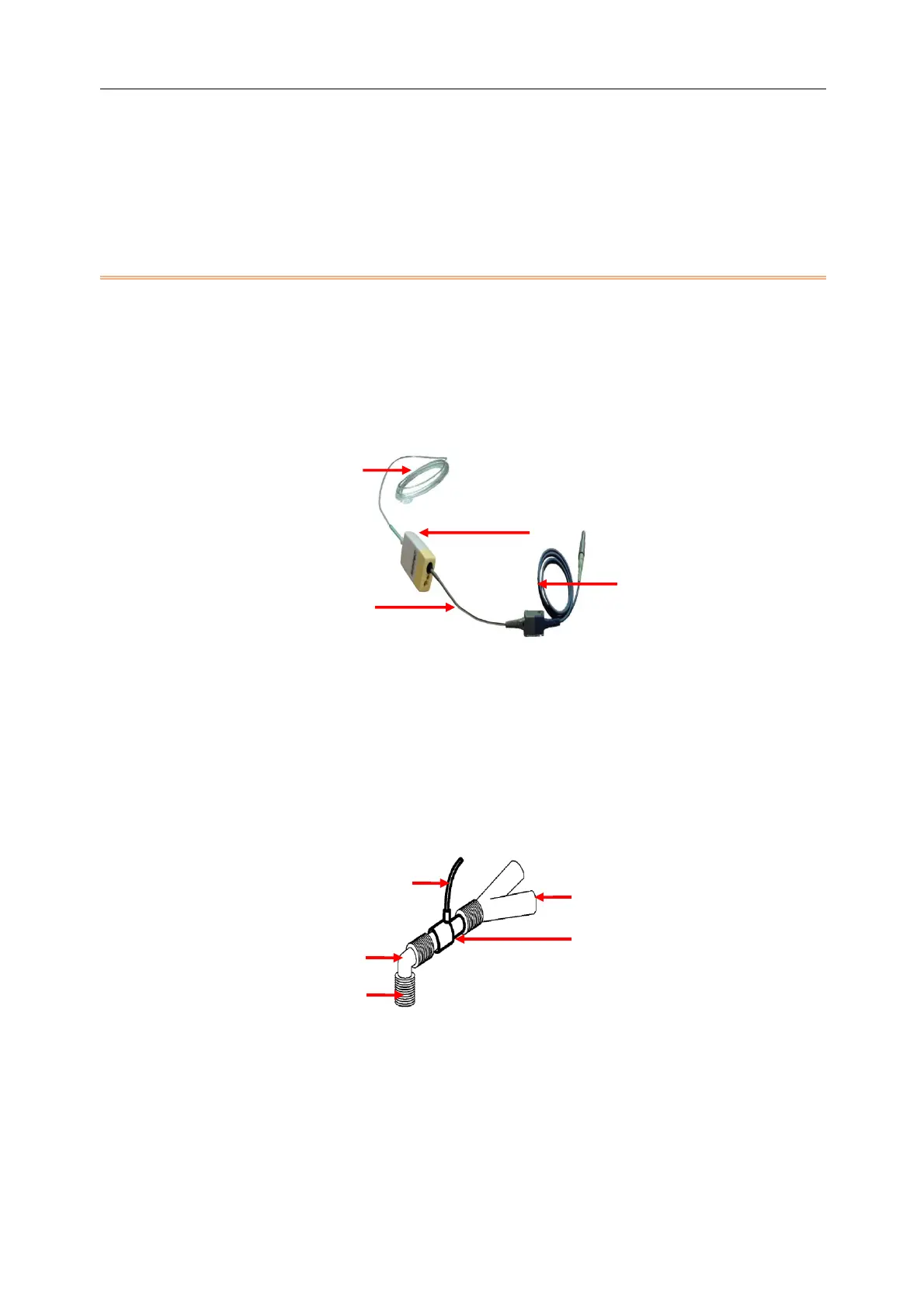
sensor reliably until you hear a "click" sound, shown in the figure
below.
(1) Sampling line (2) CO
2
sensor (3) Masimo patch cable (4) Sensor cable
5) Zero the sensor; please refer to "
Section 15.6 Zeroing the CO
2
Sensor
" for more information.
6) Check before its use; please refer to "
Section 15.5.3 Checks before Use for Masimo CO
2
Module
" for more
information.
7) Set CO
2
measurement; please refer to "
Section 15.7 CO
2
Setup
" for more information.
8) For the patient with tracheal cannula: install the airway adapter onto one end of the respiration circuit, such
as between the elbow tube and the Y-shaped tube, shown as the figure below:
(1) Sampling line (2) Y-shaped tube (3) Airway adapter (4) Respiration circuit port (5) Elbow tube
9) Placement of the nasal cannula for the patient without tracheal cannula: place the nasal or oral-nasal with O
2
cannula onto the patient's face, connect the O
2
therapy tube to the O
2
supply system and set the O
2
flow as
directed.
10) Connect an exhaust pipe to the vent on the sensor so as to exhaust waste gases into the waste gas treatment
system.



 To Next Page