13-1
Chapter 13 TEMP Monitoring
13.1 TEMP Overview
The monitor uses temperature probes to measure the body temperature and supports two temperature
measurement channels. By placing the temperature probe under the patient’s axilla or rectal, the monitor displays
the temperature directly measured at the measurement site. .
TEMP measurement is intended for adult, pediatric and neonatal patients.
13.2 Set Temperature Display Area
1) Enter [Tile Layout] in any of the following ways:
Select [Screen Setup] hot key → Select [Tile Layout] tab.
Select [Main Menu] hot key → [Display] → [Tile Layout].
2) Click on the area where TEMP is to be displayed, and select [TEMP] from the drop-down list.
13.3 Temperature Display
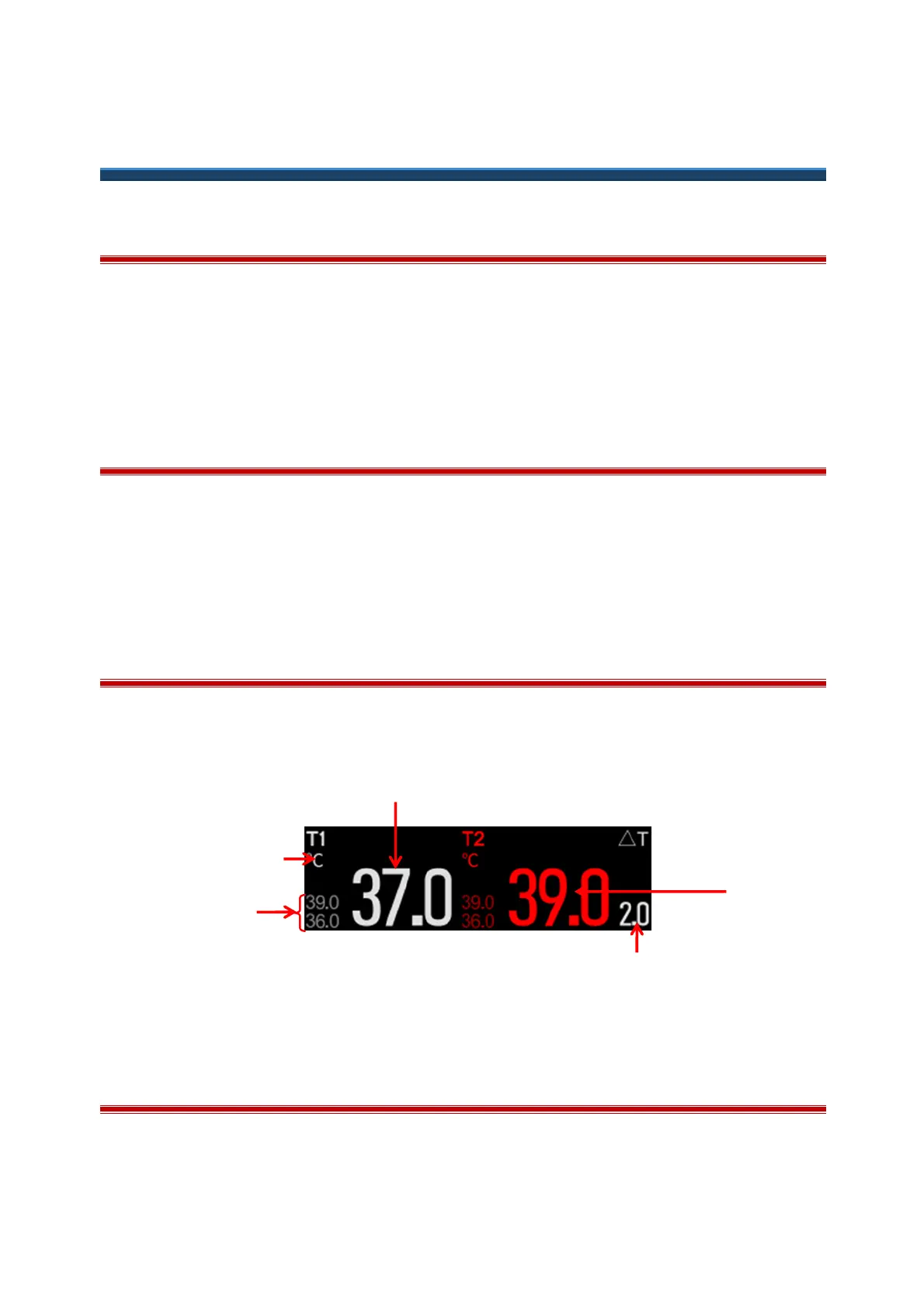
The figure below shows the TEMP display interface, which may be slightly different from the actual display interface
of the monitor.
(1) Temperature Value (2) Temperature Unit
(3) Temperature Difference (ΔT) (4) Temperature Alarm Limits
13.4 Temperature Measurement
1) Select an appropriate temperature sensor type and size.
2) Insert the temperature cable to the temperature connector of the monitor.



 To Next Page