Clinical Assistant Assessment (CAA)
18-4
Select [Screen Setup]→[Choose Screen] tab→[EWS]
Click [Main Menu] hot key → [Display] → [Choose Screen] → [EWS].
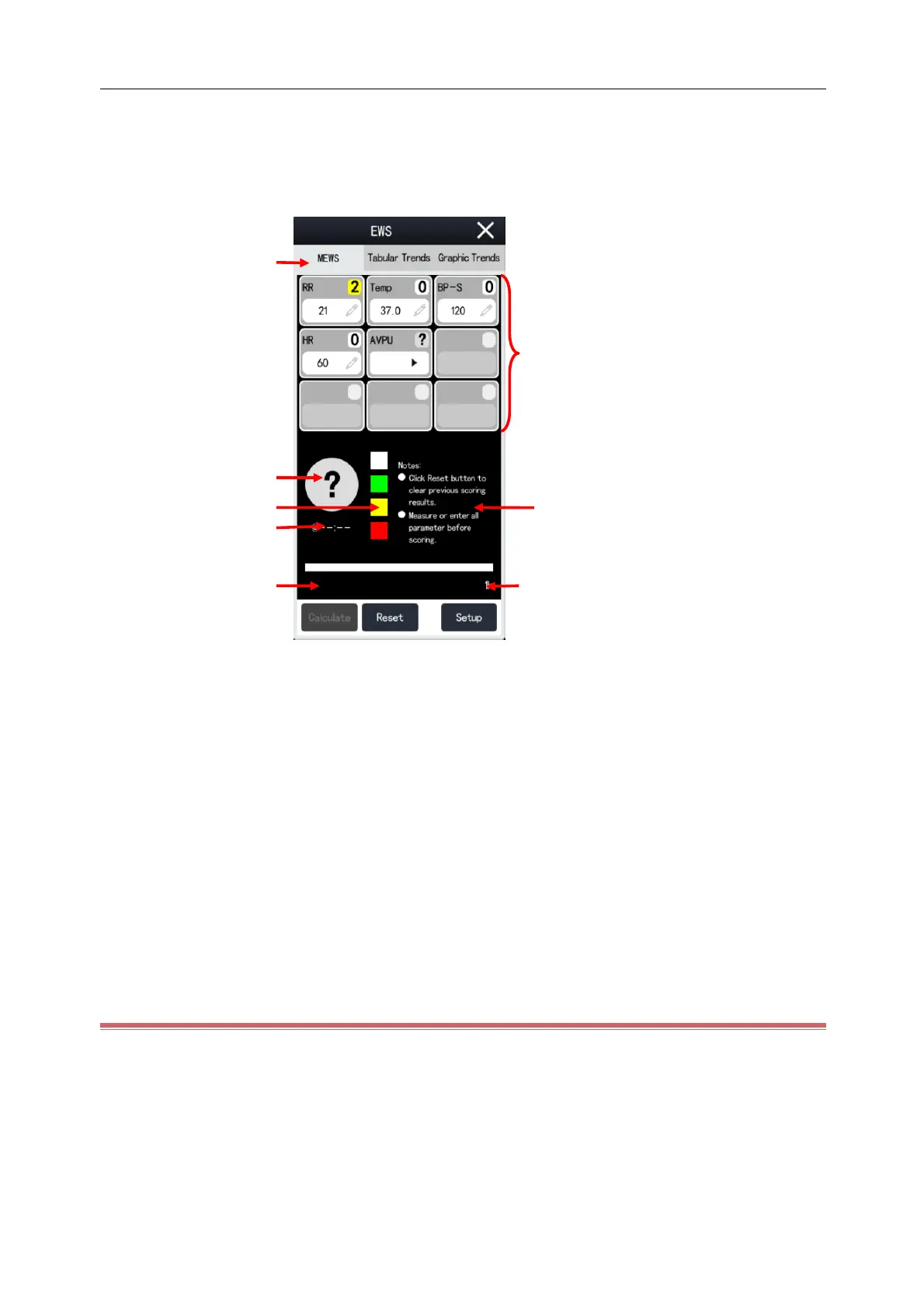
Take MEWS as an example, the EWS screen is illustrated below. The actual EWS screen may be different, depending
on the selected scoring system and settings.
(1) Score system name.
(2) Parameter area: displays the parameter value and score of individual parameters. The keyboard symbol
indicates that the parameter value was entered manually.
(3) Suggested measures.
(4) Scoring interval.
(5) Countdown to next scoring.
(6) Current scoring time.
(7) Score level boxes: the criticality level increases gradually from top to bottom. The current score level is
indicated in the circle.
(8) Total score. The color of the circle indicates the current score level. Red means early warning, and white means
normal.
18.2.2 Score Calculation
1) Click [Reset] to clear the last score results and refresh the parameter values and their scores automatically
obtained from the Monitor.
2) For NEWS2, set [SpO
2
Scale].
[Scale 1]: for patient without hypercapnic respiratory failure.
[Scale 2]: for patients with a prescribed oxygen saturation requirement of 88–92% (for example, in



 To Next Page