Overview
2-5
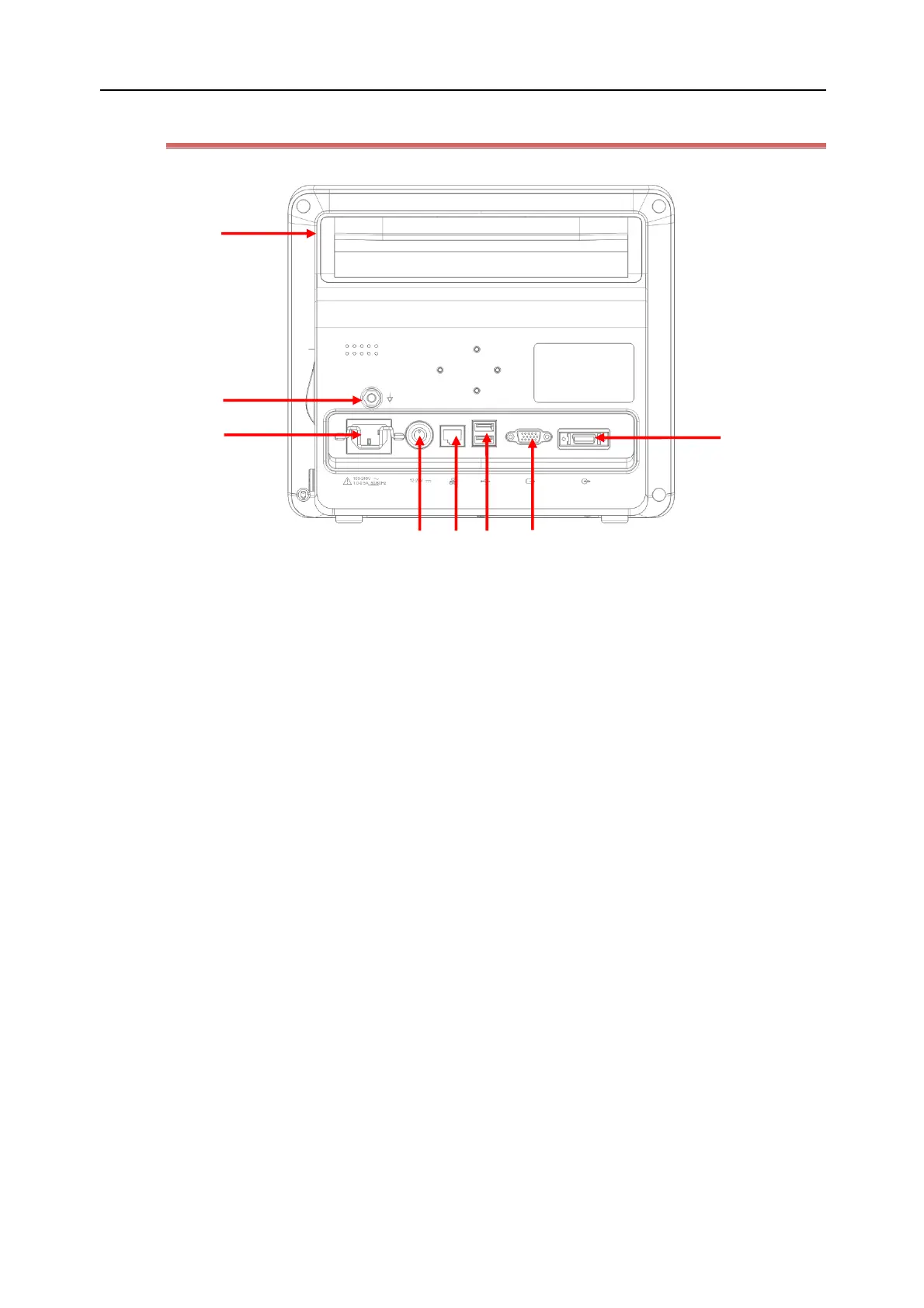
2.2.4 Rear View (N10/N10A/N10C)
(1) Handle
(2) Equipotential conductor
When another device is used together with the monitor, a wire should be used to connect the
equipotential port of that device to that of the monitor, thus to eliminate the earth potential difference
between different devices and ensure safety.
(3) AC power socket.
(4) DC power socket (Only available for N10/N10A/N10C):
It can be connected to the vehicle power source through a DC power cord for DC power supply.
(5) Network port
Available only when the monitor is using the Windows system for monitoring, networking to the central
monitoring system (CMS) or other specified devices through a standard network cable.
(6) USB ports of monitoring system
For using the patient monitor for monitoring, these two USB ports can be used to connect a USB mouse,
keyboard, printer, barcode reader and other USB devices.
(7) VGA port
For patient monitor, it can be connected to an external HD display to show real-time monitored
information displayed on the monitor. It enables medical workers to view information on a large screen
conveniently, or allows presentation by the teaching staff. The maximum resolution of the external display
is 1920*1080. The information on extender displayer is not for diagnostic.
(8) Multi-function port
May be used as the nurse call port. When it is connected to the nurse call system in the hospital, a
call signal will be activated to alert the nurse if an alarm is generated.



 To Next Page