17-1
Chapter 17 Data review
17.1 Overview
On the Review screen, you can view the trend data, alarm event records and waveform information. You can also
go to the Minitrends screen or OxyCRG screen to view trend data. Here we explain how to view such stored data.
17.2 Review Screen
17.2.1 Go to the Review Screen
Follow any path described below to go to the Review screen:
1) Click [Review] hot key; or
2) Click [Main Menu] hot key → [Review] and then click the desired tab.
17.2.2 Structure of Review Screen
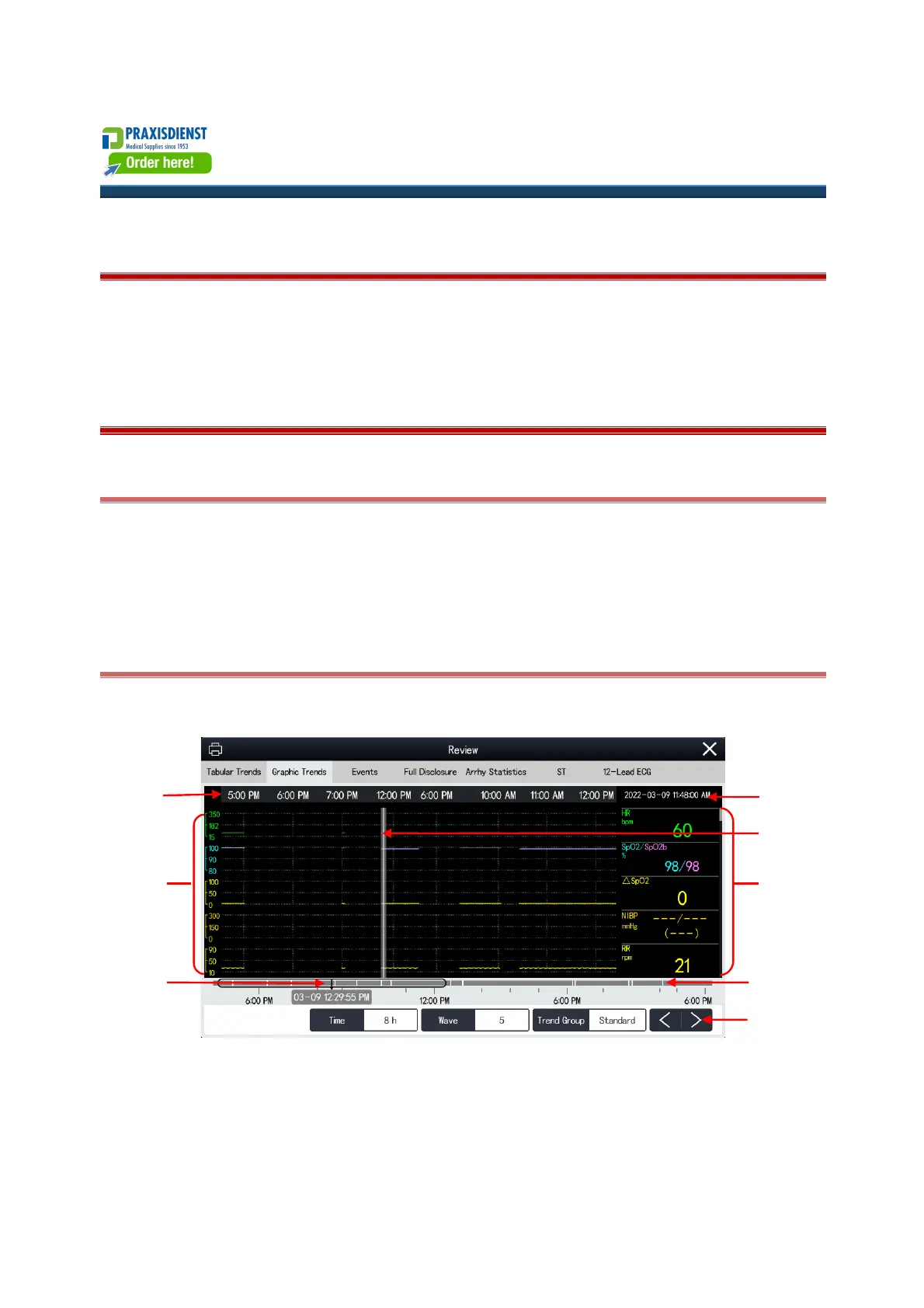
The Review Screens have a common structure. The Graphic Trends Review Screen is shown here as an example:
(1) The cursor time.
(2) Cursor.
(3) Parameter area: displays the parameter values at the cursor time. The parameter values are displayed on a
background of different colors, depending on their respective Alarm Priority.
(4) Timeline buttons.



 To Next Page