EasyManua.ls Logo

Comen N10 - Page 37

Default Icon
307 pages
Print Icon
To Next Page IconTo Next Page
To Previous Page IconTo Previous Page
Loading...
Overview
2-10
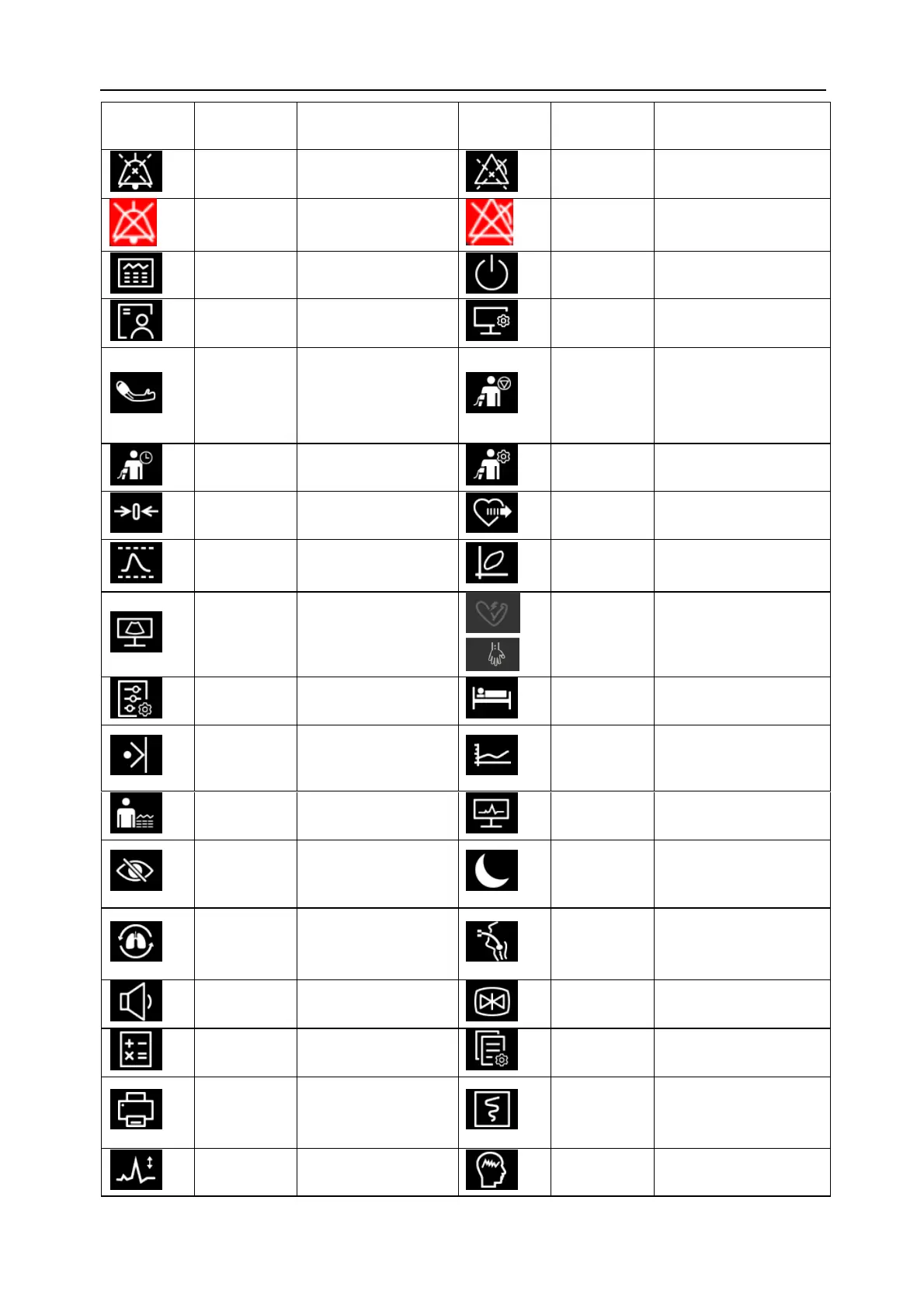
Icon of
Quick Key
Name of
Quick Key
Function
Icon of
Quick Key
Name of
Quick Key
Function
Alarm Sound
Paused
Pause the alarm
sound
Alarm
Paused
Suspend the current
alarm
Alarm Audio
Off
Turn off the alarm
sound
Alarm Off
Turn off the alarm
Review
Enter the [Review]
menu
Standby
Enter standby mode
Patient
Information
Enter the [Patient
Information] menu
Screen Setup
Enter the [Screen Setup]
menu
NIBP
Start/Stop
Start NIBP
measurement or stop
the current NIBP
measurement
Stop All
Stop all NIBP
measurements
NIBP STAT
Start NIBP STAT
NIBP Setup
Enter the [NIBP Setup]
menu
Zero IBP
Start zeroing IBP
C.O. Measure
Open the [C.O. Measure]
window
PAWP
Enter the [PAWP]
screen
Loops
Open the [Loops]
window
Venipuncture
Open the
[Venipuncture]
window
Start TOF
Start TOF measurement
or stop the current TOF
measurement
Parameter
Setup
Enter the [Parameter
Setup] menu
Remote View
Open the [Remote View]
window
Manual
Event
Manually trigger and
save events
Minitrends
Enter the Minitrends
screen
OxyCRG
Open the [OxyCRG]
window
ECG Full-
Screen
Enter the ECG 12-Lead
Full Screen
Privacy Mode
Enter privacy mode
Night Mode
Enter night mode
Cardio
Pulmonary
Bypass
Enter cardio
pulmonary bypass
mode
Intubation
Enter intubation mode
Volume
Enter the [Volume]
menu
Freeze
Freeze waveforms
Calculate
Enter the [Calculate]
menu
Load
Configuration
Enter the [Load
Configuration] menu
RT Print
Start the real-time
printing task
RT Record
Start the recording task
or stop the current
recording task
ECG
Lead/Gain
Enter the [ECG
Lead/Gain] menu
GCS
Enter the [GCS] screen

Table of Contents