110
DISC mode
Video CD playback
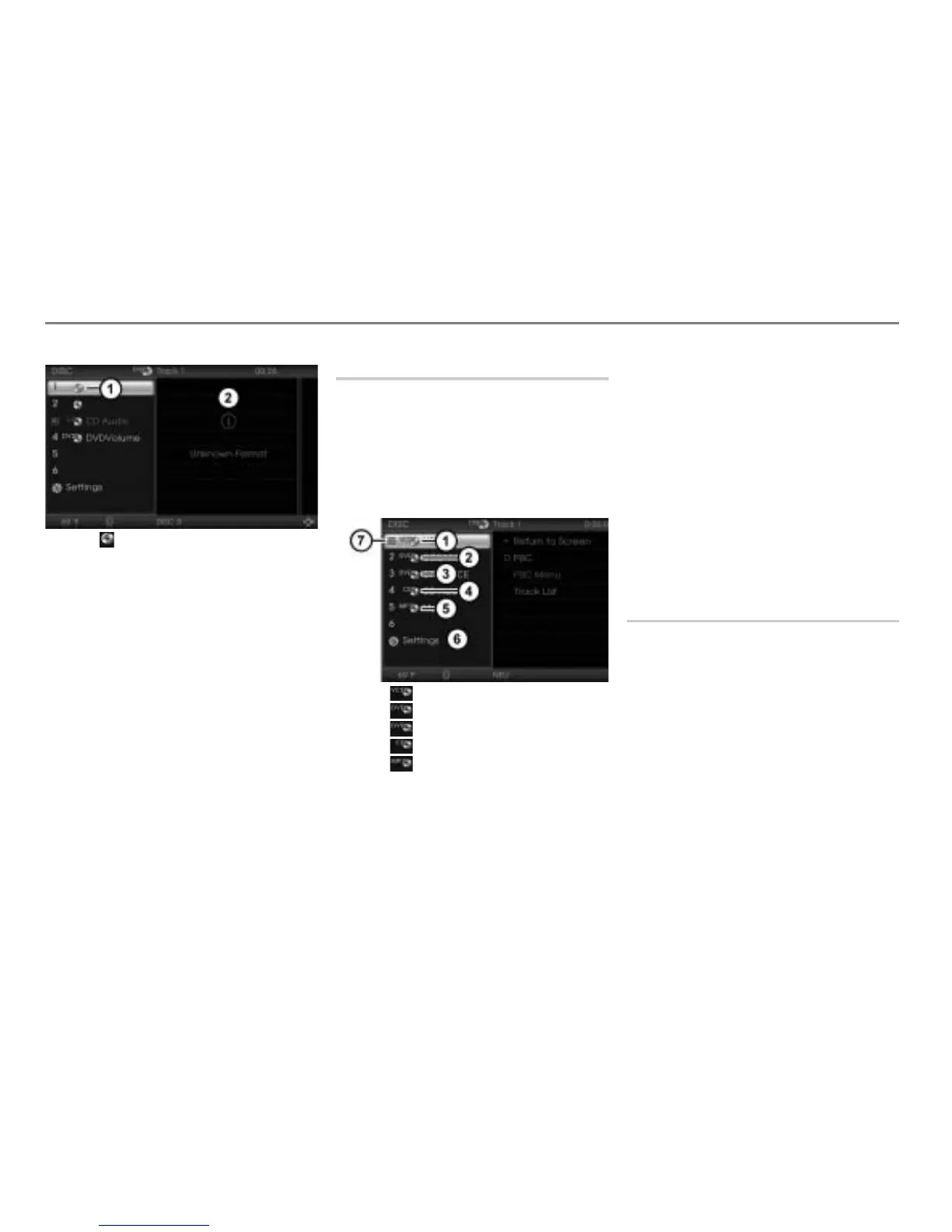
Icon for an unknown disc
Display for the unknown content of the
unknown disc
As soon as an unknown disc is played,
display takes place as previously described
in the section “Displaying the disc name”,
see page 109.
The system does not store the data,
therefore after a disc is removed from the
magazine and reinserted at a later date, it
may be unknown to the system once more.
Selecting and playing discs
Selecting using the central control
panel
To open the DISC main menu: During
video playback, press and hold
the button until the DISC main
menu appears.
Icon for a video CD
Icon for a video DVD
Icon for an audio DVD
Icon for an audio CD
Icon for an MP3 CD
DISC main menu with list of discs
Play icon for the disc currently play-
ing
To play a disc: Select a video CD in the
DISC main menu
.
Selecting using the steering wheel
Press and hold the or button.
The system will play the previous or
next disc, depending on the button
pressed.
The previous or next disc may also be an
audio disc or a video DVD, depending on
how the magazine compartments are
loaded.
Selecting tracks
If a video CD contains several tracks, you
can use the track list or the track skip
function to select a track for playback.
Track list
You can select a specific track for playback
directly in the track list.
This function is described in the section
“Native video CD menu”, see page 111.



 To Next Page